

Gamepad MIDI AUv3
Gamepad MIDI AUv3 is made and published by Joshua Wexler. AppBrain is an independent app data site and isn't affiliated with Joshua Wexler. The app name, icon, screenshots and description belong to Joshua Wexler and are shown as published on the App Store.
AppBrain's verdict
- Last updated
- October 9, 2026
Rankings
App Store top chartsApp Store Rankings for Gamepad MIDI AUv3
Competitors
Similar apps and more from Joshua WexlerAlternatives to Gamepad MIDI AUv3


Releases
Updates seen on the App Store- Version
- 1.0
- Launched
- October 2026
No changelog data
User feedback
Ratings and reviews on the App StoreComments on Gamepad MIDI AUv3 for iOS
We don't have enough comments to show example comments. Please check back later.
Technology
Found in the app by AppBrain- Price
- Free
- App size
- 1.37 MB
- Content rating
- Everyone
Technologies used by Gamepad MIDI AUv3
About the app and developer
About Gamepad MIDI AUv3
Gamepad MIDI AUv3 is a music app developed by Joshua Wexler.
User Ratings
The app has no ratings yet.
App Information
Gamepad MIDI AUv3 is freely available from the App Store. The app size is 1.37 MB. The latest version available is 1.0. The last update was on October 9, 2026.
Technical Requirements
The app has a content rating of Everyone. The app has been available on the App Store since October 2026.
Developer information for Joshua Wexler
Address:
Frequently asked questions about Gamepad MIDI AUv3
Is Gamepad MIDI AUv3 free?
Yes. Gamepad MIDI AUv3 is free on the App Store.
Is Gamepad MIDI AUv3 still available?
Yes. Gamepad MIDI AUv3 is on the App Store, and the last update we saw was on October 9, 2026.
How large is Gamepad MIDI AUv3?
Gamepad MIDI AUv3 is 1.37 MB.
Is Gamepad MIDI AUv3 suitable for children?
App Store rates the content of Gamepad MIDI AUv3 as suitable for everyone.
Who made Gamepad MIDI AUv3?
Gamepad MIDI AUv3 was developed by Joshua Wexler. It is listed in the music category on the App Store.
What are the best alternatives to Gamepad MIDI AUv3?
People looking at Gamepad MIDI AUv3 also look at these music apps: midi-sink, FrankenJazz, ORPHEUS: Music Synthesizer, wFX: AUv3 Multi-FX, Bytebeat: Make Music with Code.
Store listing
By Joshua Wexler, from the App Store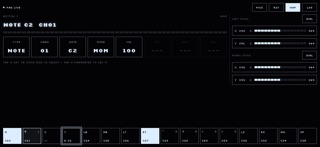


Description by Joshua Wexler Written by the developer, not by AppBrain. Click to read.
Map any control to a note or a CC. Then play your synths, drum machines and effects with the controller in your hands.
BUTTONS
Play notes or send CCs. Hold for momentary, tap to latch, or fire a one-shot trigger.
TRIGGERS AND STICKS
Sweep a CC smoothly as you press or push. Great for filters, sends and swells.
DIALS
Turn the D-pad or a stick into a dial that stays where you leave it. Circle a stick to turn it like a knob. Set how fast it turns, and how long it keeps spinning after you let go.
EASY TO MAP
Press a control on the gamepad to select it. Set its channel, number and mode on screen. A SEND button makes MIDI learn easy. Your mapping is saved with your project.
Works with the game controllers iOS supports. Runs as an AUv3 MIDI plugin. No accounts, no tracking, no data collected.