

Genea is made and published by Vertical Horizon. AppBrain is an independent app data site and isn't affiliated with Vertical Horizon. The app name, icon, screenshots and description belong to Vertical Horizon and are shown as published on the App Store.
AppBrain's verdict
- Last updated
- September 11, 2022
Rankings
App Store top chartsApp Store Rankings for Genea
Competitors
Similar apps and more from Vertical HorizonMore from Vertical Horizon


Releases
Updates seen on the App Store- Version
- 2.3
- Launched
- December 2019
No changelog data
User feedback
Ratings and reviews on the App StoreComments on Genea for iOS
We don't have enough comments to show example comments. Please check back later.
Technology
Found in the app by AppBrain- Price
- $8.99
- App size
- 6.09 MB
- Content rating
- Everyone
Technologies used by Genea
About the app and developer
About Genea
Genea is a reference app developed by Vertical Horizon.
User Ratings
The app has no ratings yet.
App Information
Genea costs $8.99. The app size is 6.09 MB. The latest version available is 2.3. The last update was on September 11, 2022.
Technical Requirements
The app has a content rating of Everyone. The app has been available on the App Store since December 2019.
Developer information for Vertical Horizon
Address:
Frequently asked questions about Genea
Is Genea free?
No. Genea costs $8.99 on the App Store.
Is Genea still available?
Yes. Genea is on the App Store, and the last update we saw was on September 11, 2022.
How large is Genea?
Genea is 6.09 MB.
Is Genea suitable for children?
App Store rates the content of Genea as suitable for everyone.
Who made Genea?
Genea was developed by Vertical Horizon. It is listed in the reference category on the App Store.
Store listing
By Vertical Horizon, from the App Store



Description by Vertical Horizon Written by the developer, not by AppBrain. Click to read.
The benefits are substantial - you will save a lot of time by avoiding repeat searches, and information about your prior searches can lead to discoveries down the road.
If you’re not keeping a research log, now is an excellent time to start.
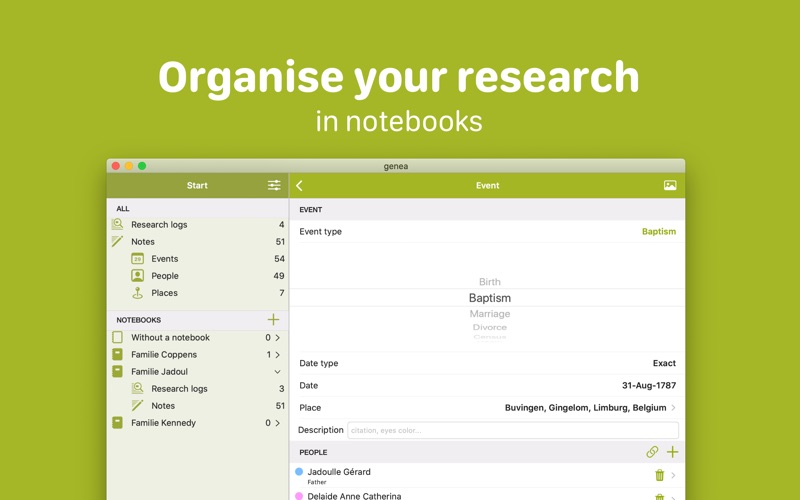
ORGANISE YOUR WORK
Organise your research logs and notes in notebooks. Manage your notebooks and move items between notebooks.
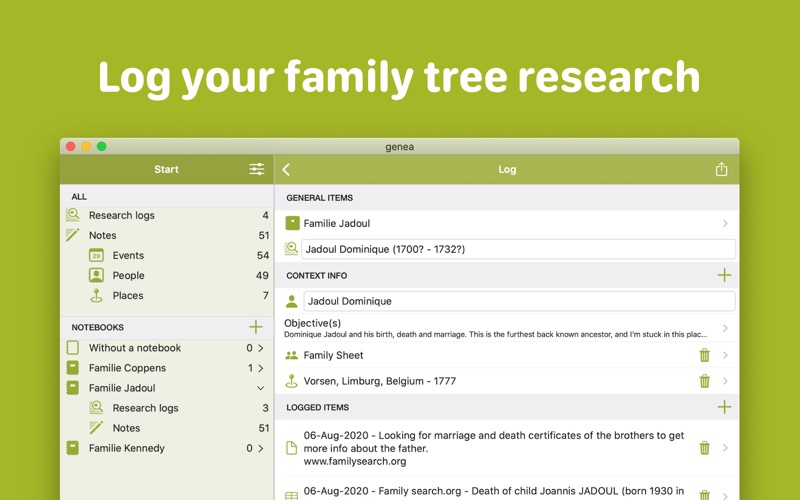
USE RESEARCH LOGS
Log all your research in research logs, so you know what you looked for and when. Knowing you didn't find a result is as important as knowing you did. You create a research log for a specific objective and keep track of all the research you did and have planned.
Use research logs to plan your future research so you don't forget about it.
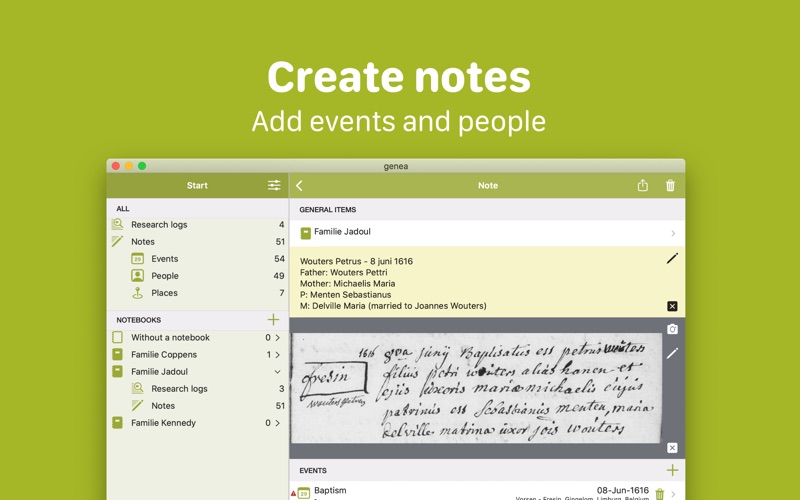
TAKE NOTES, ADD EVENTS AND PEOPLE
Create notes of your findings. Add events to notes, and add or link people to events.
Specify the default text for a note or family template. Genea allows you to add as many events, notes and people as you want. Search on events, places, notes, people etc. to find possible matches
Events can be exported as gedcom files to import in your family tree app.
MEDIA
Add media to notes and your research log. Crop and adjust media if needed. Use text recognition on images (with normal text). Take pictures of your sources to work on them later on.
SHARE AND EXPORT
Maybe you just want to post an interesting event on Facebook, or maybe you want to mail to a friend.
You can also create a PDF of your research log and share it.
You can export notes and events to a GEDCOM file to import it in another genealogy app.
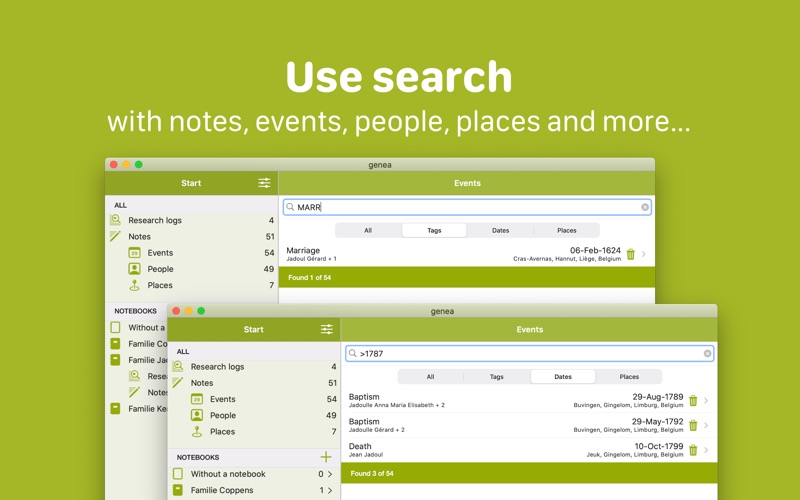
SEARCH
Search on notes, events, people and places. Do a specific search on first or last name, date or date ranges, places, gedcom tags...
SYNC YOUR DATA
Synchronise your genealogy research with your devices through iCloud. Activate the iCloud synchronisation in Settings.