

General DB
General DB is made and published by Portable Databases. AppBrain is an independent app data site and isn't affiliated with Portable Databases. The app name, icon, screenshots and description belong to Portable Databases and are shown as published on the App Store.
AppBrain's verdict
- Last updated
- June 30, 2021
Rankings
App Store top chartsApp Store Rankings for General DB
Competitors
Similar apps and more from Portable DatabasesMore from Portable Databases


Releases
Updates seen on the App Store- Version
- 5.12
- Launched
- February 2013
No changelog data
User feedback
Ratings and reviews on the App StoreComments on General DB for iOS
We don't have enough comments to show example comments. Please check back later.
Technology
Found in the app by AppBrain- Price
- $9.99
- App size
- 3.72 MB
- Content rating
- Everyone
Technologies used by General DB
About the app and developer
About General DB
General DB is a business app developed by Portable Databases.
User Ratings
The app has no ratings yet.
App Information
General DB costs $9.99. The app size is 3.72 MB. The latest version available is 5.12. The last update was on June 30, 2021.
Technical Requirements
The app has a content rating of Everyone. The app has been available on the App Store since February 2013.
Developer information for Portable Databases
Address:
Frequently asked questions about General DB
Is General DB free?
No. General DB costs $9.99 on the App Store.
Is General DB still available?
Yes. General DB is on the App Store, and the last update we saw was on June 30, 2021.
How large is General DB?
General DB is 3.72 MB.
Is General DB suitable for children?
App Store rates the content of General DB as suitable for everyone.
Who made General DB?
General DB was developed by Portable Databases. It is listed in the business category on the App Store.
Store listing
By Portable Databases, from the App Store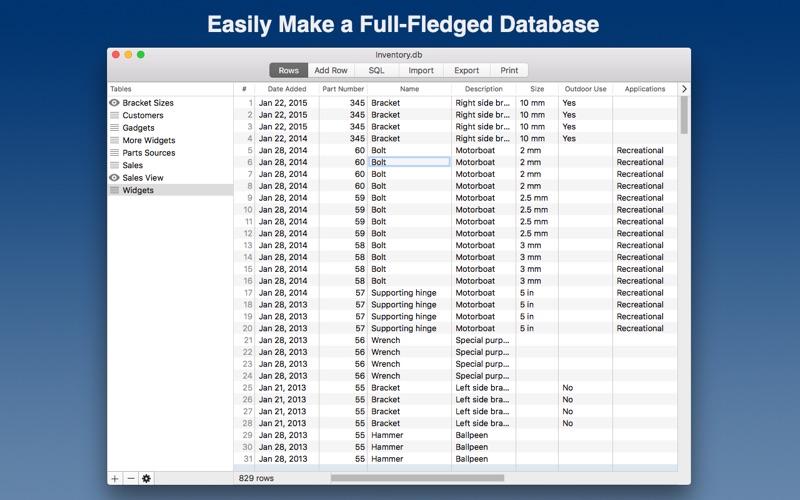





Description by Portable Databases Written by the developer, not by AppBrain. Click to read.
General DB lets you edit data in your database as if it were a spreadsheet, and you can open multiple databases at once and copy-and-paste data or drag-and-drop tables between them.
Some valuable features:
Open Multiple Database Windows:
For dragging and dropping tables, or copying and pasting rows
Spreadsheet-Like:
Lets you edit individual cells, or copy and paste selected cells to another app
Easily Create SQL Views:
For displaying only some of the fields of a table, or reordering the fields, or filtering out some of its rows
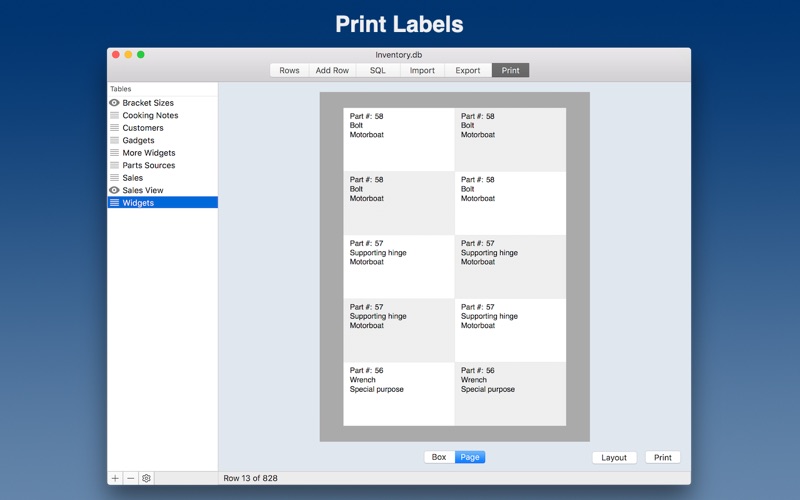
Print Labels:
Good for postcards, stickers, envelopes, and forms
Copy and Paste Rows:
Copy and paste selected rows or cells to another database or app. Drag and drop tables between databases.
Import and Export Rows:
From CSV, tab-delimited, or pipe-delimited files
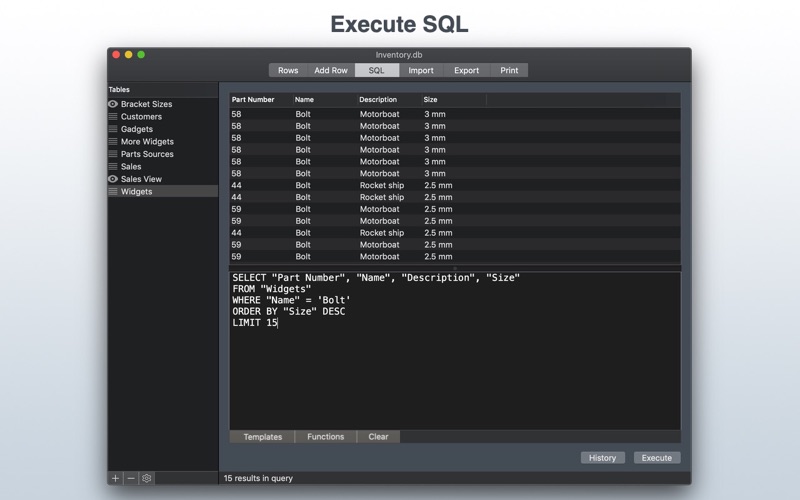
SQL Console:
Execute SQL and make favorites
Designed for both casual users and power users, General DB can be used as a replacement for some spreadsheet tasks, or as a staging system for larger database systems, or for publishing data sets to iOS devices using the Private DB app, or for many other tasks.
Some example uses:
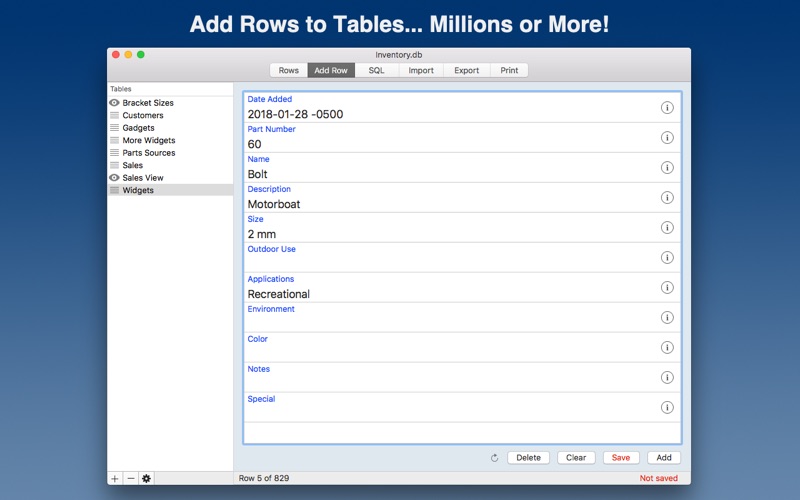
Say you have a bottle collection, and you want to keep up with what you have. You could make a table with these fields: Date Acquired, Bottle Type, Bottle Origin, Shape, Notes. Then whenever you add a new bottle to your collection, you can add a row to the table describing it.
If you want to track visits to different vacation sites, you can make a table with fields for the Date Visited, Location, Description, and Attraction. As you visit the sites, you can add corresponding rows to your table.
After you add rows to your tables, they will be:
* Searchable
* Sortable
* Selectable
Many apps are too specific to a subject, but General DB is flexible enough to handle many, many needs, such as:
- Inventories
- Customer info
- Membership lists
- Tracking Logs
- Accounts
- and many more !
No database knowledge is required to use this app, but you will pick some up as you go!
Distribute databases to either General DB for the iPhone and iPad, or the free Private DB!
For power users:
General DB allows easy data entry into a full-fledged SQLite database. To do so, it enhances it with field formats.
The field formats allowed are Text, Number, Date, Time, Duration, Location, Photo, Barcode, Raw, Picker, and Lookup Table. There are convenient buttons next to some fields for easier input.
For administrators or IT manager, you can create a master database of reference information that you don't want your users to modify. This master database can be published on the internet and either the Private DB app or General DB can download and view it.
Some more powerful features:
- Import text files into tables
- Execute SQL
- Custom picker field formats to select values from a list
- SQL templates for tables
- Add SQL statements to your Favorites
- See and execute past SQL in the History
- Create views as JOINs of 2 or more tables for relational capabilities
- Export selected rows from your tables to a file
- Create databases
- And much more!