
GetCam iOS webcam for PC & Mac
GetCam iOS webcam for PC & Mac is made and published by 4SPACES. AppBrain is an independent app data site and isn't affiliated with 4SPACES. The app name, icon, screenshots and description belong to 4SPACES and are shown as published on the App Store.
AppBrain's verdict
Established- Rating on App Store
- 4.37
- 19 ratings
- Last updated
- November 14, 2022
It doesn't have enough ratings yet to judge what users think.
Rankings
App Store top chartsApp Store Rankings for GetCam iOS webcam for PC & Mac
Competitors
Similar apps and more from 4SPACESAlternatives to GetCam iOS webcam for PC & Mac








More from 4SPACES

Releases
Updates seen on the App Store- Version
- 2.5.0
- Launched
- January 2021
No changelog data
User feedback
Ratings and reviews on the App StoreComments on GetCam iOS webcam for PC & Mac for iOS
We don't have enough comments to show example comments. Please check back later.
Technology
Found in the app by AppBrain- Price
- Free
- App size
- 39.8 MB
- Content rating
- Everyone
Technologies used by GetCam iOS webcam for PC & Mac
About the app and developer
About GetCam iOS webcam for PC & Mac
GetCam iOS webcam for PC & Mac is a photo & video app developed by 4SPACES.
What is the rating of GetCam iOS webcam for PC & Mac?
GetCam iOS webcam for PC & Mac is rated 4.37 out of 5 stars, based on 19 ratings.
Is GetCam iOS webcam for PC & Mac free?
GetCam iOS webcam for PC & Mac is free. The app size is 39.82 MB. The latest version available is 2.5.0. The last update was on November 14, 2022.
What are the requirements for GetCam iOS webcam for PC & Mac?
The app has a content rating of Everyone. The app has been available on the App Store since January 2021.
Developer information for 4SPACES
Address:
Frequently asked questions about GetCam iOS webcam for PC & Mac
Is GetCam iOS webcam for PC & Mac free?
Yes. GetCam iOS webcam for PC & Mac is free on the App Store.
Is GetCam iOS webcam for PC & Mac still available?
Yes. GetCam iOS webcam for PC & Mac is on the App Store, and the last update we saw was on November 14, 2022.
How large is GetCam iOS webcam for PC & Mac?
GetCam iOS webcam for PC & Mac is 39.82 MB.
Is GetCam iOS webcam for PC & Mac suitable for children?
App Store rates the content of GetCam iOS webcam for PC & Mac as suitable for everyone.
How do people rate GetCam iOS webcam for PC & Mac?
GetCam iOS webcam for PC & Mac scores 4.37 out of 5 stars, from 19 ratings on the App Store.
Who made GetCam iOS webcam for PC & Mac?
GetCam iOS webcam for PC & Mac was developed by 4SPACES. It is listed in the photo & video category on the App Store.
What are the best alternatives to GetCam iOS webcam for PC & Mac?
People looking at GetCam iOS webcam for PC & Mac also look at these photo & video apps: Webcam Plus, OBSCam, Shoot Pro Camera Source, USB Camera for Detail on Mac, FineCam Webcam for PC and Mac.
Store listing
By 4SPACES, from the App Store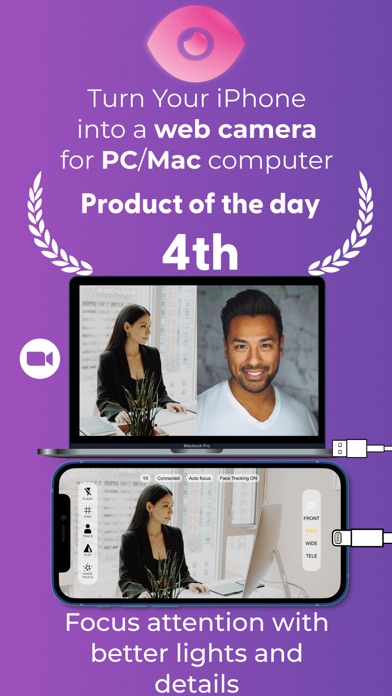
Description by 4SPACES Written by the developer, not by AppBrain. Click to read.
You can’t attend an event physically? Hop on a computer video call. Do you need a quick meeting with your team? Schedule a computer online call. You can’t fly out because of a delayed flight? Use video conference. Do you need to work with an expert who is in a distant location? Set up a google meet.
Virtual meet-ups save money, time, and stress. It’s also essential that we look good on these calls. It’s not just about making up and dressing up. How good is your lighting? How are you positioned? You want to look bright and good for an interview or an important live conference.
It’s okay to rely on your amazing iPhone camera. Not to burst your bubbles but it’s not enough. It gets better because you can achieve this without having to buy a ring light. This is where GetCam comes in. It’s the best web camera for high-quality online calls and live streams. GetCam does more than just lighting. It helps with proper angles for an effective video session.
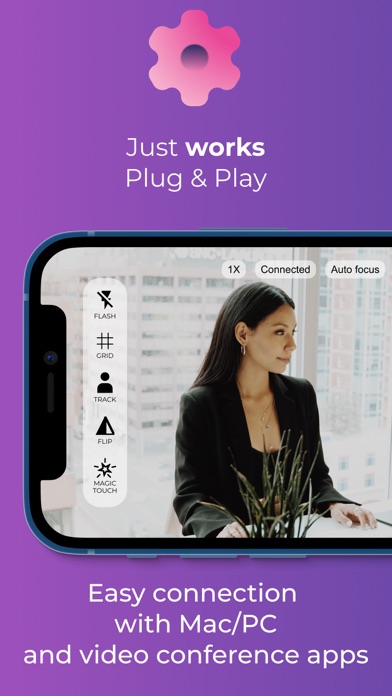
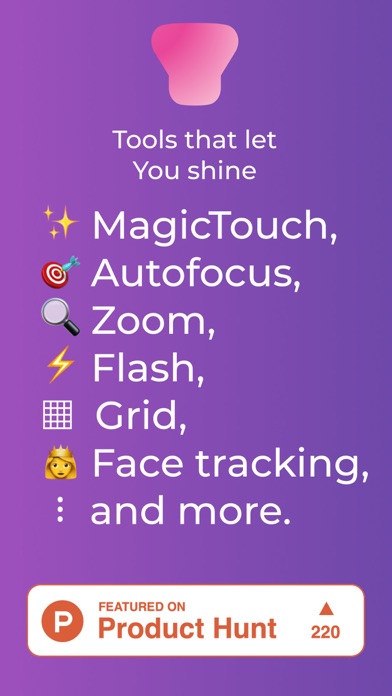
The fantastic thing about GetCam is how well it works with streaming and online conference apps. It basically, gives your virtual life a different experience, in a positive way of course. You don’t have to go through a hassle to achieve all these. All you need to do is download GetCam and connect. As much as it handles everything for you, it gives you a form of control over the features. You can choose what you want to focus your camera on and zoom in. Create any scenery or frame you want for your video. There’s also an inbuilt flashlight that just makes the video calls better. Everything about GetCam makes video calls perfect.
GetCam allows You to:
- Enjoy the lag-free, beautiful and stable video for Your live videos
- Connect Mac and Windows machines, hassle-free
- Effortlessly connect with videoconferencing and streaming apps
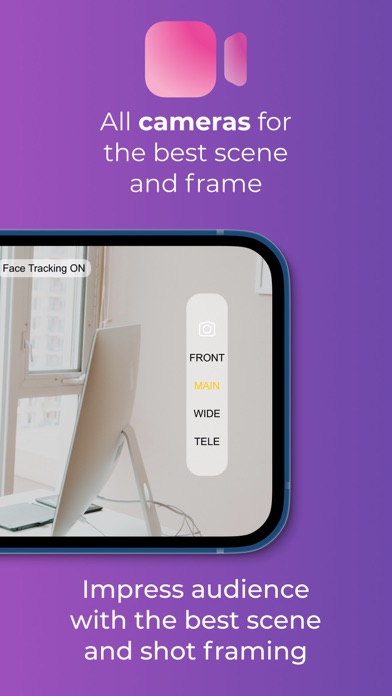
- Create any frame and scene with access to all iPhone cameras
- Magic Touch automatically shows you the best exposure and colors
- Fill the scene using the built-in flashlight
- Manually focus and zoom
- Position Yourself in the video grid
- Track Your head across the screen
- Mirror/flip the video from any iPhone camera
GetCam (Spotlight) iOS and Mac/Windows apps run together. Remember to install both - download Mac and PC apps from
www.getcam.co
Terms of Use:
www.getcam.co/TnC.pdf