

GNSS View is made and published by NEC Corporation. AppBrain is an independent app data site and isn't affiliated with NEC Corporation. The app name, icon, screenshots and description belong to NEC Corporation and are shown as published on the App Store.
AppBrain's verdict
Established- Rating on App Store
- 4.32
- 19 ratings
- Last updated
- September 2, 2026
It doesn't have enough ratings yet to judge what users think.
Rankings
App Store top chartsApp Store Rankings for GNSS View
Competitors
Similar apps and more from NEC CorporationAlternatives to GNSS View


More from NEC Corporation


Releases
Updates seen on the App Store- Version
- 6.0.3
- Launched
- October 2014
No changelog data
User feedback
Ratings and reviews on the App StoreComments on GNSS View for iOS
We don't have enough comments to show example comments. Please check back later.
Technology
Found in the app by AppBrain- Price
- Free
- App size
- 4.37 MB
- Content rating
- Everyone
Technologies used by GNSS View
About the app and developer
About GNSS View
GNSS View is a navigation app developed by NEC Corporation.
User Ratings
GNSS View is rated 4.32 out of 5 stars. The rating is based on 19 ratings.
App Information
GNSS View is freely available from the App Store. The app size is 4.37 MB. The latest version available is 6.0.3. The last update was on September 2, 2026.
Technical Requirements
The app has a content rating of Everyone. The app has been available on the App Store since October 2014.
Developer information for NEC Corporation
Address:
Store listing
By NEC Corporation, from the App Store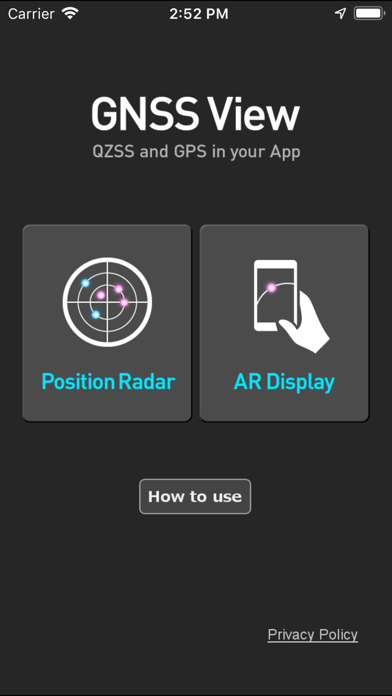
Description by NEC Corporation Written by the developer, not by AppBrain. Click to read.
●What is QZSS?
Quasi-Zenith Satellite System (QZSS) is a Japanese satellite positioning system composed mainly of satellites in quasi-zenith orbits (QZO).
Satellite positioning systems use satellite signals to calculate position information. One famous example is the American Global Positioning System (GPS) and the QZSS is sometimes called the Japanese GPS.
For details, please refer to the following Website "Quasi-Zenith Satellite System".
URL : https://qzss.go.jp/en
●What is GNSS View?
GNSS View provides that iOS version application that is based on the website application "GNSS View".
This application enables you to know position of positioning satellites such as QZSS and GPS in the specified time and location.
The positioning satellites displayed in the GNSS View are not based on the satellite information directly received by the smartphone but are displayed based on the satellite arrangement calculated based on the publicly released orbit information.
●GNSS View 3 functions
【Main】
・You can move to the Position Radar screen or AR Display screen from the application startup screen.
・You can see the operating manual and privacy policy of this application via the website.
【Position Radar】
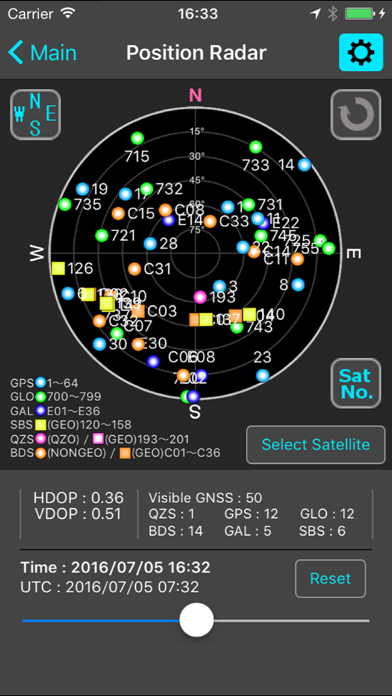
・It is provided radar view of positioning satellites such as QZSS and GPS as a sky plot at the specified time and location.
・Positioning satellites can be specified from QZSS, GPS, GLONASS, BeiDou, Galileo, SBAS.
・You can also select specified signal satellites to see on the radar.
・You can see selected satellites by setting elevation mask angle.
・You can switch east and west of satellite arrangement, turn on / off rotation, and switch on / off display of satellite number.
・It displays HDOP, VDOP, the total number of satellites and the number of each positioning satellites in the satellite arrangement displayed on the radar.
【AR Display】
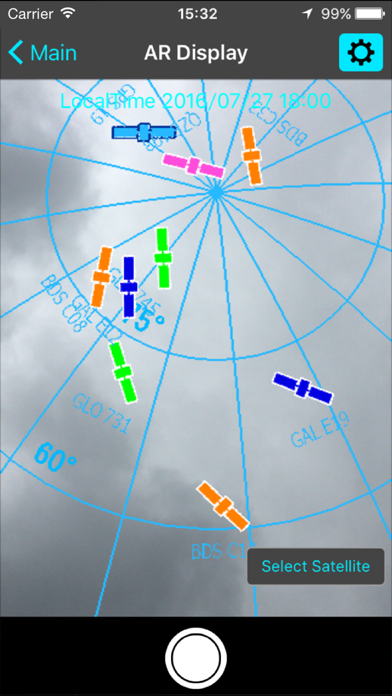
・Position of positioning satellites such as QZSS and GPS on the sky from your current location is able to see through your camera at the specified time.
・In order to display satellites, it is necessary to turn on the position information of the smartphone and complete the positioning. Therefore, it may take time to display.
・Positioning satellites can be specified from QZSS, GPS, GLONASS, BeiDou, Galileo, SBAS.
・You can also select specified signal satellites to see on the radar.
・You can see selected satellites by setting elevation mask angle.
●Supported versions
・iOS 26
・iOS 18
・iOS 17
・iOS 16
・iOS 15
・iOS 14