GO - A Get-Organized Tool is made and published by
Yijun Du.
AppBrain is an independent app data site and isn't affiliated with Yijun Du.
The app name, icon, screenshots and description belong to Yijun Du and are shown as
published on the App Store.
About GO - A Get-Organized Tool
GO - A Get-Organized Tool is a productivity app developed by Yijun Du.
What is the rating of GO - A Get-Organized Tool?
GO - A Get-Organized Tool has no ratings yet.
Is GO - A Get-Organized Tool free?
GO - A Get-Organized Tool is free. The app size is 3.20 MB. The latest version available is 0.1.6. The last update was on April 14, 2021.
What are the requirements for GO - A Get-Organized Tool?
The app has a content rating of Everyone. The app has been available on the App Store since November 2020.
Description by Yijun Du(from the App Store)
Get a file manager as powerful as the search engines with GO (offered by ic2)
Search engines put huge data collections such as the web at everybody's fingertips. However, after all these years, users may still have difficulties locating or managing their own files in their own much-smaller file collections, even with search functionalities being available in the file managers.
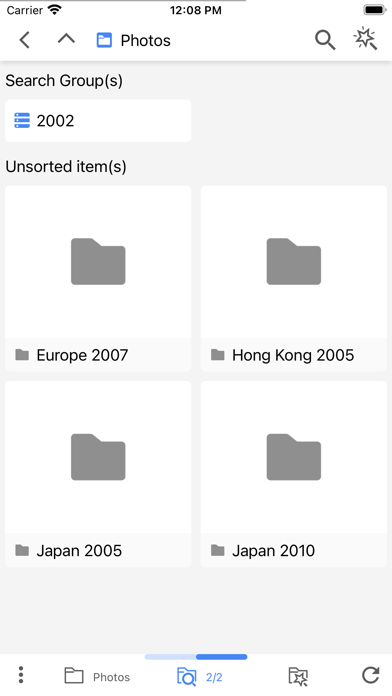
Now, GO-GetOrganized (integrated with Google Drive™) bridges the gap by allowing dynamic folders to be formed using search requests so that the folder-based file systems can get customized dynamically for different needs from different users at different times using "managed" searches.
In GO-GetOrganized, you may hardly notice any differences between using the traditional folders and using the dynamic folders. But the benefit of having both the flexibilities of searches and the reliabilities of the folders (without the original file storage folders being changed in any way) will be obvious and significant.
Homepage: http://ic-ic.ca For computers including Mac (as a Chrome browser extension): https://chrome.google.com/webstore/detail/go-a-get-organized-tool-w/mhajongplgemoloeghpgamlmbmbhmjjp
Demos: Searches vs. "Managed" Searches: https://youtu.be/snGi0a_U_sg Shortcuts vs. the Dynamic Folders: https://youtu.be/slNVOE-y1FE Using the Dynamic Folders: https://youtu.be/eGF6gCFxhd4
GO-GetOrganized tries to provide functionalities such as multiple accessing paths to the same file collections in parallel using search requests. And it only 'sees' data stored in your Google Drive and will NOT be able to 'create', 'edit', or 'delete' anything that affects your data in the Drive (except for the tags/descriptions set on files/folders when they are needed for the managing tasks).
In other words, feel free to try out any functionality you see in the App - they are all very safe - nothing harmful can happen to any of your files when you try them.
Each subscription will automatically renew 3 days before the expiration date for
the same time period. Subscriptions can be cancelled at any time before the renewal.