

GO Receipt is made and published by David Houard. AppBrain is an independent app data site and isn't affiliated with David Houard. The app name, icon, screenshots and description belong to David Houard and are shown as published on the App Store.
AppBrain's verdict
- Last updated
- December 14, 2025
Rankings
App Store top chartsApp Store Rankings for GO Receipt
Competitors
Similar apps and more from David HouardAlternatives to GO Receipt





More from David Houard

Releases
Updates seen on the App Store- Version
- 1.6.3
- Launched
- April 2023
No changelog data
User feedback
Ratings and reviews on the App StoreComments on GO Receipt for iOS
We don't have enough comments to show example comments. Please check back later.
Technology
Found in the app by AppBrain- Price
- Free
- App size
- 33.7 MB
- Content rating
- Everyone
Technologies used by GO Receipt
About the app and developer
About GO Receipt
GO Receipt is a finance app developed by David Houard.
User Ratings
The app has no ratings yet.
App Information
GO Receipt is freely available from the App Store. The app size is 33.65 MB. The latest version available is 1.6.3. The last update was on December 14, 2025.
Technical Requirements
The app has a content rating of Everyone. The app has been available on the App Store since April 2023.
Developer information for David Houard
Address:
Store listing
By David Houard, from the App Store



Description by David Houard Written by the developer, not by AppBrain. Click to read.
It can also create the Google Sheet for you.
MAIN FEATURES :
• Create Google Sheet account file (optional)
• Record bankings in a Google Sheet account file
• Overview of bankings stored in Google Sheet account file
• Share your profile with yours friends
IN DETAIL :
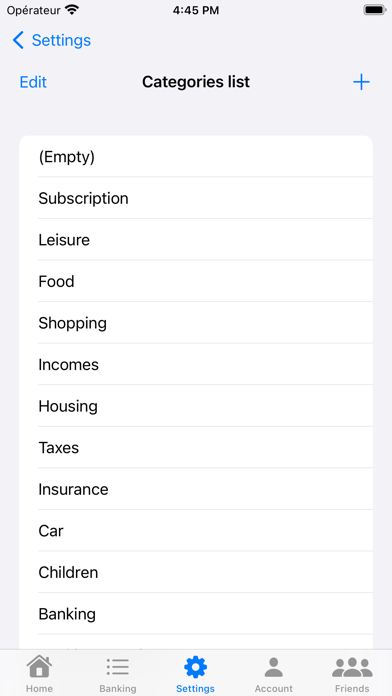
• Simple and intuitive form to enter banking details, including the amount, date, description and category (customizable).
• Save the transaction in the Google Sheet linked to the application.
• In real-time, users can also have an overview of all transactions stored in the Google Sheet (filtering capability) and modify them
To use the application, you can visit the website https://sites.google.com/view/go-receipt/how-to-use
PREREQUISITE :
• Sign in using Google Account
• Accept GO Receipt manages the Google Sheets file linked to the application
• A Google Sheet file linked to the application. GO Receipt could create it for you !