

GPS & Map Toolbox
GPS & Map Toolbox is made and published by Audama Software, Inc. AppBrain is an independent app data site and isn't affiliated with Audama Software, Inc. The app name, icon, screenshots and description belong to Audama Software, Inc. and are shown as published on the App Store.
AppBrain's verdict
Established- Best rank
- #28
- Top Paid, Mexico
- Rating on App Store
- 3.14
- 14 ratings
- Last updated
- September 28, 2017
It doesn't have enough ratings yet to judge what users think. Its best ranking is #28 in Top Paid, Navigation in Mexico.
Rankings
App Store top charts- Highest rank
- #28
- Chart
- Top Paid
- Navigation
- Country
- Mexico
App Store Rankings for GPS & Map Toolbox
Top rankings
| Rank | Country | Category | List |
|---|---|---|---|
| 28 | Mexico | Navigation | Top Paid |
| 33 | Indonesia | Navigation | Top Paid |
| 75 | Canada | Navigation | Top Paid |
| 48 | Saudi Arabia | Navigation | Top Paid |
| 51 | India | Navigation | Top Paid |
| 65 | Turkey | Navigation | Top Paid |
| 67 | Denmark | Navigation | Top Paid |
| 73 | Norway | Navigation | Top Paid |
| 82 | Brazil | Navigation | Top Paid |
| 87 | Australia | Navigation | Top Paid |
Ranking history in Mexico
Competitors
Similar apps and more from Audama Software, Inc.Alternatives to GPS & Map Toolbox
 MapTool - GPS, Compass, Altitude, Speedometer, UTM, MGRS and Magnetic Declination






More from Audama Software, Inc.



Releases
Updates seen on the App Store- Version
- 3.0.2
- Launched
- May 2011
No changelog data
User feedback
Ratings and reviews on the App StoreComments on GPS & Map Toolbox for iOS
We don't have enough comments to show example comments. Please check back later.
Technology
Found in the app by AppBrain- Price
- $1.99
- App size
- 27.0 MB
- Content rating
- Everyone
Technologies used by GPS & Map Toolbox
About the app and developer
About GPS & Map Toolbox
GPS & Map Toolbox is a navigation app developed by Audama Software, Inc.
What is the rating of GPS & Map Toolbox?
GPS & Map Toolbox is rated 3.14 out of 5 stars, based on 14 ratings.
Is GPS & Map Toolbox free?
GPS & Map Toolbox costs $1.99. The app size is 27.03 MB. The latest version available is 3.0.2. The last update was on September 28, 2017.
What are the requirements for GPS & Map Toolbox?
The app has a content rating of Everyone. The app has been available on the App Store since May 2011.
Developer information for Audama Software, Inc.
Address:
Store listing
By Audama Software, Inc., from the App Store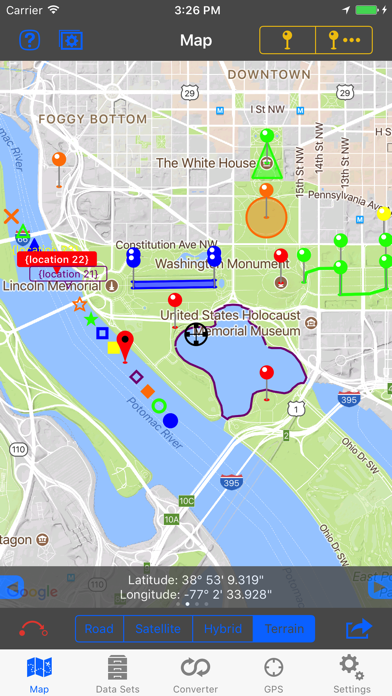
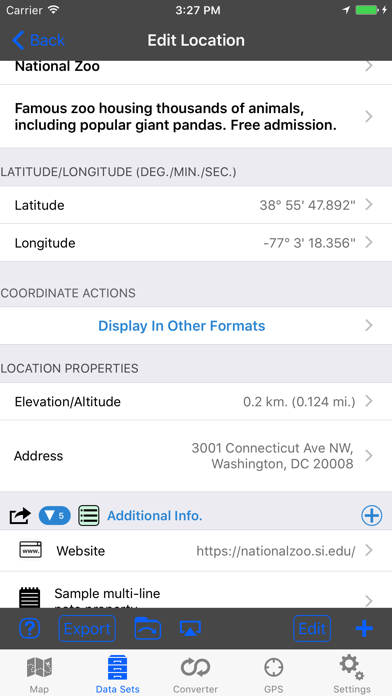
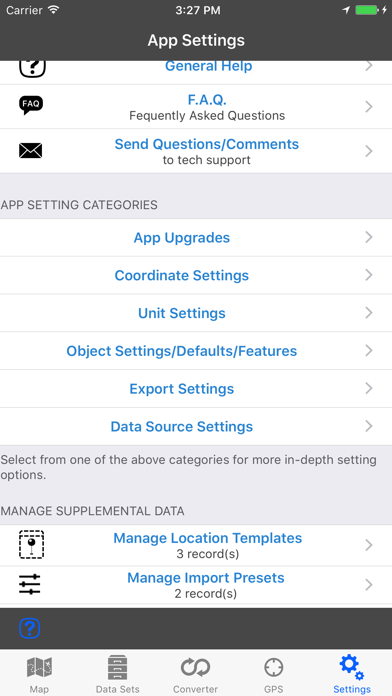
Description by Audama Software, Inc. Written by the developer, not by AppBrain. Click to read.
◦ Extensive customization options make this app useful for everyone from salesmen, hikers, farmers, hunters, scientists, land/site surveyors, search & rescue, police, and military.
◦ The features are organized into levels so you only need to buy what you need. The basic features are available in the core app. The other feature levels can be added through an in-app purchase.
▼ BASIC Features (built into the core app) ▼
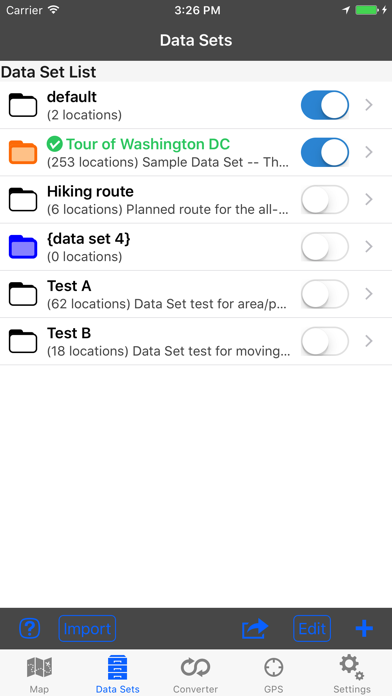
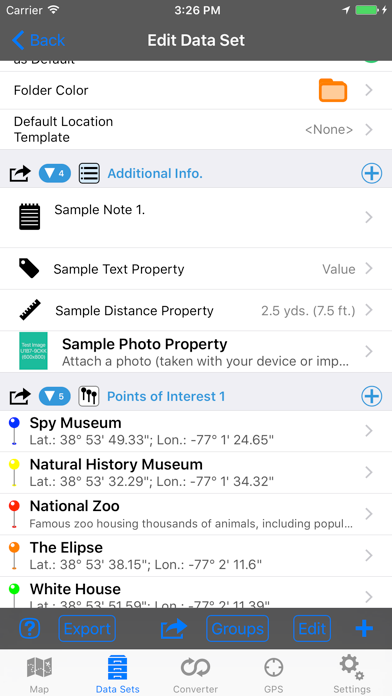
•Organize location data into Data Sets and basic Groups.
•View and convert between coordinate formats (Degrees Decimal, Degree/Minutes, and Degrees/Minutes/Seconds).
•Custom text and note properties.
•Display a single map overlay for each location.
•Raw GPS data.
•Share data with other devices running this app.
•Send locations to third-party apps for mapping and navigation.
•Extensive in-app help screens explain all features and options.
▼ PROFESSIONAL Features (available through an in-app purchase) ▼
•Group locations into Areas, Track/Paths, and Routes.
-Display groups on the map with customizable lines and fills.
-Perform calculations on groups.
•Additional coordinate formats: UTM (Standard and Extended), USNG, and MGRS.
•Display Secondary coordinate.
•Custom properties such as numbers (with and without units) along with automatic data detection.
•Export data sets to third-party apps.
•Additional map marker style options.
•Export file types: GPX, KML/KMZ, CSV (comma separated values), TXT (tab delimited values).
•Business Search.
•Full-screen map screenshots.
▼ ADVANCED Features (available through an in-app purchase) ▼
•Attach photos to data sets and locations.
•Additional coordinate formats: British National Grid, and Dutch National Grid.
•Location templates allow you to specify custom properties that are automatically created with every new location.
•import file types: GPX, KML/KMZ, CSV (comma separated values), TXT (tab delimited values).
•View location data from multiple data sets simultaneously.
•Multiple map overlays per location with additional types.
•Text based Routing (bearing and direction between points in route).
▼ Extra Data Sources (available through an in-app purchase) ▼
•Use non-Apple data sources (Google and OpenStreetMaps) for map data. This includes map view, elevation, geocoding, business/place search, and street view.