



AppBrain's verdict
- Last updated
- April 22, 2026
- Size
- 33.2 MB
User feedback
Ratings and reviews on the App StoreComments on GRESCharge for iOS
We don't have enough comments to show example comments. Please check back later.
Store listing
By Gresgying Digital Technology Co., Ltd., from the App StoreDescription by Gresgying Digital Technology Co., Ltd. Written by the developer, not by AppBrain. Click to read.
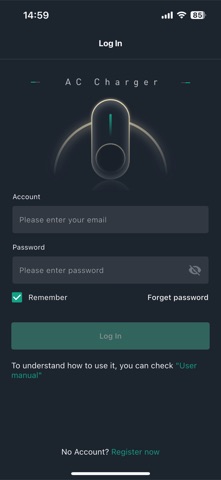
1) Modify the default login password of the charging pile.
After clicking on the Bluetooth name of the charging pile in the App, it will jump to the login page. After successful login, if it is the default password, you can choose to modify the password or continue to use the default password;
2) Set the time of the charging pile.
Synchronize and set the time of the charging pile with the phone time.
3) Connect the charging pile to WiFi.
Click on the WiFi list to connect to the available WiFi and enter the password to send down the connection.
4) Add RFID card.
Scan or enter the card number of the charging card for binding operation;
Click on "Add Card Through Pile" to send down the command and add the card by swiping at the charging pile side.
5) Configure OCPP server.
Input or select OCPP server parameters and perform sending down configuration operation.
6) Configure APN.
Input or select APN server parameters and perform sending down configuration operation.
7) About charging pile.
You can view product model, serial number, manufacturer, rated power, rated current and phase number.
8) Firmware upgrade.
Perform control board and power board upgrades.
9) Factory reset.
Perform factory reset operation.
10)Local DLM parameters
Set load balancing related parameters.
11)show Charger Status
12)static IP set
13)orderly charging params set
Safety and technology
Found in the app by AppBrain- Price
- Free
- App size
- 33.2 MB
- Content rating
- Everyone
Technologies used by GRESCharge
Releases
Updates seen on the App Store- Version
- 1.0.14
- Launched
- January 2024
No changelog data
Alternatives
Similar apps and more from Gresgying Digital Technology Co., Ltd.Alternatives to GRESCharge


Rankings
App Store top chartsApp Store Rankings for GRESCharge
About the app and developer
About GRESCharge
GRESCharge is an overall app developed by Gresgying Digital Technology Co., Ltd.
User Ratings
The app has no ratings yet.
App Information
GRESCharge is freely available from the App Store. The app size is 33.18 MB. The latest version available is 1.0.14. The last update was on April 22, 2026.
Technical Requirements
The app has a content rating of Everyone. The app has been available on the App Store since January 2024.
GRESCharge is made and published by Gresgying Digital Technology Co., Ltd. AppBrain is an independent app data site and isn't affiliated with Gresgying Digital Technology Co., Ltd. The app name, icon, screenshots and description belong to Gresgying Digital Technology Co., Ltd. and are shown as published on the App Store.
Developer information for Gresgying Digital Technology Co., Ltd.
Frequently asked questions about GRESCharge
Is GRESCharge free?
Yes. GRESCharge is free on the App Store.
Is GRESCharge still available?
Yes. GRESCharge is on the App Store, and the last update we saw was on April 22, 2026.
How large is GRESCharge?
GRESCharge is 33.18 MB.
Is GRESCharge suitable for children?
App Store rates the content of GRESCharge as suitable for everyone.
Who made GRESCharge?
GRESCharge was developed by Gresgying Digital Technology Co., Ltd. It is listed in the overall category on the App Store.
What are the best alternatives to GRESCharge?
People looking at GRESCharge also look at these overall apps: PocketCodr, Snap-on EEDM604F, IoTConnect Bridge, nRF Device Firmware Update, BlueDash.