

Grid Maker & No Crop Photo
Grid Maker & No Crop Photo is made and published by Appwallet Technologies Private Limited. AppBrain is an independent app data site and isn't affiliated with Appwallet Technologies Private Limited. The app name, icon, screenshots and description belong to Appwallet Technologies Private Limited and are shown as published on the App Store.
AppBrain's verdict
- Rating on App Store
- 3.95
- 62 ratings
- Last updated
- May 12, 2026
- Size
- 68.2 MB
It doesn't have enough ratings yet to judge what users think.
User feedback
Ratings and reviews on the App StoreComments on Grid Maker & No Crop Photo for iOS
We don't have enough comments to show example comments. Please check back later.
Store listing
By Appwallet Technologies Private Limited, from the App Store



Description by Appwallet Technologies Private Limited Written by the developer, not by AppBrain. Click to read.
Grid:-
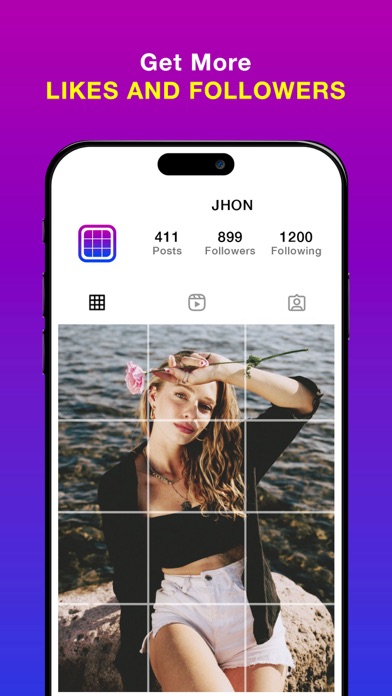
Grid Style app allows you to photo split(crop) your large rectangular photos into a number of square pics and upload them to Instagram and impress your friends and your profile page visitors!
Photo Grid app introduces a totally new way of using your Instagram, wrapped in simple and easy to use designs. Don't miss the chance to express yourself by adorning your profile page and posting breathtaking large scale images.
This free photo grid app which allows to make the photo divider easily, portrait or an unforgettable landscapes into a few small spilt pic giant squares to get the grid post directly from your device, it will form a masterpiece in your feed.
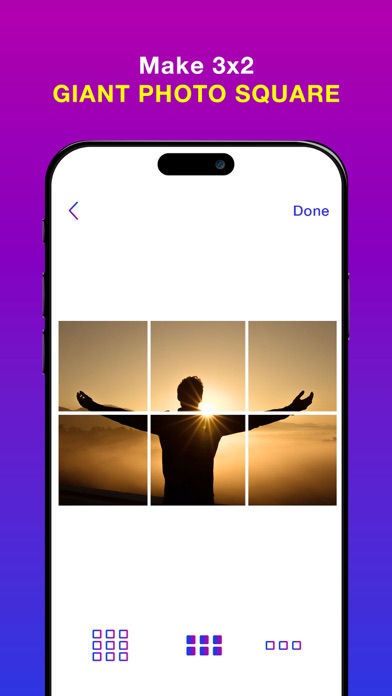
All you need is to take a picture from the photo gallery (or) albums, choose a grid you like and enable insta grid to cut it for you. Photo Split which lets you to slice any photo into the 1x9,1x6,1x3 giant square styles to get the grids for instagram profile while keeping it in a high resolution.
In Photo Split, you can zoom in, move, or even rotate your photo to instantly see how it will look like on your Instagram full picture profile.
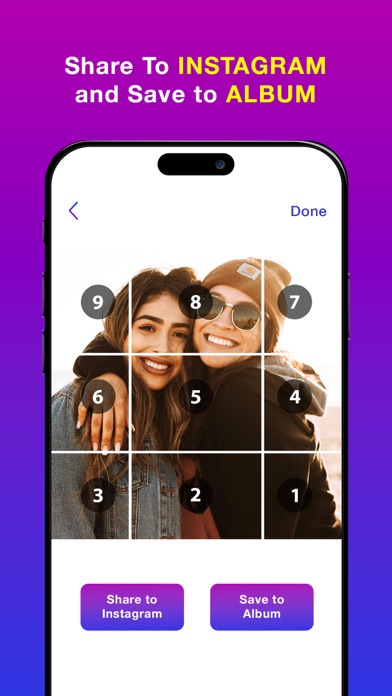
It then quickly lets you post the split images to Instagram to show it as one big photo on your profile. Further, even easier, with a slight movement of the hand you can post the received tiles in the order the app offers. Elevate your facing the giants layout for instagram by giving your profile a professional look.
This autostitch panorama is the most popular split the pic for instagram app to get griddy post and share them directly to the Instagram. Pic Grid for instagram is a new era of using posts, ease of use and great design make picture splitter giant square to be a share the griddy posts to the Instagram.
Do not miss the opportunity to express yourself by decorating the grids for instagram profile. Using the Insta Grids you'll be on top of popularity among your friends, acquaintances and your followers!
Features:-
*Choose from a variety of the photo divider grid options: 1x9, 1x6,1x3 insta grid styles.
*Move, Zoom or Rotate to get the perfect fit.
* Keeps images in high resolution. Does not reduce quality after splitting. Will not blur the image.
*If you like, save the spilt pictures to library and get the grid posts with this free photo grid app.
*Share the images directly to Instagram to get the social media followers easily.
No Crop:-
No Crop for Instagram app which provides the best way to post full size photo. Square No Crop for Instagram help you save your time, If you are tired of cropping images, Square quick is the best way to square your photos quickly.
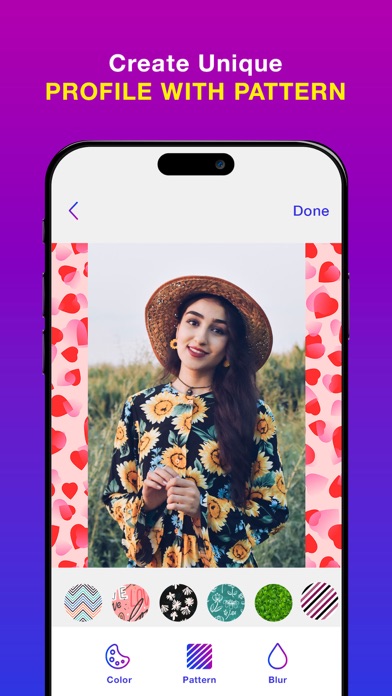
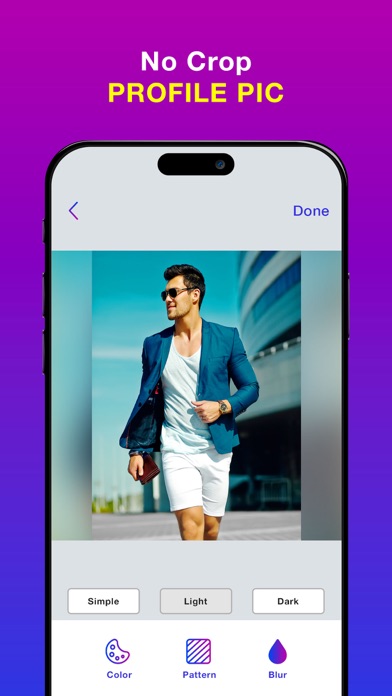
Need to take a picture from photo gallery (or) albums, choose the no crop amazing options like colors, patterns, blur to make the full size- the easy no crop the best resizer story for instagram app to get a square no crop for instagram posts.
Features:-
*Simple and easy to use interface.
*No Crop Feature which helps to post the entire photo. The best and full size- the easy no crop photo editor.
*This is a best square no crop for instagram to make the color background no crop square photos.
*Add the pattern backgrounds to the full size- the easy no crop to get resizer story for instagram square photos.
*Make the blur background for snap pic and no crop square function with three options like simple, light and dark blur modes.
*Save the high quality photos and share to media social networks.
Terms of Use: https://www.apple.com/legal/internet-services/itunes/dev/stdeula/
Privacy Policy: http://178.128.6.196/privacypolicyiosapp.php
Safety and technology
Found in the app by AppBrain- Price
- Free
- App size
- 68.2 MB
- Content rating
- Everyone
Technologies used by Grid Maker & No Crop Photo
Releases
Updates seen on the App Store- Version
- 1.24
- Launched
- January 2022
No changelog data
Alternatives
Similar apps and more from Appwallet Technologies Private LimitedAlternatives to Grid Maker & No Crop Photo








More from Appwallet Technologies Private Limited


Rankings
App Store top chartsApp Store Rankings for Grid Maker & No Crop Photo
About the app and developer
About Grid Maker & No Crop Photo
Grid Maker & No Crop Photo is a photo & video app developed by Appwallet Technologies Private Limited.
What is the rating of Grid Maker & No Crop Photo?
Grid Maker & No Crop Photo is rated 3.95 out of 5 stars, based on 62 ratings.
Is Grid Maker & No Crop Photo free?
Grid Maker & No Crop Photo is free. The app size is 68.19 MB. The latest version available is 1.24. The last update was on May 12, 2026.
What are the requirements for Grid Maker & No Crop Photo?
The app has a content rating of Everyone. The app has been available on the App Store since January 2022.
Developer information for Appwallet Technologies Private Limited
Frequently asked questions about Grid Maker & No Crop Photo
Is Grid Maker & No Crop Photo free?
Yes. Grid Maker & No Crop Photo is free on the App Store.
Is Grid Maker & No Crop Photo still available?
Yes. Grid Maker & No Crop Photo is on the App Store, and the last update we saw was on May 12, 2026.
How large is Grid Maker & No Crop Photo?
Grid Maker & No Crop Photo is 68.19 MB.
Is Grid Maker & No Crop Photo suitable for children?
App Store rates the content of Grid Maker & No Crop Photo as suitable for everyone.
How do people rate Grid Maker & No Crop Photo?
Grid Maker & No Crop Photo scores 3.95 out of 5 stars, from 62 ratings on the App Store.
Who made Grid Maker & No Crop Photo?
Grid Maker & No Crop Photo was developed by Appwallet Technologies Private Limited. It is listed in the photo & video category on the App Store.
What are the best alternatives to Grid Maker & No Crop Photo?
People looking at Grid Maker & No Crop Photo also look at these photo & video apps: Grids Maker - Grid Photo Split, Photo Grid Tile Maker, Grid Post - Photo Grid Maker, Panorama Grid Maker: PanoGrid, Collage Maker - Grid Layouts.