

GS Ampevo
GS Ampevo is made and published by General Security SRL. AppBrain is an independent app data site and isn't affiliated with General Security SRL. The app name, icon, screenshots and description belong to General Security SRL and are shown as published on the App Store.
AppBrain's verdict
- Last updated
- August 11, 2026
Rankings
App Store top chartsApp Store Rankings for GS Ampevo
Competitors
Similar apps and more from General Security SRLAlternatives to GS Ampevo




Releases
Updates seen on the App Store- Version
- 1.7.3
- Launched
- January 2024
No changelog data
User feedback
Ratings and reviews on the App StoreComments on GS Ampevo for iOS
We don't have enough comments to show example comments. Please check back later.
Technology
Found in the app by AppBrain- Price
- Free
- App size
- 51.2 MB
- Content rating
- Medium
Technologies used by GS Ampevo
About the app and developer
About GS Ampevo
GS Ampevo is an utilities app developed by General Security SRL.
User Ratings
The app has no ratings yet.
App Information
GS Ampevo is freely available from the App Store. The app size is 51.24 MB. The latest version available is 1.7.3. The last update was on August 11, 2026.
Technical Requirements
The app has a content rating of Medium Maturity. The app has been available on the App Store since January 2024.
Developer information for General Security SRL
Address:
Store listing
By General Security SRL, from the App Store




Description by General Security SRL Written by the developer, not by AppBrain. Click to read.
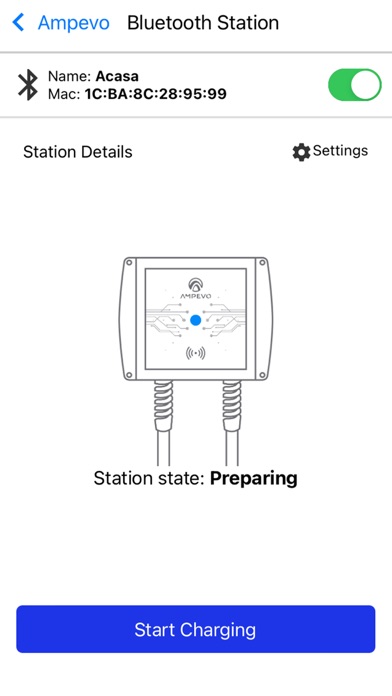
This application allows you to connect to the Ampevo-CP charging stations. The connection with the station is made via bluetooth. To connect to the charging station using the app, you must scan the charger's QR code and enter the charging station’s user PIN code. After you are connected you can visualize if an electric vehicle is connected to the station, start and stop the charging of the connected electric vehicle and see the power consumption in real time.
To access and change the charging station’s settings and configuration you must go to Settings and use the administrator’s PIN code.