

GWD is made and published by Adventoris Limited. AppBrain is an independent app data site and isn't affiliated with Adventoris Limited. The app name, icon, screenshots and description belong to Adventoris Limited and are shown as published on the App Store.
AppBrain's verdict
- Last updated
- August 29, 2025
Rankings
App Store top chartsApp Store Rankings for GWD
Competitors
Similar apps and more from Adventoris Limited









Releases
Updates seen on the App Store- Version
- 3.9
- Launched
- August 2018
No changelog data
User feedback
Ratings and reviews on the App StoreComments on GWD for iOS
We don't have enough comments to show example comments. Please check back later.
Technology
Found in the app by AppBrain- Price
- Free
- App size
- 44.9 MB
- Content rating
- High
Technologies used by GWD
About the app and developer
About GWD
GWD is a business app developed by Adventoris Limited.
User Ratings
The app has no ratings yet.
App Information
GWD is freely available from the App Store. The app size is 44.93 MB. The latest version available is 3.9. The last update was on August 29, 2025.
Technical Requirements
The app has a content rating of High Maturity. The app has been available on the App Store since August 2018.
Developer information for Adventoris Limited
Address:
Store listing
By Adventoris Limited, from the App Store



Description by Adventoris Limited Written by the developer, not by AppBrain. Click to read.
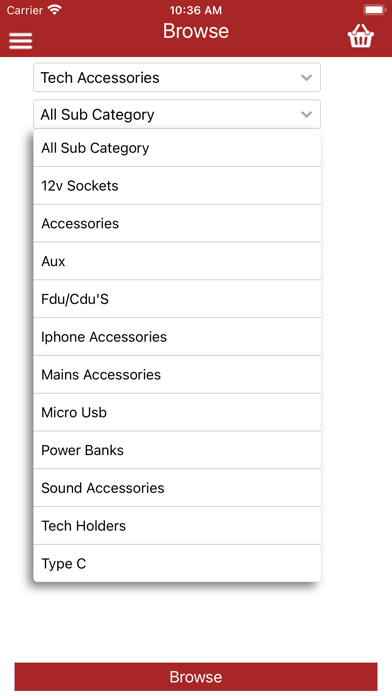
Once registered, you can browse our product listings or search for products by product code, by description or by scanning a barcode with your device’s camera. Quickly and easily check stock availability, place orders and receive special promotions and discounts, all from your smartphone or tablet.
How can the GWD App benefit you?
• Completely free to install and use.
• Current stock availability and fast order entry saving time and money
• Promotions and discounts are highlighted
How does the GWD App work?
Register and process orders in 5 Easy Steps using the GWD App:
1. Open the App on your smartphone
2. Browse our product range or search by product code, name or barcode image
3. Check stock availability and pricing
4. Place your order, then click and submit (partial orders can also be saved in the cloud to finish at a later date, on any compatible device)
5. Your order will be quickly processed and goods dispatched in line with our usual delivery terms.
Click Install - to start downloading the free App from the App Store and start saving time and money when ordering from GWD.