

HA Studio Pro is made and published by Troy Johnson. AppBrain is an independent app data site and isn't affiliated with Troy Johnson. The app name, icon, screenshots and description belong to Troy Johnson and are shown as published on the App Store.
AppBrain's verdict
- Last updated
- October 15, 2026
Rankings
App Store top chartsApp Store Rankings for HA Studio Pro
Competitors
Similar apps and more from Troy JohnsonAlternatives to HA Studio Pro


Releases
Updates seen on the App Store- Version
- 2.0.1
- Launched
- June 2026
No changelog data
User feedback
Ratings and reviews on the App StoreComments on HA Studio Pro for iOS
We don't have enough comments to show example comments. Please check back later.
Technology
Found in the app by AppBrain- Price
- $9.99
- App size
- 14.0 MB
- Content rating
- Everyone
Technologies used by HA Studio Pro
About the app and developer
About HA Studio Pro
HA Studio Pro is an utilities app developed by Troy Johnson.
User Ratings
The app has no ratings yet.
App Information
HA Studio Pro costs $9.99. The app size is 14.02 MB. The latest version available is 2.0.1. The last update was on October 15, 2026.
Technical Requirements
The app has a content rating of Everyone. The app has been available on the App Store since June 2026.
Developer information for Troy Johnson
Address:
Store listing
By Troy Johnson, from the App Store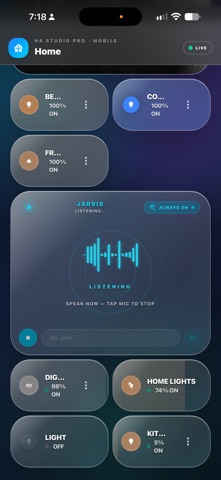

Description by Troy Johnson Written by the developer, not by AppBrain. Click to read.
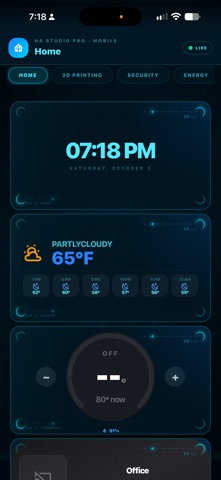
Build a dashboard around the things you use every day—from lights and climate to cameras, energy, and media. Choose your layout, customize your cards, and give your smart home a look that fits your space.
BUILD YOUR DASHBOARD
Use the drag-and-drop editor and more than 20 card types to organize your controls and information your way.
• Lights, switches, and scenes
• Thermostats and climate controls
• Security cameras and live feeds
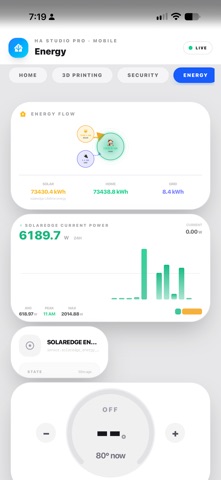
• Energy visualizations
• Weather forecasts
• Sensor readings and history graphs
• Media player controls
• Calendars, clocks, maps, and device tracking
ASK YOUR HOME
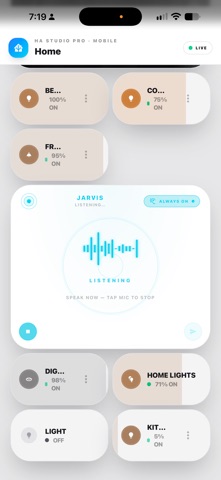
Use the built-in AI Assistant to interact with your connected Home Assistant setup through natural-language commands. Voice controls and optional wake word support put everyday actions within easy reach.
BUILT FOR MAKERS
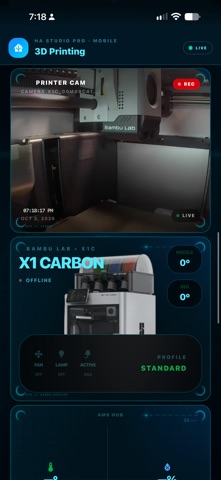
Monitor Bambu Lab 3D printers with dedicated dashboard cards and AMS support. Keep your workshop information alongside your smart home controls.
MAKE IT YOURS
Choose from Modern, Midnight, Ocean, HUD, Liquid Glass, Comic, and other themes. Create a dashboard for your desk, countertop, or wall-mounted iPad.
A DEDICATED HOME CONTROL PANEL
Enable Kiosk Mode for a dedicated dashboard experience. Your layouts are saved to your Home Assistant server and sync across devices running HA Studio Pro.
CONNECT TO YOUR SETUP
Connect to your Home Assistant instance over your local network. Remote access works through secure connections configured in your Home Assistant installation.
REQUIREMENTS
An existing Home Assistant installation is required for connected smart home functionality.
Built-in Demo Mode lets you explore the interface and dashboard editor before connecting to your server.