

Haha Flora is made and published by Koji Kubota. AppBrain is an independent app data site and isn't affiliated with Koji Kubota. The app name, icon, screenshots and description belong to Koji Kubota and are shown as published on the App Store.
AppBrain's verdict
- Last updated
- July 18, 2026
Rankings
App Store top chartsApp Store Rankings for Haha Flora
Competitors
Similar apps and more from Koji KubotaMore from Koji Kubota


Releases
Updates seen on the App Store- Version
- 1.3
- Launched
- January 2026
No changelog data
User feedback
Ratings and reviews on the App StoreComments on Haha Flora for iOS
We don't have enough comments to show example comments. Please check back later.
Technology
Found in the app by AppBrain- Price
- Free
- App size
- 1.99 MB
- Content rating
- Everyone
Technologies used by Haha Flora
About the app and developer
About Haha Flora
Haha Flora is an education app developed by Koji Kubota.
User Ratings
The app has no ratings yet.
App Information
Haha Flora is freely available from the App Store. The app size is 1.99 MB. The latest version available is 1.3. The last update was on July 18, 2026.
Technical Requirements
The app has a content rating of Everyone. The app has been available on the App Store since January 2026.
Developer information for Koji Kubota
Address:
Frequently asked questions about Haha Flora
Is Haha Flora free?
Yes. Haha Flora is free on the App Store.
Is Haha Flora still available?
Yes. Haha Flora is on the App Store, and the last update we saw was on July 18, 2026.
How large is Haha Flora?
Haha Flora is 1.99 MB.
Is Haha Flora suitable for children?
App Store rates the content of Haha Flora as suitable for everyone.
Who made Haha Flora?
Haha Flora was developed by Koji Kubota. It is listed in the education category on the App Store.
Store listing
By Koji Kubota, from the App Store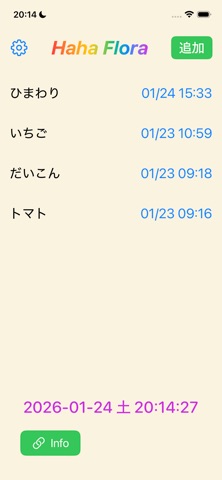

Description by Koji Kubota Written by the developer, not by AppBrain. Click to read.
Haha Flora は、植物について「やさしく・分かりやすく」学べる学習アプリです。ボタンひとつで、学年に合った日本語と英語の説明文を自動で作成できます。
◯基本の使い方
・追加: 右上の「追加」をクリックし、植物の名前を入力して「保存」をクリックすると、その植物のリストが追加されます。
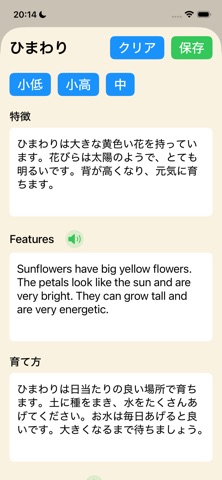
・説明文の作成: 該当のリストをクリックすると詳細画面が表示されます。「小低」「小高」「中」から対象のボタンをクリックして数秒待つと、説明文が自動で作成されます。
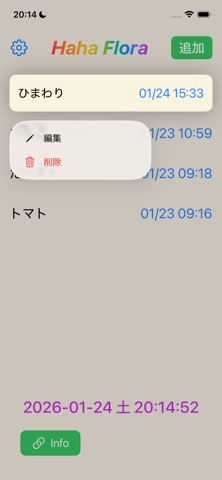
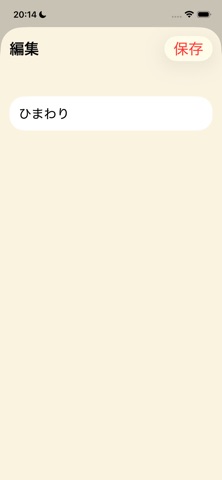
・リストの編集/削除: 該当のリストを長押しすると、編集・削除ができます。
◯便利な機能
・英語音声の読み上げ機能: 音声アイコンをクリックすると、英語の文章を音声で聞くことができます。