

Handwriting Keyboard
Handwriting Keyboard is made and published by Catalystwo. AppBrain is an independent app data site and isn't affiliated with Catalystwo. The app name, icon, screenshots and description belong to Catalystwo and are shown as published on the App Store.
AppBrain's verdict
Established- Rating on App Store
- 3.97
- 96 ratings
- Last updated
- September 25, 2026
- Size
- 76.8 MB
It doesn't have enough ratings yet to judge what users think. Its best ranking is #52 in Top Paid, Utilities in India.
User feedback
Ratings and reviews on the App StoreComments on Handwriting Keyboard for iOS
We don't have enough comments to show example comments. Please check back later.
Store listing
By Catalystwo, from the App Store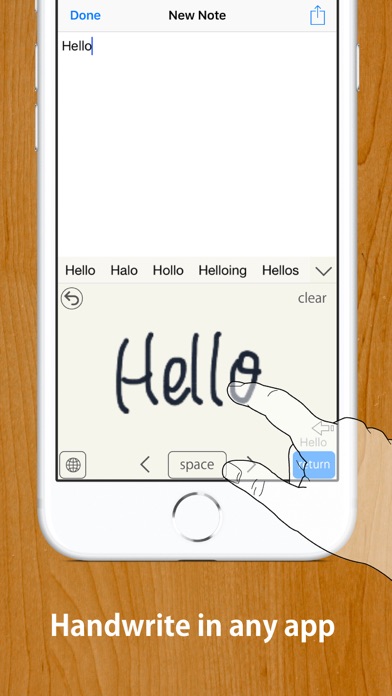
Description by Catalystwo Written by the developer, not by AppBrain. Click to read.
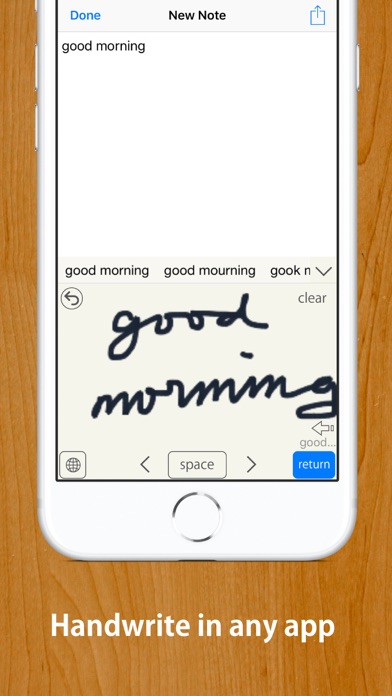
Handwriting Keyboard lets you enter text with your finger or Apple Pencil in apps such as Messages, Mail, Safari, and Notes.
Recognition runs entirely on your device, so the keyboard works offline. Full Access is not required. Your input is not transmitted, and the app does not collect data.
IMPORTANT — SUPPORTED LANGUAGES
Handwriting recognition supports U.S. English and Japanese only. Other languages, including British English, are not supported.
HOW TO GET STARTED
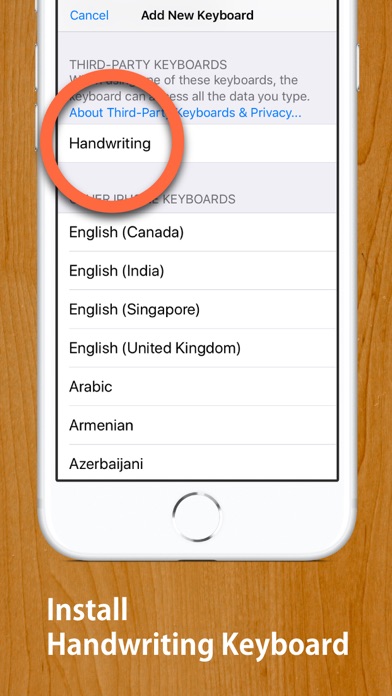
1. Open the Handwriting Keyboard app and tap “Open Settings.”
2. Tap “Keyboards,” then enable English (US), Japanese, or both. Full Access is not required.
3. In a text field, touch and hold the keyboard switch key, then select Handwriting.
When entering a password, iOS automatically switches to the system keyboard.
If text is duplicated or does not appear correctly in an app with a custom text field, turn off Inline Input in Handwriting Keyboard settings.
FEATURES
• Three writing layouts: Free, Rows, and Boxes
• U.S. English handwriting recognition
• Japanese handwriting recognition with hiragana-to-kanji conversion
• Write with your finger or Apple Pencil
• Palm rejection when using Apple Pencil
• Works entirely offline
• No Full Access required
• Scribble over part of your handwriting to erase it
• Strike through handwriting to erase it together
• Drag recognition candidates together to combine them
• Adjustable auto-enter delay
• Three writing-area sizes
• Customizable Return key position
• Two-finger scrolling or cursor movement
• Adjustable line width and background color
• Text Replacement support
• Dark Mode and floating keyboard support
• Quick Notes home screen widget
SUPPORTED RECOGNITION LANGUAGES
• U.S. English
• Japanese
British English and all other languages are not supported.
Deutsch wird nicht unterstützt.
El español no es compatible.
O português não é compatível.
Svenska stöds inte.
Le français n’est pas pris en charge.
한국어는 지원되지 않습니다.
MyScript® is a trademark of MyScript.
Safety and technology
Found in the app by AppBrain- Price
- $3.99
- App size
- 76.8 MB
- Content rating
- Everyone
Technologies used by Handwriting Keyboard
Releases
Updates seen on the App Store- Version
- 2.7
- Launched
- October 2014
No changelog data
Alternatives
Similar apps and more from CatalystwoAlternatives to Handwriting Keyboard





More from Catalystwo







Rankings
App Store top charts- Highest rank
- #52
- Chart
- Top Paid
- Utilities
- Country
- India
About the app and developer
About Handwriting Keyboard
Handwriting Keyboard is an utilities app developed by Catalystwo.
User Ratings
Handwriting Keyboard is rated 3.97 out of 5 stars. The rating is based on 96 ratings.
App Information
Handwriting Keyboard costs $3.99. The app size is 76.84 MB. The latest version available is 2.7. The last update was on September 25, 2026.
Technical Requirements
The app has a content rating of Everyone. The app has been available on the App Store since October 2014.
Developer information for Catalystwo
Address: