

HandyBeam is made and published by Ahmed AlYami. AppBrain is an independent app data site and isn't affiliated with Ahmed AlYami. The app name, icon, screenshots and description belong to Ahmed AlYami and are shown as published on the App Store.
AppBrain's verdict
Established- Rating on App Store
- 5.00
- 1 ratings
- Last updated
- July 9, 2026
It doesn't have enough ratings yet to judge what users think.
Rankings
App Store top chartsApp Store Rankings for HandyBeam
Competitors
Similar apps and more from Ahmed AlYamiAlternatives to HandyBeam






Releases
Updates seen on the App Store- Version
- 1.6
- Launched
- September 2016
No changelog data
User feedback
Ratings and reviews on the App StoreComments on HandyBeam for iOS
We don't have enough comments to show example comments. Please check back later.
Technology
Found in the app by AppBrain- Price
- Free
- App size
- 3.26 MB
- Content rating
- Everyone
Technologies used by HandyBeam
About the app and developer
About HandyBeam
HandyBeam is an education app developed by Ahmed AlYami.
User Ratings
HandyBeam is rated 5.00 out of 5 stars. The rating is based on one rating ratings.
App Information
HandyBeam is freely available from the App Store. The app size is 3.26 MB. The latest version available is 1.6. The last update was on July 9, 2026.
Technical Requirements
The app has a content rating of Everyone. The app has been available on the App Store since September 2016.
Developer information for Ahmed AlYami
Address:
Store listing
By Ahmed AlYami, from the App Store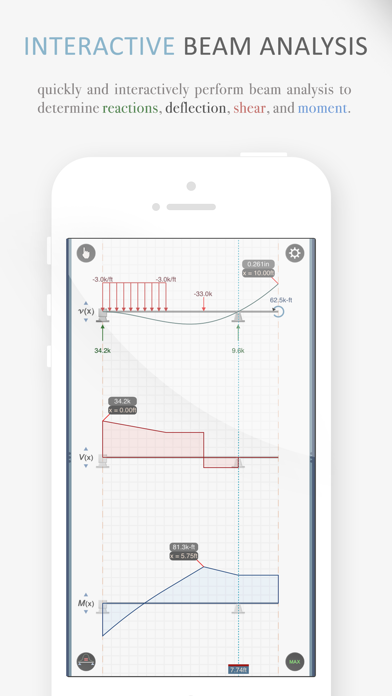
Description by Ahmed AlYami Written by the developer, not by AppBrain. Click to read.
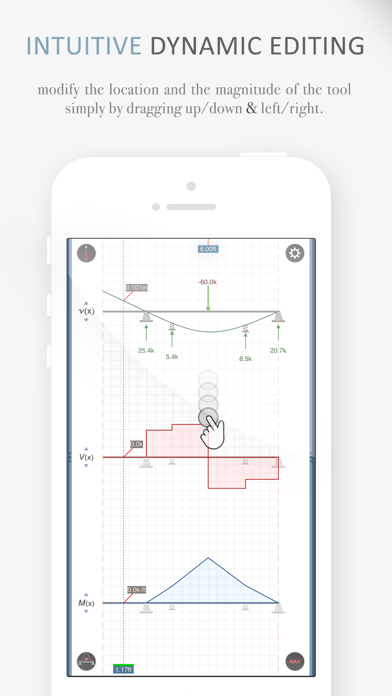
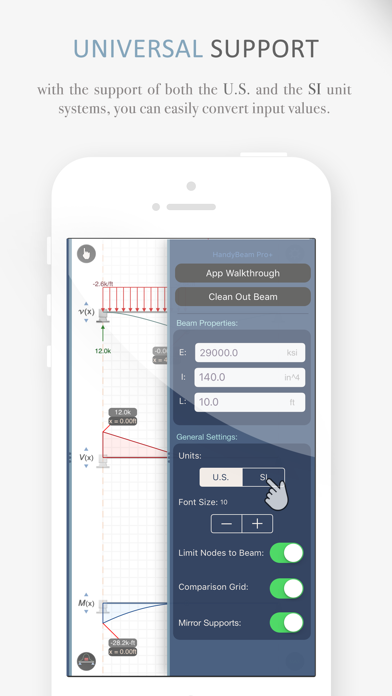
INTERACTIVE DEFLECTION, SHEAR, AND MOMENT DIAGRAMS
- Get instant feedback as you add and drag the different nodes along the beam with intuitive touch gestures.
INSPECT CRITICAL VALUES RESPONSIVELY
- Toggle the "max values" labels to monitor the maxima as you change your beam configuration.
- You can even place an "inspection tool" at a fixed location and monitor the change in value in that location.
TOOLS AVAILABLE
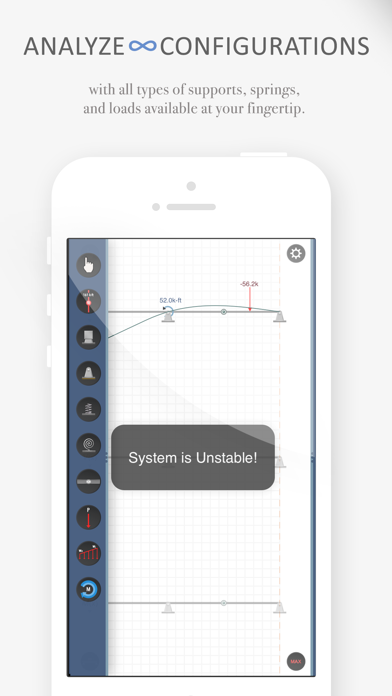
- A wide range of load and support tools are available in the app, including:
• Pinned support
• Fixed support
• Linear spring
• Rotational spring
• Plastic hinge
• Point load
• Concentrated moment
• Distributed load
• Inspection/station tool