

HD-300 Assistant
HD-300 Assistant is made and published by Yamaha Corporation. AppBrain is an independent app data site and isn't affiliated with Yamaha Corporation. The app name, icon, screenshots and description belong to Yamaha Corporation and are shown as published on the App Store.
AppBrain's verdict
Established- Rating on App Store
- 5.00
- 3 ratings
- Last updated
- February 4, 2026
It doesn't have enough ratings yet to judge what users think.
Rankings
App Store top chartsApp Store Rankings for HD-300 Assistant
Competitors
Similar apps and more from Yamaha CorporationAlternatives to HD-300 Assistant




More from Yamaha Corporation





Releases
Updates seen on the App Store- Version
- 2.4.0
- Launched
- March 2021
No changelog data
User feedback
Ratings and reviews on the App StoreComments on HD-300 Assistant for iOS
We don't have enough comments to show example comments. Please check back later.
Technology
Found in the app by AppBrain- Price
- Free
- App size
- 75.9 MB
- Content rating
- Everyone
Technologies used by HD-300 Assistant
About the app and developer
About HD-300 Assistant
HD-300 Assistant is a music app developed by Yamaha Corporation.
User Ratings
HD-300 Assistant is rated 5.00 out of 5 stars. The rating is based on 3 ratings.
App Information
HD-300 Assistant is freely available from the App Store. The app size is 75.91 MB. The latest version available is 2.4.0. The last update was on February 4, 2026.
Technical Requirements
The app has a content rating of Everyone. The app has been available on the App Store since March 2021.
Developer information for Yamaha Corporation
Address:
Store listing
By Yamaha Corporation, from the App Store

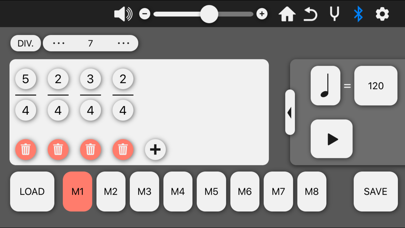


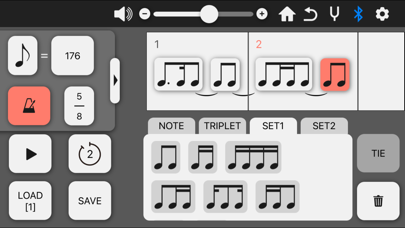
Description by Yamaha Corporation Written by the developer, not by AppBrain. Click to read.
The HD-300 Assistant application allows an instructor to remotely control the HD-300 and provide intuitive guidance to students.
≪ Functions ≫
• HD Control
In addition to keyboard and metronome operation, the app allows remote control of temperament and transposition.
• Beat, Tempo Setting
Irregular meter and tempos can easily be created, saved, and played back.
• Individual Volume and Pitch
Fine adjustment is available for individual volumes and pitches.
• Demonstrate Mode
The interference beat that occurs when notes are slightly out of tune can be recreated, and the volumes of harmony notes can be adjusted to give students a feel for appropriate pitch and volume.
• Chord Detector
Chords can be detected and named based on a group of played notes.
• Tuner
The tuner provides a convenient means to check pitch. The tuner’s base pitch is adjustable.
・ Rhythm Assistant
The app can play the same rhythm as musical score.