

Hedonometer
Hedonometer is made and published by Bog Bridges LLC. AppBrain is an independent app data site and isn't affiliated with Bog Bridges LLC. The app name, icon, screenshots and description belong to Bog Bridges LLC and are shown as published on the App Store.
AppBrain's verdict
- Rating on App Store
- 5.00
- 2 ratings
- Last updated
- September 26, 2022
It doesn't have enough ratings yet to judge what users think.
Rankings
App Store top chartsApp Store Rankings for Hedonometer
Competitors
Similar apps and more from Bog Bridges LLCAlternatives to Hedonometer




 Face Yourself: Face Shape-Rate



More from Bog Bridges LLC


Releases
Updates seen on the App Store- Version
- 1.5
- Launched
- September 2022
No changelog data
User feedback
Ratings and reviews on the App StoreComments on Hedonometer for iOS
We don't have enough comments to show example comments. Please check back later.
Technology
Found in the app by AppBrain- Price
- Free
- App size
- 5.71 MB
- Content rating
- Everyone
Technologies used by Hedonometer
About the app and developer
About Hedonometer
Hedonometer is an entertainment app developed by Bog Bridges LLC.
User Ratings
Hedonometer is rated 5.00 out of 5 stars. The rating is based on 2 ratings.
App Information
Hedonometer is freely available from the App Store. The app size is 5.71 MB. The latest version available is 1.5. The last update was on September 26, 2022.
Technical Requirements
The app has a content rating of Everyone. The app has been available on the App Store since September 2022.
Developer information for Bog Bridges LLC
Address:
Store listing
By Bog Bridges LLC, from the App Store

Description by Bog Bridges LLC Written by the developer, not by AppBrain. Click to read.
The graph displays up to three years of data. Previous years are overlayed year-to-date so you can compare a given data or date ranges to previous years.
The language used for the sentiment analysis can be set with the language setting. You can also select various graph styles to help see the data that suites your preference. And you can toggle seeing the previous year or the year before that to be able to compare historical timelines, or just focus in this year’s data.
You can explore data by tapping on the graph to display a cursor that you can move around by holding your finger down and sliding the cursor left or right. The app will show you the data at the cursor position.
You can zoom the graph with the graph scale slider control. The scale ranges from 6 weeks to a full year. When you are zoomed in, you can swipe left or right on the graph to scroll to other areas of the graph.
The Watch app displays the same interactive graph with similar controls. The Watch uses the crown wheel to zoom in and out of the graph when the cursor is not active, and moves the cursor when the cursor is enabled.
The dark green area under the graph in the iPhone will show annotations for important events when you are exploring the happiness timeline data.
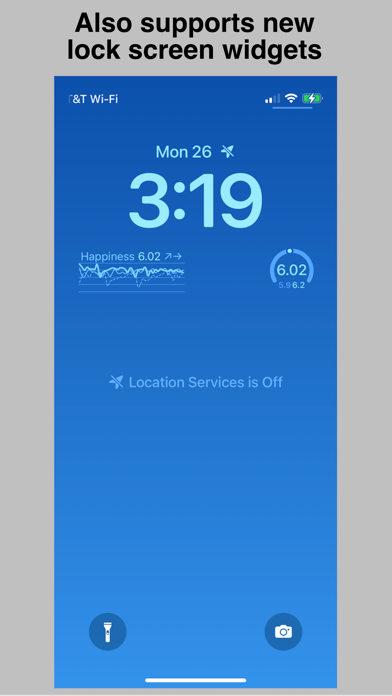
The app supports Watch complications and iPhone widgets including the new iOS 16 Lock Screen widgets. Data for complications and widgets is automatically updated in the background, so there is no need to open or manually refresh the app to see the latest data. Hedonometer.org's data is updated once a day. The complications and widgets always show the most recent data using whatever time range scale you’ve set. The information displayed will be the most recent happiness index, plus the trends over the most recent two days…sort of like a social happiness barometer. Because Watch complications and Lock Screen widgets may be monochrome only, the app uses line weights and styling for displaying each of the three years - a thick line for most recent, a thin solid line for a year ago, and a dashed line for two years ago.
The “More information” page provides information about the University of Vermont’s Hedonometer project and a bit more information about the app itself.
We hope you enjoy!