
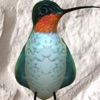
HelenaHummingbirdAR
HelenaHummingbirdAR is made and published by Immersive Kid LLC. AppBrain is an independent app data site and isn't affiliated with Immersive Kid LLC. The app name, icon, screenshots and description belong to Immersive Kid LLC and are shown as published on the App Store.
AppBrain's verdict
Established- Rating on App Store
- 5.00
- 3 ratings
- Last updated
- February 25, 2021
It doesn't have enough ratings yet to judge what users think.
Rankings
App Store top chartsApp Store Rankings for HelenaHummingbirdAR
Competitors
Similar apps and more from Immersive Kid LLCAlternatives to HelenaHummingbirdAR






More from Immersive Kid LLC


Releases
Updates seen on the App Store- Version
- 1.1
- Launched
- February 2021
No changelog data
User feedback
Ratings and reviews on the App StoreComments on HelenaHummingbirdAR for iOS
We don't have enough comments to show example comments. Please check back later.
Technology
Found in the app by AppBrain- Price
- Free
- App size
- 65.0 MB
- Content rating
- Everyone
Technologies used by HelenaHummingbirdAR
About the app and developer
About HelenaHummingbirdAR
HelenaHummingbirdAR is an entertainment app developed by Immersive Kid LLC.
User Ratings
HelenaHummingbirdAR is rated 5.00 out of 5 stars. The rating is based on 3 ratings.
App Information
HelenaHummingbirdAR is freely available from the App Store. The app size is 64.95 MB. The latest version available is 1.1. The last update was on February 25, 2021.
Technical Requirements
The app has a content rating of Everyone. The app has been available on the App Store since February 2021.
Developer information for Immersive Kid LLC
Address:
Store listing
By Immersive Kid LLC, from the App Store

Description by Immersive Kid LLC Written by the developer, not by AppBrain. Click to read.
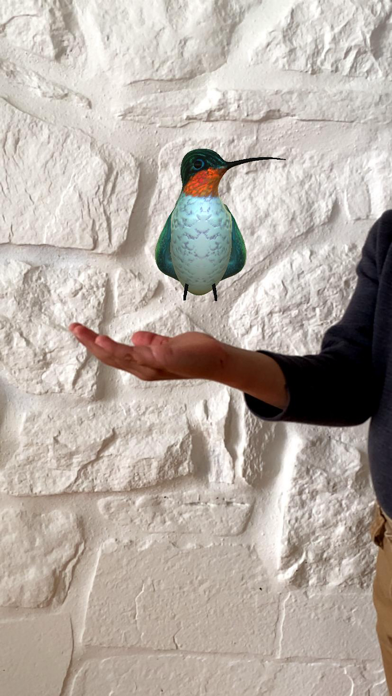
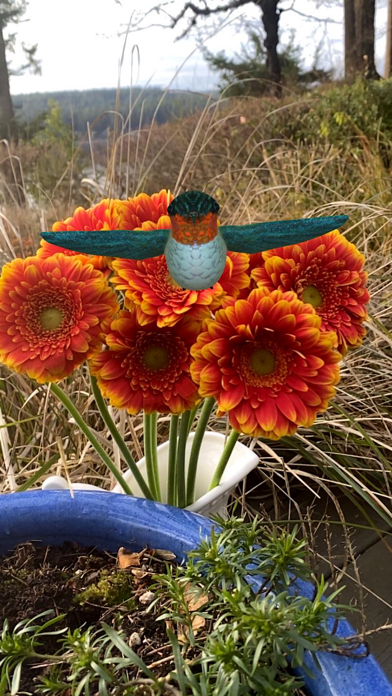
How to Play:
- Open application and enable camera/photos when prompted;
- When the application is open, a purple flower will appear in the middle of the screen;
- Position that flower on a real world object by moving your handheld device (i.e. camera) in the same way you would take a picture;
- Tap finger on the screen to animate Helena in place of that flower;
- Tap on Helena to see her fly and to hear her hum;
- Tap on the camera icon (bottom right corner of screen) to take a picture (optional);
- Tap on the flower icon (bottom left corner of screen) to change/reset position of Helena;
- Close the application when done.
Sound Effects: the hum of a hummingbird. Enable/disable by turning device silent mode on/off.
Visit website: immersivekid.com to send feedback and suggestions about this application.