

Hello Draw: Learn to Draw
Hello Draw: Learn to Draw is made and published by Moymer. AppBrain is an independent app data site and isn't affiliated with Moymer. The app name, icon, screenshots and description belong to Moymer and are shown as published on the App Store.
AppBrain's verdict
New- Rating on App Store
- 4.50
- 2 ratings
- Last updated
- October 15, 2026
Hello Draw: Learn to Draw came out 11 days ago. It doesn't have enough ratings yet to judge what users think.
Rankings
App Store top chartsApp Store Rankings for Hello Draw: Learn to Draw
Competitors
Similar apps and more from MoymerAlternatives to Hello Draw: Learn to Draw


More from Moymer





Releases
Updates seen on the App Store- Version
- 1.3.1
- Launched
- October 2026
No changelog data
User feedback
Ratings and reviews on the App StoreComments on Hello Draw: Learn to Draw for iOS
We don't have enough comments to show example comments. Please check back later.
Technology
Found in the app by AppBrain- Price
- Free
- App size
- 229.0 MB
- Content rating
- Everyone
Technologies used by Hello Draw: Learn to Draw
About the app and developer
About Hello Draw: Learn to Draw
Hello Draw: Learn to Draw is an education app developed by Moymer.
What is the rating of Hello Draw: Learn to Draw?
Hello Draw: Learn to Draw is rated 4.50 out of 5 stars, based on 2 ratings.
Is Hello Draw: Learn to Draw free?
Hello Draw: Learn to Draw is free. The app size is 229.01 MB. The latest version available is 1.3.1. The last update was on October 15, 2026.
What are the requirements for Hello Draw: Learn to Draw?
The app has a content rating of Everyone. The app has been available on the App Store since October 2026.
Developer information for Moymer
Address:
Store listing
By Moymer, from the App Store


Description by Moymer Written by the developer, not by AppBrain. Click to read.
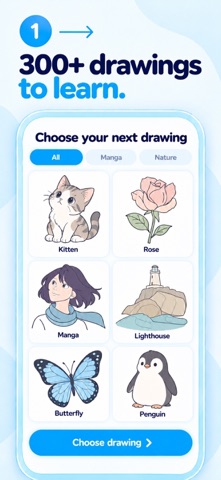
270 DRAWINGS TO EXPLORE
Find 50 drawings in each of five categories: cute animals, cartoons, worlds and scenes, manga, and observational drawing. Every drawing is available to choose independently, so you can follow your curiosity. There are also 20 architecture lessons that teach perspective: rooms, houses, buildings and streets, built with construction lines you draw yourself. If you pause while drawing, the app highlights the section that’s still missing.
BUILD YOUR DRAWING STEP BY STEP
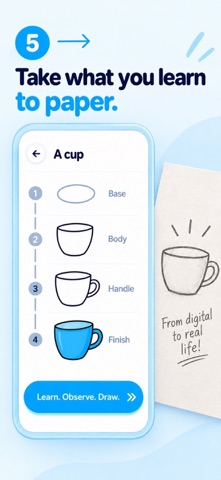
Start with meaningful, complete shapes. Practice proportions, see how forms overlap, then add the details that give your drawing character. The aim is to understand how a drawing comes together, one stage at a time.
CHOOSE HOW YOU PRACTICE
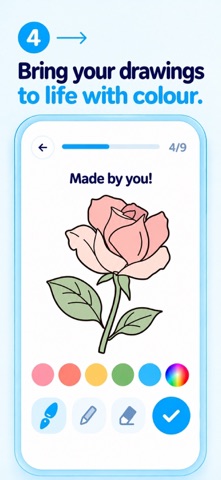
Use guided mode for support as you draw. Try HARD mode for freer strokes during each stage, with finishing assistance when you move to the next one. See the shapes you created come to life in color.
MAKE ROOM TO EXPERIMENT
Zoom in when you need a closer look and undo strokes to try again. Drafts and progress are saved locally, and you can practice offline.
The app interface and lesson instructions are available in English and other supported languages.
HELLO DRAW PREMIUM
The free plan includes a daily number of drawings. Premium removes the daily limit, so you can draw as much as you like, every day.
Eligible new subscribers can start with a 7-day free trial. The annual subscription then renews automatically at the price shown in the app unless canceled at least 24 hours before the current period ends. Payment is charged to your Apple Account. Manage or cancel your subscription in your App Store account settings.
Support: https://falou.com/hellodraw/faq
Terms of Use: https://moymer.com/terms
Privacy Policy: https://moymer.com/privacy