

HEY Email is made and published by 37Signals LLC. AppBrain is an independent app data site and isn't affiliated with 37Signals LLC. The app name, icon, screenshots and description belong to 37Signals LLC and are shown as published on the App Store.
AppBrain's verdict
EstablishedLoved by users- Rating on App Store
- 4.65
- 4,325 ratings
- Last updated
- September 29, 2026
Users love it: 4.6 stars from 4,325 ratings.
Rankings
App Store top chartsApp Store Rankings for HEY Email
Competitors
Similar apps and more from 37Signals LLCAlternatives to HEY Email






More from 37Signals LLC


Releases
Updates seen on the App Store- Version
- 1.34.17
- Launched
- June 2020
No changelog data
User feedback
Ratings and reviews on the App StoreComments on HEY Email for iOS
We don't have enough comments to show example comments. Please check back later.
Technology
Found in the app by AppBrain- Price
- Free
- App size
- 137.8 MB
- Content rating
- Everyone
Technologies used by HEY Email
About the app and developer
About HEY Email
HEY Email is a productivity app developed by 37Signals LLC.
User Ratings
HEY Email is rated 4.65 out of 5 stars. The rating is based on 4.3 thousand ratings.
App Information
HEY Email is freely available from the App Store. The app size is 137.80 MB. The latest version available is 1.34.17. The last update was on September 29, 2026.
Technical Requirements
The app has a content rating of Everyone. The app has been available on the App Store since June 2020.
Developer information for 37Signals LLC
Address:
Store listing
By 37Signals LLC, from the App Store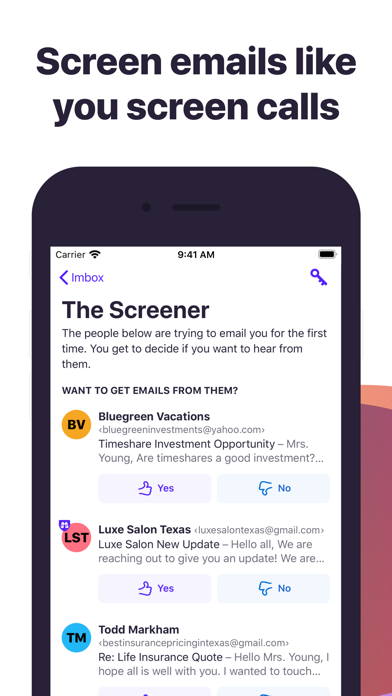

Description by 37Signals LLC Written by the developer, not by AppBrain. Click to read.
HEY replaces workarounds, messy hacks, and daily frustrations, with built-in workflows, effortless organization, and clever features that levels-up email in meaningful ways.
Screen emails like you screen calls
You screen your calls, so why can't you screen your emails? With HEY, you can. HEY puts you in complete control of who's allowed to email you. Don't want to hear from someone? Screen them out and won’t hear from them again.
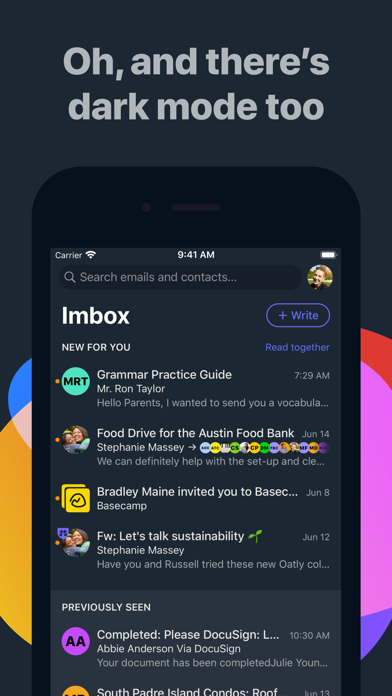
Naturally grouped
Inboxes are typically an intertwined mess of new and old messages haphazardly mixed together. Yuck. With HEY, new messages are always grouped together at the top, and previously seen emails are always at the bottom. Neat and orderly by default. No need to wade through the inbox jungle with a machete.
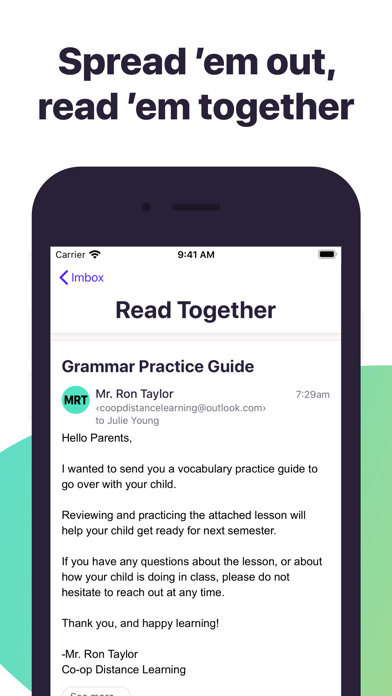
Spread ’em out, read ’em together
Let's say you have 7 unread emails. Why do you have to open one, close one, open one, close one, open one, close one, and so on. It's rediculously inefficient. With HEY, you can open multiple emails at once and just scroll though them, just like you would a newsfeed. It's a revolutionary way to read your emails. You'll never go back to the old way.
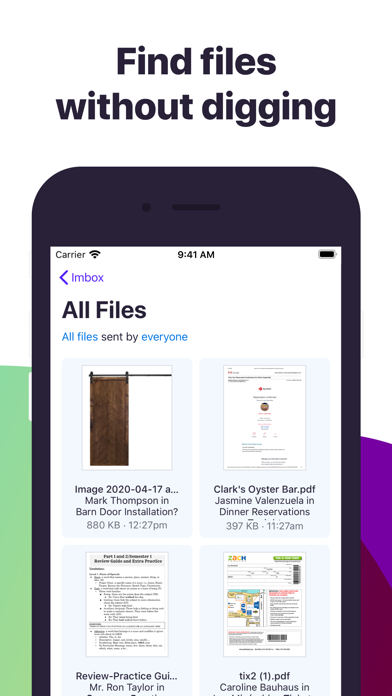
Find files without pulling your hair out
If you’re looking for an attachment, why should you have to find an email first? That’s backwards. With HEY, you get an attachment library that gathers up every attachment you’ve ever received in one organized, siftable place.
Just set it aside
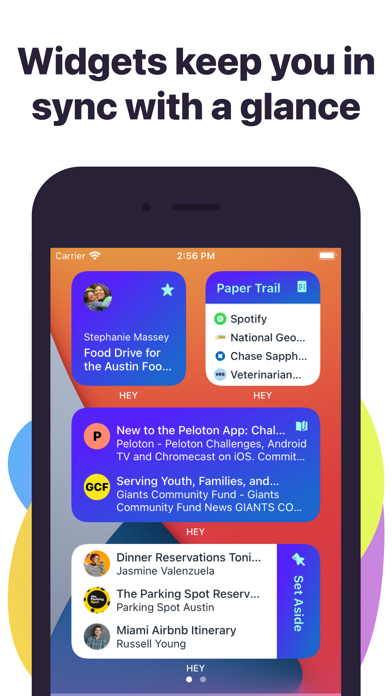
Sometimes you get emails you need to reference later - travel info, handy links, numbers you need, etc. With HEY, you can 'Set Aside' any email in a neat little pile for easy access whenever you need it. At hand, but out of your face.
Put receipts in The Paper Trail
Receipts, confirmations, and transactional emails getting in your way? With HEY, you can send those types of emails to The Paper Trail where they'll be out of your way, but easy to find when you need them.
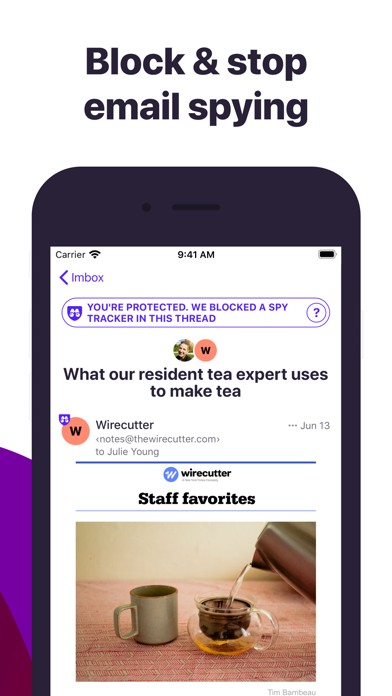
Blocking email spies 24/7/365
Many companies track which emails you open, how often you open them, and even where you were when you opened them. It's a massive invasion of your privacy. HEY blocks these trackers and tells you who's spying on you.
Fix bad subjects without busting threads
If you don’t start the thread, you're often stuck with other people’s generic, non-descriptive email subjects. With HEY, you can rename a subject so it makes sense for you without changing things for the other person.
Add private notes to any email thread
Conversations may start in email, but they may continue somewhere else. Some emails turn into lunches or calls or video conferences. Where do you put the notes from those - especially if they relate to the initial email conversation? With HEY, you can add personal, private notes (and files) to any thread. This way you keep everything related to the conversation on one page, even if it didn't all happen via email.
Notifications you control
HEY push notifications are off by default so your phone doesn’t steal your attention every time an inconsequential email hits your inbox. However, HEY lets you selectively turn them on for specific contacts or threads so you don't miss the things you really care about.
A built-in ‘Reply Later’ workflow
What if you need to reply, but you don't have time right now? With HEY, just click the “Reply Later” button to move an email to a dedicated ‘Reply Later’ pile at the bottom of the screen so you don’t lose or forget it.
Stop heavy senders from dominating your inbox
When you get lots of emails from someone, they can take over your Inbox. With HEY, you can choose to bundle a sender into a single row. This means no matter how many emails they send you, they'll only take up a single row in your Inbox. Clean, controlled, and calm.
Get off threads without having to ask
Stuck on a mega email chain and want off? Good luck asking someone to remove you. With HEY, you can unfollow any thread and replies won’t show up as new emails anymore. Out of your face forever.