

Hippi 1 is made and published by Leripa AB. AppBrain is an independent app data site and isn't affiliated with Leripa AB. The app name, icon, screenshots and description belong to Leripa AB and are shown as published on the App Store.
AppBrain's verdict
- Last updated
- December 8, 2017
Rankings
App Store top chartsApp Store Rankings for Hippi 1
This app is not ranked
Competitors
Similar apps and more from Leripa ABAlternatives to Hippi 1






More from Leripa AB



Releases
Updates seen on the App Store- Version
- 1.1
- Launched
- September 2012
No changelog data
User feedback
Ratings and reviews on the App StoreComments on Hippi 1 for iOS
We don't have enough comments to show example comments. Please check back later.
Technology
Found in the app by AppBrain- Price
- $2.99
- App size
- 80.9 MB
- Content rating
- Everyone
Technologies used by Hippi 1
About the app and developer
About Hippi 1
Hippi 1 is an education app developed by Leripa AB.
What is the rating of Hippi 1?
Hippi 1 has no ratings yet.
Is Hippi 1 free?
Hippi 1 costs $2.99. The app size is 80.90 MB. The latest version available is 1.1. The last update was on December 8, 2017.
What are the requirements for Hippi 1?
The app has a content rating of Everyone. The app has been available on the App Store since September 2012.
Developer information for Leripa AB
Address:
Store listing
By Leripa AB, from the App Store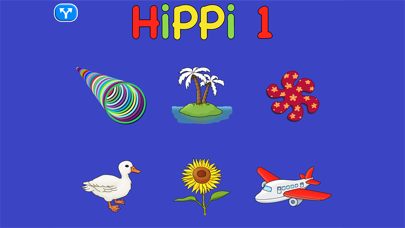

Screenshots by Leripa AB, from the the App Store listing
Description by Leripa AB Written by the developer, not by AppBrain. Click to read.
Hippi 1 - consists of 6 different cause and effect activities. The app is designed to create an interest of what happens on the screen, practice attention, understand cause and effect, and also train the use of a tablet. More than 300 images are included.
All images are plain and simple and the program focuses on both younger and older disabled learners. The program starts with a picture menu showing the six parts of the app.
Click on a menu icon to start an activity.
Click on the blue sign to change the settings for the menu and/or the activities.
Available settings:
• Turn on/off the menu music.
• Select language
• Select to build up 1, 2, 4, or 8 pictures on the screen in activity 3 and 4.
Color party
---------
This part contains colors and sounds for students who cannot understand pictures. In the program there are animations of different shapes and colors along with sounds.
Paint with sound
--------------
For each press you will paint part of an image along with a sound.
Press and see - shapes
-------------------
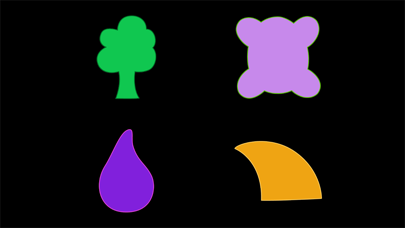
For each press a new shape will be shown on the screen. Thereafter a picture will disappear for each press. Select to see between 1 to 8 shapes.
Press and see - pictures
--------------------
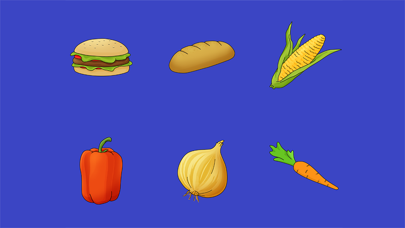
For each press a new picture will be shown on the screen. Thereafter a picture will disappear for each press. Select to see between 1 to 8 pictures.
Picture book
----------
In this part you will see pictures and hear what it is.
There are more than 300 images of common objects.
Move images
-----------
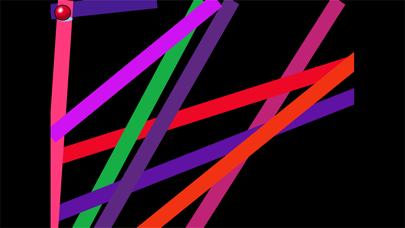
In this activity an object is moved over the screen along with sounds as long as you keep pressing.
All images are plain and simple and the program focuses on both younger and older disabled learners. The program starts with a picture menu showing the six parts of the app.
Click on a menu icon to start an activity.
Click on the blue sign to change the settings for the menu and/or the activities.
Available settings:
• Turn on/off the menu music.
• Select language
• Select to build up 1, 2, 4, or 8 pictures on the screen in activity 3 and 4.
Color party
---------
This part contains colors and sounds for students who cannot understand pictures. In the program there are animations of different shapes and colors along with sounds.
Paint with sound
--------------
For each press you will paint part of an image along with a sound.
Press and see - shapes
-------------------
For each press a new shape will be shown on the screen. Thereafter a picture will disappear for each press. Select to see between 1 to 8 shapes.
Press and see - pictures
--------------------
For each press a new picture will be shown on the screen. Thereafter a picture will disappear for each press. Select to see between 1 to 8 pictures.
Picture book
----------
In this part you will see pictures and hear what it is.
There are more than 300 images of common objects.
Move images
-----------
In this activity an object is moved over the screen along with sounds as long as you keep pressing.