

Hohner Cajun Mini-SqueezeBox
Hohner Cajun Mini-SqueezeBox is made and published by Michael Eskin. AppBrain is an independent app data site and isn't affiliated with Michael Eskin. The app name, icon, screenshots and description belong to Michael Eskin and are shown as published on the App Store.
AppBrain's verdict
Established- Rating on App Store
- 3.00
- 6 ratings
- Last updated
- July 27, 2018
It doesn't have enough ratings yet to judge what users think.
Rankings
App Store top chartsApp Store Rankings for Hohner Cajun Mini-SqueezeBox
Competitors
Similar apps and more from Michael EskinAlternatives to Hohner Cajun Mini-SqueezeBox




More from Michael Eskin







Releases
Updates seen on the App Store- Version
- 4.2
- Launched
- February 2011
No changelog data
User feedback
Ratings and reviews on the App StoreComments on Hohner Cajun Mini-SqueezeBox for iOS
We don't have enough comments to show example comments. Please check back later.
Technology
Found in the app by AppBrain- Price
- $0.99
- App size
- 26.1 MB
- Content rating
- Everyone
Technologies used by Hohner Cajun Mini-SqueezeBox
About the app and developer
About Hohner Cajun Mini-SqueezeBox
Hohner Cajun Mini-SqueezeBox is a music app developed by Michael Eskin.
User Ratings
Hohner Cajun Mini-SqueezeBox is rated 3.00 out of 5 stars. The rating is based on 6 ratings.
App Information
Hohner Cajun Mini-SqueezeBox costs $0.99. The app size is 26.12 MB. The latest version available is 4.2. The last update was on July 27, 2018.
Technical Requirements
The app has a content rating of Everyone. The app has been available on the App Store since February 2011.
Developer information for Michael Eskin
Address:
Store listing
By Michael Eskin, from the App Store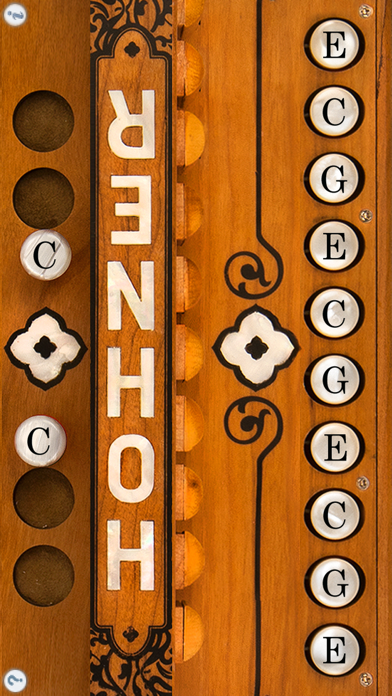


Description by Michael Eskin Written by the developer, not by AppBrain. Click to read.
Both the treble and bass/chord sides of the instrument are provided.
The Hohner Cajun Mini-SqueezeBox allows musicians to practice chord combinations, scales, and songs on-the-go. Headphones can be used for private practice, or the audio output of the virtual accordion can be amplified by plugging into computer speakers, or other sound enhancing devices.
To play, simply touch the buttons.
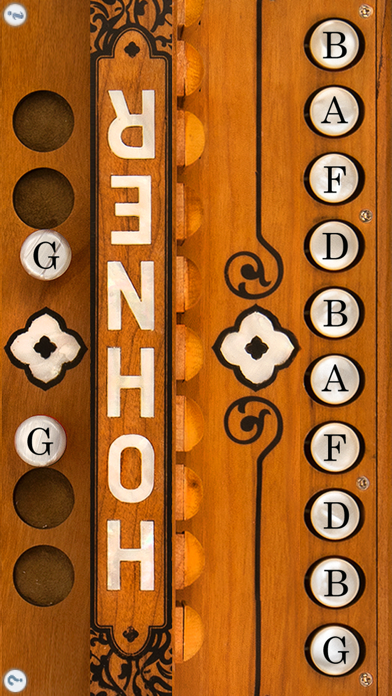
This type of accordion plays different notes on the push or pull of the bellows.
To switch between bellows push and pull, just touch anywhere in bellows or bass side. Touch to switch to push notes, lift to switch to pull notes.
When playing the bass-side buttons, you can touch between the buttons to operate the bellows.
Touch the '?' icon to show the note names for each button.