

Holdspace is made and published by Maxwell Young. AppBrain is an independent app data site and isn't affiliated with Maxwell Young. The app name, icon, screenshots and description belong to Maxwell Young and are shown as published on the App Store.
AppBrain's verdict
- Last updated
- October 1, 2026
Rankings
App Store top chartsApp Store Rankings for Holdspace
This app is not ranked
Competitors
Similar apps and more from Maxwell YoungAlternatives to Holdspace


More from Maxwell Young


Releases
Updates seen on the App Store- Version
- 1.1.0
- Launched
- January 2026
No changelog data
User feedback
Ratings and reviews on the App StoreComments on Holdspace for iOS
We don't have enough comments to show example comments. Please check back later.
Technology
Found in the app by AppBrain- Price
- Free
- App size
- 4.59 MB
- Content rating
- Everyone
Technologies used by Holdspace
About the app and developer
About Holdspace
Holdspace is a productivity app developed by Maxwell Young.
What is the rating of Holdspace?
Holdspace has no ratings yet.
Is Holdspace free?
Holdspace is free. The app size is 4.59 MB. The latest version available is 1.1.0. The last update was on October 1, 2026.
What are the requirements for Holdspace?
The app has a content rating of Everyone. The app has been available on the App Store since January 2026.
Developer information for Maxwell Young
Address:
Store listing
By Maxwell Young, from the App Store

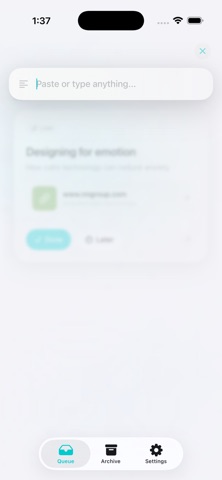
Screenshots by Maxwell Young, from the the App Store listing
Description by Maxwell Young Written by the developer, not by AppBrain. Click to read.
Holdspace is a quiet place for links, notes and ideas you want to return to.
Keep one item in focus, with the rest waiting in your queue. Finish it when you’re done, or snooze it for tonight, tomorrow or a date you choose. Archived items remain available when you need them.
Paste a URL or write a note. Save URLs and plain text from compatible share sheets. Optional link previews add a title and image, and you can turn them off in Settings.
Home Screen and Lock Screen widgets bring your current item and queue into view. Snoozed items return to the queue when they’re due.
Your queue stays on your device. Holdspace has no account, advertising or analytics. Link previews contact websites; opening links and exporting backups use destinations you choose.
Export a portable JSON backup, then restore missing items without replacing your current edits or adding duplicates.
A small place to put something down, and pick it up when you’re ready.
Keep one item in focus, with the rest waiting in your queue. Finish it when you’re done, or snooze it for tonight, tomorrow or a date you choose. Archived items remain available when you need them.
Paste a URL or write a note. Save URLs and plain text from compatible share sheets. Optional link previews add a title and image, and you can turn them off in Settings.
Home Screen and Lock Screen widgets bring your current item and queue into view. Snoozed items return to the queue when they’re due.
Your queue stays on your device. Holdspace has no account, advertising or analytics. Link previews contact websites; opening links and exporting backups use destinations you choose.
Export a portable JSON backup, then restore missing items without replacing your current edits or adding duplicates.
A small place to put something down, and pick it up when you’re ready.