

Home Measurement Toolkit
Home Measurement Toolkit is made and published by Yoobin Shin. AppBrain is an independent app data site and isn't affiliated with Yoobin Shin. The app name, icon, screenshots and description belong to Yoobin Shin and are shown as published on the App Store.
AppBrain's verdict
- Last updated
- July 17, 2026
Rankings
App Store top chartsApp Store Rankings for Home Measurement Toolkit
Competitors
Similar apps and more from Yoobin ShinAlternatives to Home Measurement Toolkit


More from Yoobin Shin


Releases
Updates seen on the App Store- Version
- 1.1.2
- Launched
- June 2026
No changelog data
User feedback
Ratings and reviews on the App StoreComments on Home Measurement Toolkit for iOS
We don't have enough comments to show example comments. Please check back later.
Technology
Found in the app by AppBrain- Price
- Free
- App size
- 9.92 MB
- Content rating
- Everyone
Technologies used by Home Measurement Toolkit
About the app and developer
About Home Measurement Toolkit
Home Measurement Toolkit is an utilities app developed by Yoobin Shin.
User Ratings
The app has no ratings yet.
App Information
Home Measurement Toolkit is freely available from the App Store. The app size is 9.92 MB. The latest version available is 1.1.2. The last update was on July 17, 2026.
Technical Requirements
The app has a content rating of Everyone. The app has been available on the App Store since June 2026.
Developer information for Yoobin Shin
Address:
Store listing
By Yoobin Shin, from the App Store


Description by Yoobin Shin Written by the developer, not by AppBrain. Click to read.
Guided alignment mode:
- Choose level 0°, vertical 90°, a reference surface, or a custom angle.
- Lay iPhone flat with the screen up, or use its long or short edge.
- See the current angle and remaining difference, with raise/lower guidance for the selected iPhone edge.
- Match a saved edge slope or flat-surface direction without treating mirrored tilts as the same reference.
- Get vibration and optional sound feedback inside your chosen alert range.
- Hold a reading and save it to local measurement history.
Other included tools:
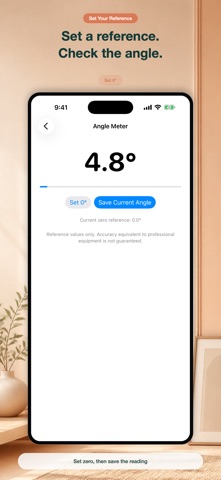
- Angle meter for quick slope and angle checks.
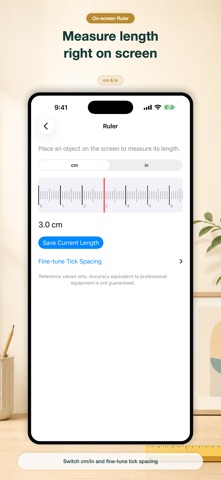
- On-screen ruler for small reference length checks.
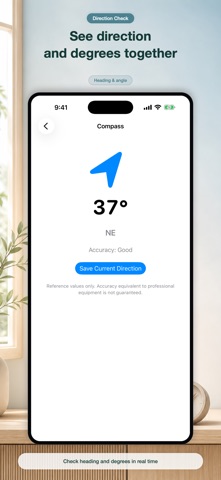
- Magnetic-north compass without location permission.
- Live reference sound meter with current, minimum, average, and maximum values.
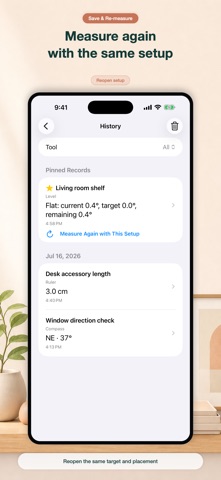
- Searchable local history with names, memos, pinning, sharing, deletion, and a shortcut to measure again with the saved setup.
The target alert range controls feedback; it is not a device accuracy rating. Results can vary with the iPhone model, sensors, case, camera bump, buttons, contact surface, and environment. This app is for everyday reference and is not a substitute for equipment required for safety, construction, inspection, certification, legal, industrial, or professional decisions.