




AppBrain's verdict
Established- Rating on App Store
- 1.00
- 6 ratings
- Last updated
- April 9, 2026
- Size
- 73.2 MB
It doesn't have enough ratings yet to judge what users think.
User feedback
Ratings and reviews on the App StoreComments on Honeywell Connect Mobile for iOS
We don't have enough comments to show example comments. Please check back later.
Store listing
By Honeywell International, Inc., from the App StoreDescription by Honeywell International, Inc. Written by the developer, not by AppBrain. Click to read.
Built for enterprise teams, Honeywell Connect Mobile turns your phone into a field-ready HMI. Technicians can configure Thermostats in minutes, balance VAVs (Variable Air Volume) more safely. Result - less time on site, minimizing ladder trips, fewer errors, and smoother handovers.
Thermostat Configuration
Out-of-the-box direct Wi-Fi – Connect to TC300 series directly with no extra hardware/setup.
Guided workflows – Intuitive flow with step-by-step device & equipment configuration.
Wiring drawings - Clear visuals to install right the first time.
Push/Apply configurations - Send device & equipment settings to the thermostat over direct Wi-Fi.
Templates - Replicate proven configuration across similar devices in minutes.
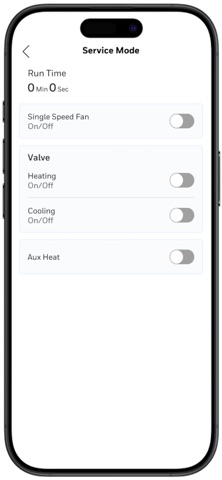
Service mode - Test and check out IOs on the spot.
Read-back & sync - Pull configuration from the thermostat to sync, verify and edit.
At-a-glance status - View device info and operating status of thermostat.
VAV Balancing
Out-of-the-box BLE - Connect to VAV controllers with no pairing hassle.
Network discovery - Find devices over BACnet/IP or MS/TP networks.
Zero & flow calibration - Support for common applications (Cooling with reheat, Fan-powered, etc.).
Multi-device workflows: Calibrate multiple VAVs simultaneously to accelerate commissioning.
Group & individual commands: Move dampers, run calibrations, verify results in real time.
Safer, faster work: Minimize ladder trips by driving tests from the app.
Digital balancing report: Auto-capture, generate and share balancing reports for customer sign-off.
Safety and technology
Found in the app by AppBrain- Price
- Free
- App size
- 73.2 MB
- Content rating
- Everyone
Technologies used by Honeywell Connect Mobile
Releases
Updates seen on the App Store- Version
- 2.7.9
- Launched
- October 2020
No changelog data
Alternatives
Similar apps and more from Honeywell International, Inc.Alternatives to Honeywell Connect Mobile


More from Honeywell International, Inc.


Also available on Google Play

Rankings
App Store top chartsApp Store Rankings for Honeywell Connect Mobile
About the app and developer
About Honeywell Connect Mobile
Honeywell Connect Mobile is a productivity app developed by Honeywell International, Inc.
What is the rating of Honeywell Connect Mobile?
Honeywell Connect Mobile is rated 1.00 out of 5 stars, based on 6 ratings.
Is Honeywell Connect Mobile free?
Honeywell Connect Mobile is free. The app size is 73.20 MB. The latest version available is 2.7.9. The last update was on April 9, 2026.
What are the requirements for Honeywell Connect Mobile?
The app has a content rating of Everyone. The app has been available on the App Store since October 2020.
Honeywell Connect Mobile is made and published by Honeywell International, Inc. AppBrain is an independent app data site and isn't affiliated with Honeywell International, Inc. The app name, icon, screenshots and description belong to Honeywell International, Inc. and are shown as published on the App Store.
Developer information for Honeywell International, Inc.
Address: