Horarium - Timetable for Untis is an overall app developed by Berenike Krause.
Download Statistics
User Ratings
The app has no ratings yet.
App Information
Horarium - Timetable for Untis is FREE to download. The APK download size is 12.06 MB. The latest version available is 3.2.3. The last update was on May 28, 2026.
Technical Requirements
The app has a content rating of Everyone. The app has been available on Google Play February 2026.
Description
Horarium – Your Smart School Timetable for iPhone and iPad Horarium is the modern timetable app for iOS and iPadOS that connects seamlessly with Untis and WebUntis, fully organizing your school life on iPhone and iPad. No more wrestling with the official Untis app: Horarium is faster, cleaner, and more customizable. All data syncs automatically across Apple devices via iCloud.
What is Horarium? Built for students using Untis or WebUntis, Horarium loads your personal timetable automatically after setup – subjects, teachers, rooms, student groups, and times. Substitutions, cancellations, additional periods, rescheduled lessons, and last-minute changes are synced and highlighted. Exams are detected and marked in yellow.
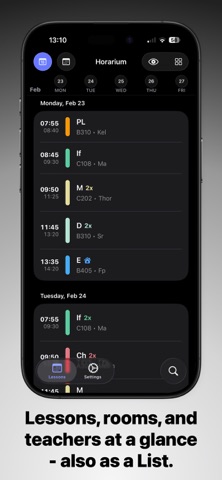
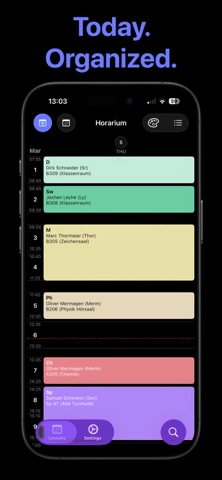
Timetable: Two Views, Full Control Switch between the week grid and list view. The grid shows the full week; tap a day to focus. The list view offers a chronological overview with optional breaks. Tap a lesson for full details: subject, teacher, original teacher if substituted, room, original room if changed, student group, time, status, and info or substitution text. Lessons can be hidden and restored anytime.
Homework – Your Digital Planner Homework is central. Tasks load from Untis or can be added manually. Mark individually or use “Mark All Done”. Filter by source, time period, or completed entries. When creating a task, choose subject, due date, and optional note – color-coded chips help. Completion status is stored locally; homework syncs via iCloud.
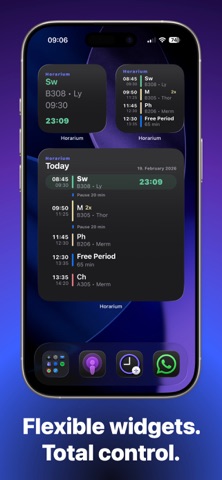
Home Screen Widgets Three widgets: Schedule Widget (all sizes) shows current and upcoming lessons with countdown; Next Lessons Widget (small) shows the next four lessons; Homework Widget keeps tasks visible. Widget day mode configurable: switch to next day, show today until midnight, or nothing after school.
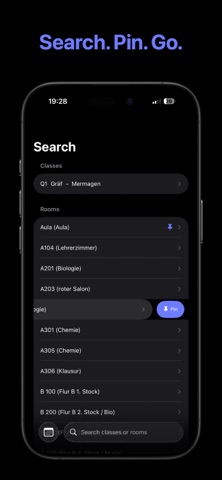
Notifications & Search Receive updates for cancellations, substitutions, and additional periods. Search by class, teacher, or room; pin and reorder entries.
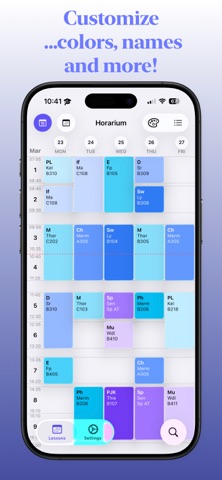
Colors & Customization Three color modes: Default (Untis), Uniform, or custom per subject. Applies to all views and widgets. Breaks and holiday colors customizable. Two grid styles, optional glass effect, corner radius, long names, consecutive lesson merging.
Absences, Multi-Account & Privacy Load absences from Untis, filterable by period and excused status. Multiple accounts manageable. Credentials stored locally in Keychain – no external servers or sharing.
Each subscription will automatically renew 3 days before the expiration date for
the same time period. Subscriptions can be cancelled at any time before the renewal.