

HQSSH: AI Agent SSH Terminal
HQSSH: AI Agent SSH Terminal is made and published by Gelotto. AppBrain is an independent app data site and isn't affiliated with Gelotto. The app name, icon, screenshots and description belong to Gelotto and are shown as published on the App Store.
AppBrain's verdict
- Rating on App Store
- 5.00
- 1 ratings
- Last updated
- October 9, 2026
It doesn't have enough ratings yet to judge what users think.
Rankings
App Store top chartsApp Store Rankings for HQSSH: AI Agent SSH Terminal
Competitors
Similar apps and more from GelottoMore from Gelotto


Also available on Google Play

Releases
Updates seen on the App Store- Version
- 1.5.2
- Launched
- March 2026
No changelog data
User feedback
Ratings and reviews on the App StoreComments on HQSSH: AI Agent SSH Terminal for iOS
We don't have enough comments to show example comments. Please check back later.
Technology
Found in the app by AppBrain- Price
- $5.99
- App size
- 34.4 MB
- Content rating
- Everyone
Technologies used by HQSSH: AI Agent SSH Terminal
About the app and developer
About HQSSH: AI Agent SSH Terminal
HQSSH: AI Agent SSH Terminal is an overall app developed by Gelotto.
What is the rating of HQSSH: AI Agent SSH Terminal?
HQSSH: AI Agent SSH Terminal is rated 5.00 out of 5 stars, based on one rating ratings.
Is HQSSH: AI Agent SSH Terminal free?
HQSSH: AI Agent SSH Terminal costs $5.99. The app size is 34.41 MB. The latest version available is 1.5.2. The last update was on October 9, 2026.
What are the requirements for HQSSH: AI Agent SSH Terminal?
The app has a content rating of Everyone. The app has been available on the App Store since March 2026.
Developer information for Gelotto
Address:
Store listing
By Gelotto, from the App Store



Description by Gelotto Written by the developer, not by AppBrain. Click to read.
HQSSH is an SSH terminal, SFTP file manager, and AI CLI tool launcher built for developers and vibe coders who manage remote servers from their phone.
Full terminal. Full file browser. AI tool integration. Persistent sessions that survive disconnects and follow you across devices.
SSH Terminal
256-color xterm emulation with a keyboard toolbar designed for mobile. ESC, TAB, Ctrl+C, Ctrl+D, Ctrl+Z, and arrow keys are always one tap away. Portrait and landscape support. This is a real terminal — not a stripped-down shell.
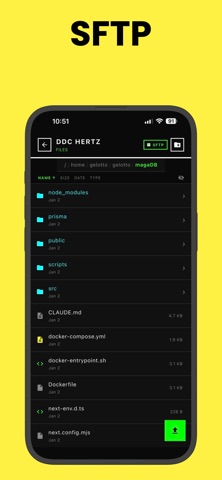
SFTP File Manager
Browse, upload, download, rename, and delete files on your remote systems. Create directories, change permissions with a chmod dialog, preview text files, and share downloads. Transfer progress tracking with cancel support.
AI CLI Tools
Launch Claude Code, Codex, or Aider directly from your phone. HQSSH discovers git repositories on your remote systems, detects which AI tools are installed, and lets you launch them in the right project directory with one tap. Manage AI-assisted development sessions on the go.
Persistent Sessions
Start a session on your phone. Pick it up later on another device. Sessions survive disconnects and device switches with full scrollback history. Multi-client attach lets you share sessions across devices simultaneously.
SSH Key Management
Generate ED25519, RSA, or ECDSA keys directly in the app. Import existing private keys. Keys are stored securely in the iOS Keychain. Password and private key authentication supported.
Command Snippets
Save frequently used commands as snippets — global or per-system. Organize by category, set auto-execute, and run with one tap. Includes built-in snippets for common operations.
Task Automation
Define reusable tasks at the system or project level. Run deployments, health checks, or any shell command with one tap. Review execution history and output logs.
Multi-System Dashboard
Manage all your servers from a single screen. Active sessions, quick-launch tasks, and recent run history at a glance. Import systems in bulk from your ~/.ssh/config file. Jump host support for bastion connections.
Secure by Default
SSH credentials encrypted with the iOS Keychain. Host key verification with fingerprint tracking. No data sent to third-party services.
Supports any SSH-accessible system running Linux or macOS.