

HWP Viewer - Hangul Editor
HWP Viewer - Hangul Editor is made and published by SUPERNOVA MEDIA JOINT STOCK COMPANY. AppBrain is an independent app data site and isn't affiliated with SUPERNOVA MEDIA JOINT STOCK COMPANY. The app name, icon, screenshots and description belong to SUPERNOVA MEDIA JOINT STOCK COMPANY and are shown as published on the App Store.


AppBrain's verdict
- Last updated
- October 23, 2026
- Size
- 65.5 MB
User feedback
Ratings and reviews on the App StoreComments on HWP Viewer - Hangul Editor for iOS
We don't have enough comments to show example comments. Please check back later.
Store listing
By SUPERNOVA MEDIA JOINT STOCK COMPANY, from the App StoreDescription by SUPERNOVA MEDIA JOINT STOCK COMPANY Written by the developer, not by AppBrain. Click to read.
KEY FEATURES:
- Open and read HWP files
- Edit HWP documents
- Convert PDF to HWP
- Convert DOC to HWP
- Share HWP files
- Manage your documents
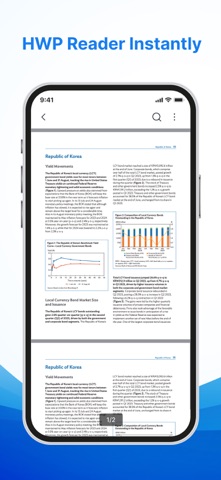
HWP READER
• Open and read HWP and HWPX files
• Enjoy smooth page transitions while reading
• View document content clearly
HWP EDITOR
• Edit HWP documents on your device
• Highlight, underline, or strikethrough
• Mark important content for quick review
CONVERT PDF/DOC TO HWP
• Turn PDF files into HWP
• Transform DOC files into HWP
• Perform conversions quickly
• Keep converted documents organized
PRINT DOCUMENTS
• Connect to compatible printers
• Print files directly from your phone
• Print documents and reports whenever needed
SMART FILE MANAGEMENT
• Find documents with a simple search
• Mark important files
• Easily rename documents
• Share files with just a few taps
Download HWP Viewer - Hangul Editor today to make document handling more convenient, wherever you are. Keep your important files organized and easy to access.
Thank you for choosing HWP Viewer - Hangul Editor. We hope this app helps you handle documents quickly and efficiently in your studies and daily work.
Policy: https://sites.google.com/view/hwpviewer-hangulreader-privacy
TnC: https://sites.google.com/view/hwpviewer-hangulreader-terms
Safety and technology
Found in the app by AppBrain- Price
- Free
- App size
- 65.5 MB
- Content rating
- Everyone
Technologies used by HWP Viewer - Hangul Editor
Releases
Updates seen on the App Store- Version
- 1.2
- Launched
- September 2026
No changelog data
Alternatives
Similar apps and more from SUPERNOVA MEDIA JOINT STOCK COMPANYAlternatives to HWP Viewer - Hangul Editor


More from SUPERNOVA MEDIA JOINT STOCK COMPANY
Rankings
App Store top charts- Highest rank
- #36
- Chart
- Top Free
- Utilities
- Country
- South Korea
App Store Rankings for HWP Viewer - Hangul Editor
Top rankings
| Rank | Country | Category | List |
|---|---|---|---|
| 36 | South Korea | Utilities | Top Free |
Ranking history in South Korea
About the app and developer
About HWP Viewer - Hangul Editor
HWP Viewer - Hangul Editor is an utilities app developed by SUPERNOVA MEDIA JOINT STOCK COMPANY.
What is the rating of HWP Viewer - Hangul Editor?
HWP Viewer - Hangul Editor has no ratings yet.
Is HWP Viewer - Hangul Editor free?
HWP Viewer - Hangul Editor is free. The app size is 65.53 MB. The latest version available is 1.2. The last update was on October 23, 2026.
What are the requirements for HWP Viewer - Hangul Editor?
The app has a content rating of Everyone. The app has been available on the App Store since September 2026.
Developer information for SUPERNOVA MEDIA JOINT STOCK COMPANY
SUPERNOVA MEDIA JOINT STOCK COMPANY
Address: