It doesn't have enough ratings yet to judge what users think.
Hypothesis Test - Type I PRO is made and published by
Glindemann, Sennoun, Langer GbR.
AppBrain is an independent app data site and isn't affiliated with Glindemann, Sennoun, Langer GbR.
The app name, icon, screenshots and description belong to Glindemann, Sennoun, Langer GbR and are shown as
published on the App Store.
About Hypothesis Test - Type I PRO
Hypothesis Test - Type I PRO is an education app developed by Glindemann, Sennoun, Langer GbR.
User Ratings
Hypothesis Test - Type I PRO is rated 5.00 out of 5 stars. The rating is based on one rating ratings.
App Information
Hypothesis Test - Type I PRO costs $1.99. The app size is 179.84 MB. The latest version available is 2.2.3. The last update was on August 14, 2026.
Technical Requirements
The app has a content rating of Everyone. The app has been available on the App Store since May 2024.
Description by Glindemann, Sennoun, Langer GbR(from the App Store)
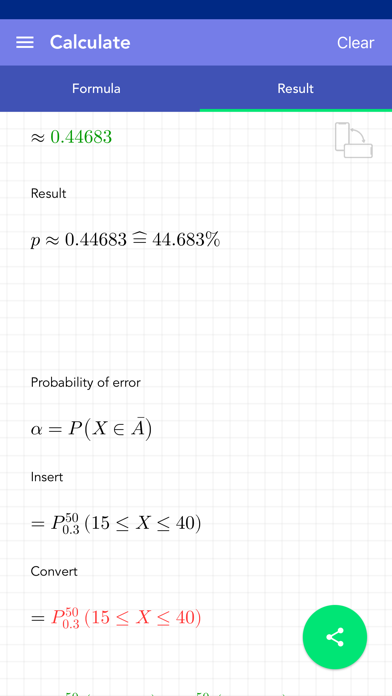
This app provides the ability to perform Type I Error hypothesis testing. The null hypothesis and sample size can be specified. Depending on the selected mode, the alpha error or the acceptance or rejection range can be calculated.
The different modes offer the possibility of performing right-sided, left-sided or bilateral tests. For this purpose, k1 and/or k2 can be specified for mode I or II.
Various modifications can be made to calculate the acceptance and rejection ranges. It is important to note whether X should be greater than/equal to or less than/equal to k. P(X)≤ α is always assumed.
The solution is shown step by step. All calculations are saved in history. The final solution can be shared.
[ Contents ] - 2 modes to calculate alpha error with right, left or bilateral tests - 4 modes for calculating acceptance and rejection range depending on α - Results are calculated and displayed in detail - History to save input - detailed solution - Natural numbers and decimal numbers are supported depending on the variable - no ads!
[ Use ] - There are fields for entering values using a special keyboard - Click on the checkmark button at the bottom right to start the calculation - If values are missing, the corresponding field is highlighted in yellow - If the values are incorrect, the affected field is highlighted in red - a short message explains why a value is incorrect - The entries in the history can be deleted or sorted - When you select an entry in the history, it is automatically loaded for calculation - All history can be deleted at the touch of a button - Solutions can be shared
Each subscription will automatically renew 3 days before the expiration date for
the same time period. Subscriptions can be cancelled at any time before the renewal.