iAnnotate for BlackBerry
iAnnotate for BlackBerry is made and published by Branchfire, Inc. AppBrain is an independent app data site and isn't affiliated with Branchfire, Inc. The app name, icon, screenshots and description belong to Branchfire, Inc. and are shown as published on the App Store.
AppBrain's verdict
Established- Rating on App Store
- 1.72
- 18 ratings
- Last updated
- October 1, 2026
It doesn't have enough ratings yet to judge what users think.
Rankings
App Store top chartsApp Store Rankings for iAnnotate for BlackBerry
Competitors
Similar apps and more from Branchfire, Inc.Alternatives to iAnnotate for BlackBerry
More from Branchfire, Inc.
Releases
Updates seen on the App Store- Version
- 4.10.35
- Launched
- July 2016
No changelog data
User feedback
Ratings and reviews on the App StoreComments on iAnnotate for BlackBerry for iOS
We don't have enough comments to show example comments. Please check back later.
Technology
Found in the app by AppBrain- Price
- Free
- App size
- 121.2 MB
- Content rating
- Everyone
Technologies used by iAnnotate for BlackBerry
About the app and developer
About iAnnotate for BlackBerry
iAnnotate for BlackBerry is a business app developed by Branchfire, Inc.
User Ratings
iAnnotate for BlackBerry is rated 1.72 out of 5 stars. The rating is based on 18 ratings.
App Information
iAnnotate for BlackBerry is freely available from the App Store. The app size is 121.24 MB. The latest version available is 4.10.35. The last update was on October 1, 2026.
Technical Requirements
The app has a content rating of Everyone. The app has been available on the App Store since July 2016.
Developer information for Branchfire, Inc.
Address:
Frequently asked questions about iAnnotate for BlackBerry
Is iAnnotate for BlackBerry free?
Yes. iAnnotate for BlackBerry is free on the App Store.
Is iAnnotate for BlackBerry still available?
Yes. iAnnotate for BlackBerry is on the App Store, and the last update we saw was on October 1, 2026.
How large is iAnnotate for BlackBerry?
iAnnotate for BlackBerry is 121.24 MB.
Is iAnnotate for BlackBerry suitable for children?
App Store rates the content of iAnnotate for BlackBerry as suitable for everyone.
How do people rate iAnnotate for BlackBerry?
iAnnotate for BlackBerry scores 1.72 out of 5 stars, from 18 ratings on the App Store.
Who made iAnnotate for BlackBerry?
iAnnotate for BlackBerry was developed by Branchfire, Inc. It is listed in the business category on the App Store.
What are the best alternatives to iAnnotate for BlackBerry?
People looking at iAnnotate for BlackBerry also look at these business apps: Notate PDF for BlackBerry, POLARIS Office for BlackBerry, BlackBerry Edit, Intapp Time Legacy BlackBerry, iManage Work 10 For BlackBerry.
Store listing
By Branchfire, Inc., from the App StoreDescription by Branchfire, Inc. Written by the developer, not by AppBrain. Click to read.
Use iAnnotate to work with Microsoft Office files, images, Google Docs, and even web pages. Documents are seamlessly converted to PDF, so your notes are easy to share with others.
Read on to find out what iAnnotate can do for you!
New in this version: iPhone support, iPad Pro and multitasking support, automatic Apple Pencil detection, shape annotations, support for Launcher, and more.
IPHONE: Now you can use iAnnotate on your phone, with all of the great features you’ve come to expect on your iPad.
IPAD PRO: iAnnotate works great with the iPad Pro. Automatically annotate when you use the Apple Pencil and easily pan, zoom, scroll with your fingers — no tool switching required. Get more work done with iOS multitasking and smart keyboard shortcuts.
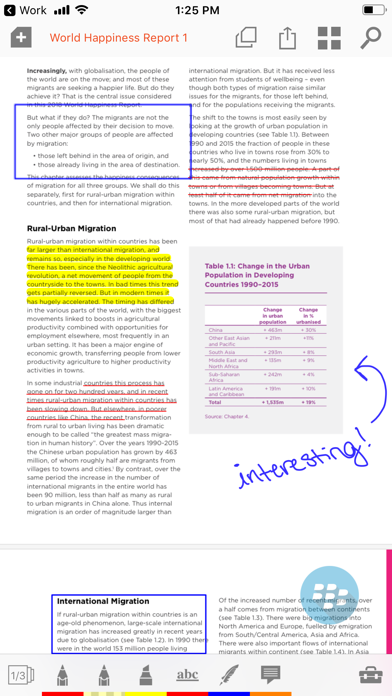
ANNOTATE: Choose from the pen, highlighter, typewriter, stamp, straight-line, note, underline, strikeout, photo, voice recording, arrow, rectangle, circle, and date stamp tools.
CUSTOMIZE: Drag and drop tools to your custom toolbars. Swipe between toolbars, or open the Toolbox to access all your tools.
ACCESS: Open documents from other secure apps, or through Launcher. Save them back to email or store when you’re done.
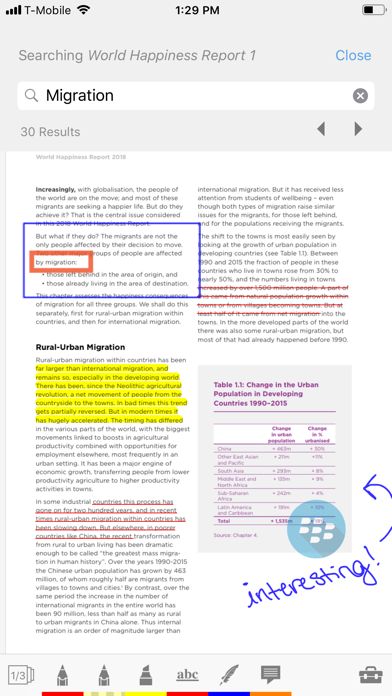
SEARCH: Search documents in your local library and throughout your cloud storage.
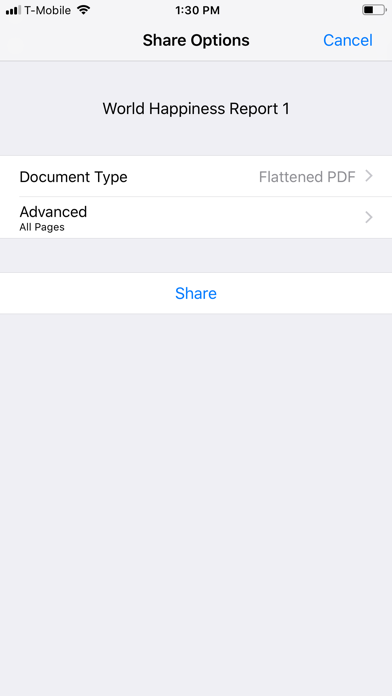
FLATTEN: Compress your annotations onto the document to prevent modification. This is useful for preserving signatures or for preventing recipients from deleting or changing your annotations.
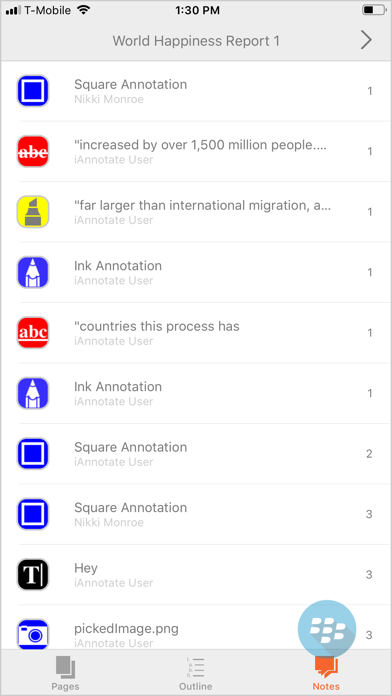
NAVIGATE: Explore your documents by thumbnails, bookmarks, annotations, or search results.
UNLIMITED TABS: Open multiple documents in tabs, and easily navigate between them, on both tablet and phone.
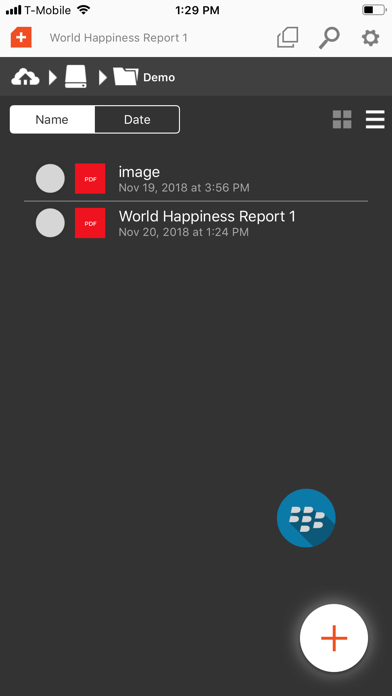
MANAGE: Arrange documents by folders and sort contents by date added, date last opened, or alphabetical order.
CREATE: Create brand new PDFs with blank, lined, or graph-paper pages.
MODIFY: Add, delete, rotate, and rearrange pages in your documents.
SUMMARIZE: Forward a summary of your annotations as an email or a new PDF.
SECURE: Fully supported by the BlackBerry Dynamics SDK.