

iControl Web: HTTP Remote
iControl Web: HTTP Remote is made and published by Sebastian Bub Software Distribution. AppBrain is an independent app data site and isn't affiliated with Sebastian Bub Software Distribution. The app name, icon, screenshots and description belong to Sebastian Bub Software Distribution and are shown as published on the App Store.
AppBrain's verdict
Established- Rating on App Store
- 4.58
- 12 ratings
- Last updated
- October 24, 2021
It doesn't have enough ratings yet to judge what users think.
Rankings
App Store top chartsApp Store Rankings for iControl Web: HTTP Remote
Competitors
Similar apps and more from Sebastian Bub Software DistributionAlternatives to iControl Web: HTTP Remote




More from Sebastian Bub Software Distribution


Releases
Updates seen on the App Store- Version
- 1.9
- Launched
- November 2012
No changelog data
User feedback
Ratings and reviews on the App StoreComments on iControl Web: HTTP Remote for iOS
We don't have enough comments to show example comments. Please check back later.
Technology
Found in the app by AppBrain- Price
- Free
- App size
- 23.2 MB
- Content rating
- Everyone
Technologies used by iControl Web: HTTP Remote
About the app and developer
About iControl Web: HTTP Remote
iControl Web: HTTP Remote is a productivity app developed by Sebastian Bub Software Distribution.
What is the rating of iControl Web: HTTP Remote?
iControl Web: HTTP Remote is rated 4.58 out of 5 stars, based on 12 ratings.
Is iControl Web: HTTP Remote free?
iControl Web: HTTP Remote is free. The app size is 23.22 MB. The latest version available is 1.9. The last update was on October 24, 2021.
What are the requirements for iControl Web: HTTP Remote?
The app has a content rating of Everyone. The app has been available on the App Store since November 2012.
Developer information for Sebastian Bub Software Distribution
Sebastian Bub Software Distribution
Address:
Frequently asked questions about iControl Web: HTTP Remote
Is iControl Web: HTTP Remote free?
Yes. iControl Web: HTTP Remote is free on the App Store.
Is iControl Web: HTTP Remote still available?
Yes. iControl Web: HTTP Remote is on the App Store, and the last update we saw was on October 24, 2021.
How large is iControl Web: HTTP Remote?
iControl Web: HTTP Remote is 23.22 MB.
Is iControl Web: HTTP Remote suitable for children?
App Store rates the content of iControl Web: HTTP Remote as suitable for everyone.
How do people rate iControl Web: HTTP Remote?
iControl Web: HTTP Remote scores 4.58 out of 5 stars, from 12 ratings on the App Store.
Who made iControl Web: HTTP Remote?
iControl Web: HTTP Remote was developed by Sebastian Bub Software Distribution. It is listed in the productivity category on the App Store.
What are the best alternatives to iControl Web: HTTP Remote?
People looking at iControl Web: HTTP Remote also look at these productivity apps: MyPi., Telnet Client Terminal, Pleasant Password Server App, UDP Terminal, PDB Monitor.
Store listing
By Sebastian Bub Software Distribution, from the App Store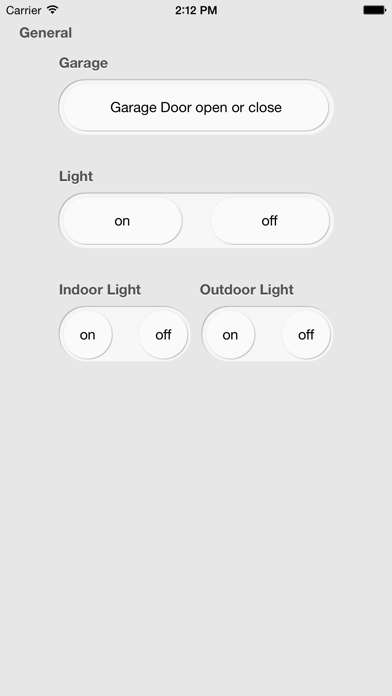
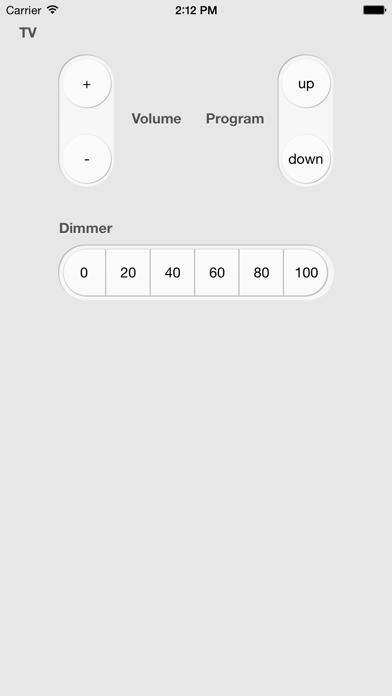
Description by Sebastian Bub Software Distribution Written by the developer, not by AppBrain. Click to read.
The app is ideal for all home automation systems which support http:
- i.e. DIY, HomeWizard, PEHA-House-Control-System, PHC, DigitalSTROM, KNX, control4, Domoticz.
- It can also be used to control your IP camera (i.e. Mobotix)
- Or as a remote control for some HDMI DLNA adapter
- The app and watch app can also be used to trigger IFTTT.
Follow the configuration manual: https://github.com/sebbu/iControl-Web
In summary: Use iTunes file sharing (in Finder) or the Files App to get a sample json file for your configuration (can also be downloaded from GitHub). Name your file gui.json. The sample contains the full structure. You may want to use a json editor. If you have messed up your gui.json, remove it from the App (delete the file) to get a new guiSample.json. You may use http or https for calling a remote command within this App or other known URL schemes to open another App (iPhone/iPad only).
Support for self-signed certificates is not includes on purpose. There are many free possibilities to get a certificate of different flavor,
i.e. Let’s Encrypt (this is not a recommendation, but it can serve as a starting point for your search).
This app can be controlled via its own custom protocol icontrol://. Currently it only supports the execution of a command. (See guiSample.json for an example)
iControl does not prompt for a review as it would probably interrupt your workflow. I would really appreciate it if you take the time to leave a review (maybe with a short hint or description which system you are using). Thank you in advance!
A big thank you to the company it@business for the support of the update to iOS 13.