

iEmulator
iEmulator is made and published by Weigan Technology (Shenzhen) Co., Ltd. AppBrain is an independent app data site and isn't affiliated with Weigan Technology (Shenzhen) Co., Ltd. The app name, icon, screenshots and description belong to Weigan Technology (Shenzhen) Co., Ltd. and are shown as published on the App Store.
AppBrain's verdict
- Rating on App Store
- 3.00
- 3 ratings
- Last updated
- October 15, 2026
It doesn't have enough ratings yet to judge what users think.
Rankings
App Store top chartsApp Store Rankings for iEmulator
Competitors
Similar apps and more from Weigan Technology (Shenzhen) Co., Ltd.Alternatives to iEmulator


More from Weigan Technology (Shenzhen) Co., Ltd.


Releases
Updates seen on the App Store- Version
- 1.0.9
- Launched
- June 2026
No changelog data
User feedback
Ratings and reviews on the App StoreComments on iEmulator for iOS
We don't have enough comments to show example comments. Please check back later.
Technology
Found in the app by AppBrain- Price
- Free
- App size
- 1.03 GB
- Content rating
- Everyone
Technologies used by iEmulator
About the app and developer
About iEmulator
iEmulator is an utilities app developed by Weigan Technology (Shenzhen) Co., Ltd.
User Ratings
iEmulator is rated 3.00 out of 5 stars. The rating is based on 3 ratings.
App Information
iEmulator is freely available from the App Store. The app size is 1.03 GB. The latest version available is 1.0.9. The last update was on October 15, 2026.
Technical Requirements
The app has a content rating of Everyone. The app has been available on the App Store since June 2026.
Developer information for Weigan Technology (Shenzhen) Co., Ltd.
Store listing
By Weigan Technology (Shenzhen) Co., Ltd., from the App Store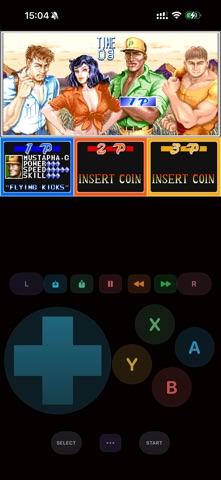
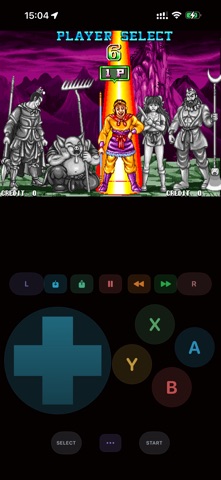
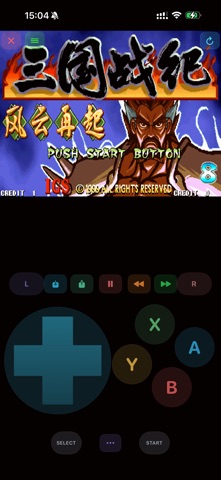

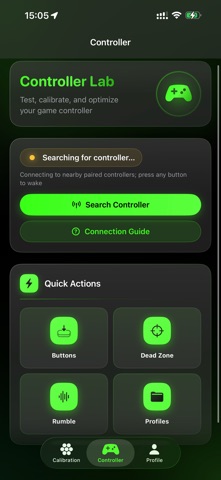
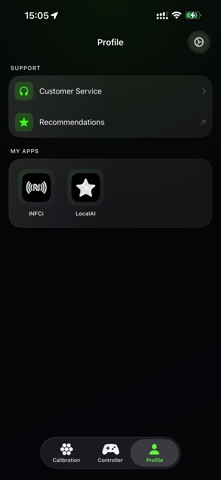
Description by Weigan Technology (Shenzhen) Co., Ltd. Written by the developer, not by AppBrain. Click to read.
Controller Lab — Professional Gamepad Diagnostic Tool for iOS & macOS, Supports all ROM file formats.
iEmulator is a standalone utility built for iOS/macOS gamers who want to test, calibrate, and optimize their Bluetooth game controllers.
Whether your stick drifts, a button sticks, or you want to fine-tune dead zones before your next session, Controller Lab gives you clear, measurable answers—right on your devices.
SUPPORTED CONTROLLERS
• Xbox Wireless Controller (Xbox One / Series)
• PlayStation DualSense & DualShock 4
• Nintendo Switch Pro Controller
• MFi-certified Bluetooth gamepads
• Siri Remote & micro gamepad (fallback)
KEY FEATURES
Dashboard
See connection status, battery level, Bluetooth info, and switch between multiple connected controllers. Built-in pairing guide helps you connect your pad step by step.
Button Tester
Visual controller skin shows every button press in real time. Monitor trigger pressure (raw and processed values), view an event log, and measure app-layer input latency (average and p99).
Stick Lab — Dead Zone & Drift Analysis
• Live dual-stick canvas with dead zone sliders
• 10-second quick drift check
• 30-second full drift report with health score, standard deviation, and 16×16 heatmap
• Shareable diagnostic report for troubleshooting or repair reference
Rumble Lab
Test left and right motors independently. Try preset haptic patterns, adjust intensity, and control DualSense light bar colors.
Game Profiles
Save per-game configurations including stick dead zones, trigger dead zones, and haptic presets. Apply profiles instantly, duplicate, edit, or back up your settings.
WHY CONTROLLER LAB?
Unlike basic button testers, Controller Lab combines drift diagnosis, latency measurement, haptic testing, and profile management in one focused tool—designed specifically for the iOS GameController framework.
No games are emulated. No ROMs are loaded. No copyrighted game content is involved. The app only reads input from connected controllers and helps you understand their behavior.
REQUIREMENTS
• iOS 18 or later
• A Bluetooth game controller paired via system Settings