

iFastViewer is made and published by FastViewer GmbH. AppBrain is an independent app data site and isn't affiliated with FastViewer GmbH. The app name, icon, screenshots and description belong to FastViewer GmbH and are shown as published on the App Store.
AppBrain's verdict
Established- Rating on App Store
- 4.00
- 1 ratings
- Last updated
- March 31, 2026
It doesn't have enough ratings yet to judge what users think.
Rankings
App Store top chartsApp Store Rankings for iFastViewer
Competitors
Similar apps and more from FastViewer GmbHAlternatives to iFastViewer



More from FastViewer GmbH

Releases
Updates seen on the App Store- Version
- 3.3.9
- Launched
- July 2010
No changelog data
User feedback
Ratings and reviews on the App StoreComments on iFastViewer for iOS
We don't have enough comments to show example comments. Please check back later.
Technology
Found in the app by AppBrain- Price
- Free
- App size
- 10.7 MB
- Content rating
- Everyone
Technologies used by iFastViewer
About the app and developer
About iFastViewer
iFastViewer is a business app developed by FastViewer GmbH.
What is the rating of iFastViewer?
iFastViewer is rated 4.00 out of 5 stars, based on one rating ratings.
Is iFastViewer free?
iFastViewer is free. The app size is 10.70 MB. The latest version available is 3.3.9. The last update was on March 31, 2026.
What are the requirements for iFastViewer?
The app has a content rating of Everyone. The app has been available on the App Store since July 2010.
Developer information for FastViewer GmbH
Address:
Store listing
By FastViewer GmbH, from the App Store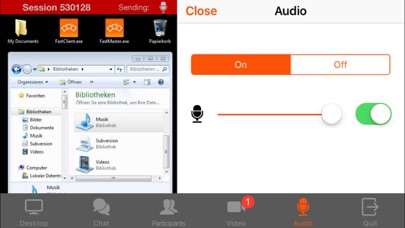
Description by FastViewer GmbH Written by the developer, not by AppBrain. Click to read.
Features
······································································
Desktop:
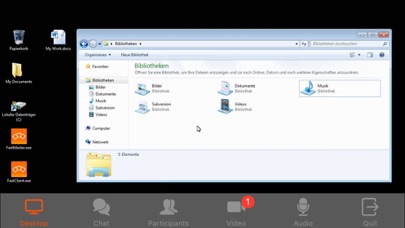
See your meeting partner’s desktop. You can view it in fit-to-screen mode or zoom in and use multi-touch functions, like pinching your fingers together or apart, to smoothly scale the display size.
When remote control is enabled, the mouse cursers movement is now relative to your fingers movement.
Video:
Tap on the camera icon to see video images of all participants in a meeting with a webcam. If your device has a camera, you can even transmit your own video image.
Voice-Communication:
Navigate on the iFastViewer app to the "audio" tab: Here you can dynamically activate and deactivate your speaker or microphone to participate in the sessions voice communication.
Chat:
The chat function also lets you join in discussions even when you’re not at your desktop.
Users:
The list of participants lists all of a session’s attendees. You can also see who’s sharing their desktops.
As moderator you can manage the participants and control who is sharing and in remote control as well.
What is FastViewer?
······································································
FastViewer lets you view and participate in presentations, meetings and training courses online – all in a secure and easy-to-use environment.