

iFont: find, install any font
iFont: find, install any font is made and published by VINCI APPS. AppBrain is an independent app data site and isn't affiliated with VINCI APPS. The app name, icon, screenshots and description belong to VINCI APPS and are shown as published on the App Store.
AppBrain's verdict
EstablishedLoved by users- Rating on App Store
- 4.59
- 13,932 ratings
- Last updated
- October 28, 2026
- Size
- 146.6 MB
Users love it: 4.6 stars from 13,932 ratings. Its best ranking is #54 in Top Free, Utilities in South Korea.
User feedback
Ratings and reviews on the App StoreComments on iFont: find, install any font for iOS
We don't have enough comments to show example comments. Please check back later.
Store listing
By VINCI APPS, from the App Store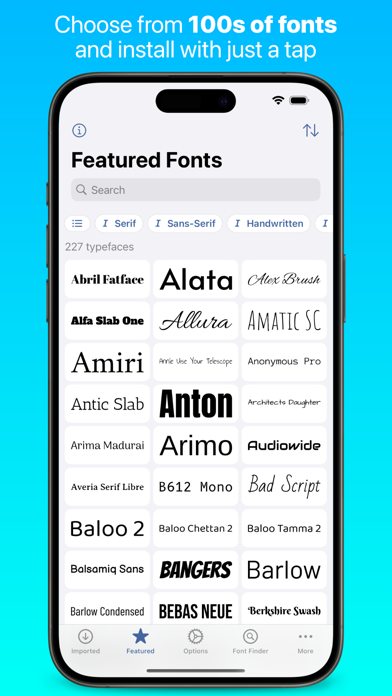
Description by VINCI APPS Written by the developer, not by AppBrain. Click to read.
iFont lets you install new fonts for use in apps which support creating content using custom fonts, such as Pages, Keynote or Numbers.
What can't iFont do?
iFont can't change the system font; work with the keyboard; or force apps to let you customise the font. iFont also can't make Comic Sans look good.
***
“Without iFont, writing my new book, ‘Ten Seconds To Consider’, would be an impossible task, given that I'm designing as I write. For my Pages documents to be consistent between macOS and iOS now is a game changer. Thank you for iFont!” — Daniel Klein, former Apple employee
***
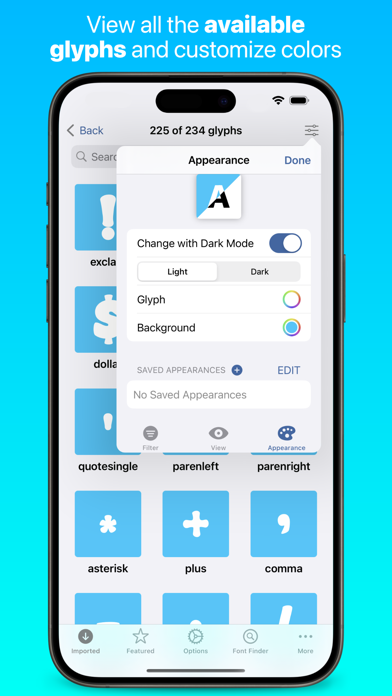
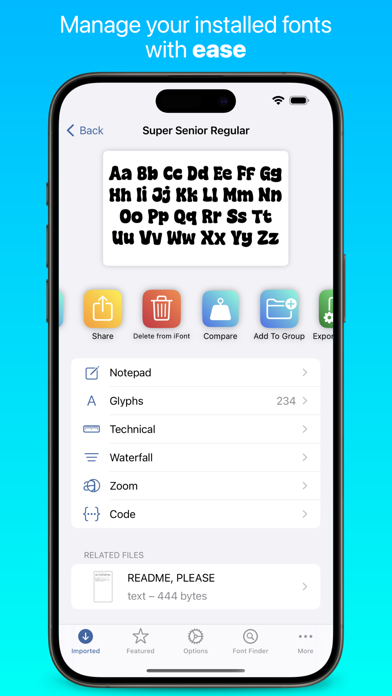
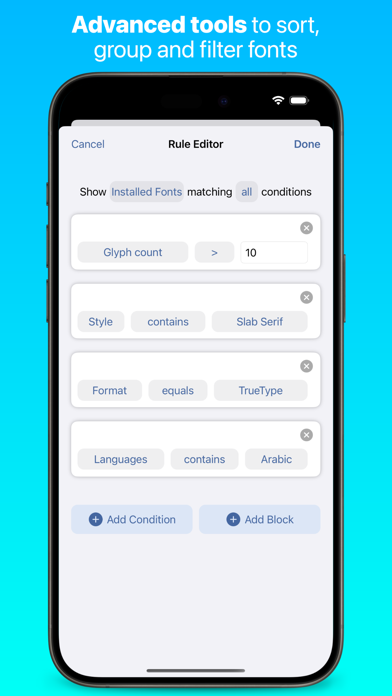
iFont includes a wide range of features which let you install, compare, and view typefaces, including individual glyphs and technical details. These include:
CUSTOM FONTS
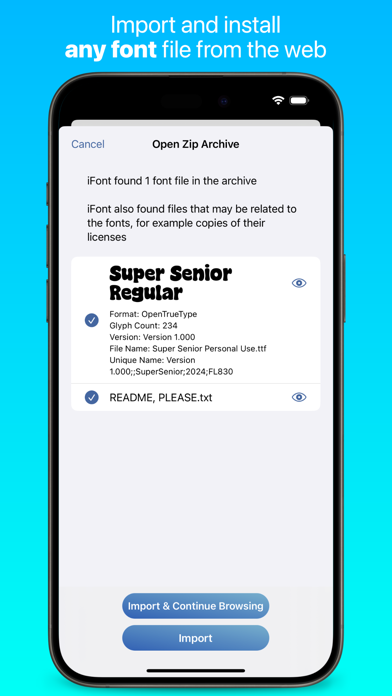
Install your own fonts (.ttf, .ttc, .otf formats supported, as well as these formats compressed in a .zip) for use in other apps. Simply download a font in a web browser, open in iFont and follow the simple instructions to install it on your device. You can also export a copy of the font, or send the profile to a friend to let them install it, too. iFont can also open archives containing multiple fonts.
FONT DOWNLOADS
iFont lets you download and install a range of fonts from the Google Fonts library, Dafont and more (including custom sources) within the app. It couldn’t be easier to find a suitable typeface for your next leaflet, poster or financial report.
***
After discovering iFont a couple of years ago it has slotted happily into my professional workflow on the iPad Pro. It has a number of standout features which set it apart from the competition, and has been a great help in my client project work.
There’s also an appreciation of type heritage and design, with biographical information and rich technical detail on hand. Choosing the right type is made easier with the Notepad and Compare features. The ability to install multiple fonts at once is essential, saving time and allowing better management of your font library. Imported fonts are viewed as families allowing you to easily compare different weights and make the right choices. There’s also easy access to online type resources such as Google Fonts, which makes finding and installing them a breeze. Great if you’re in a hurry, or have no access to your own font library. — Martin Cleave, creative professional
***
COMPARE
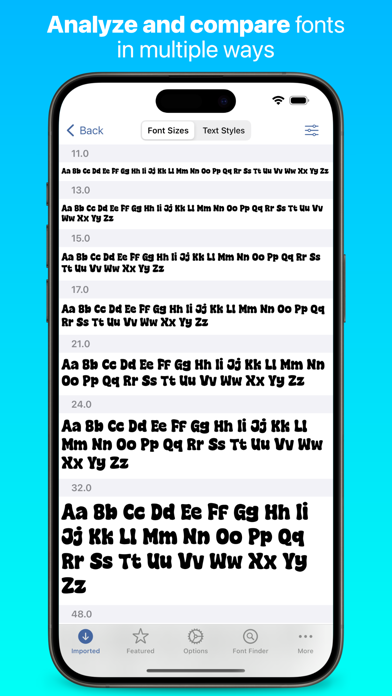
Compare many different typefaces to see which will suit your intended use. Arial or Helvetica? Zapfino, Snell Roundhand or Savoye LET? Georgia, Iowan Old Style or Times New Roman? With Compare, you can be the judge!
NOTEPAD
The Notepad you find under each font lets you test it out and type a message, and then export it as an image to send in apps such as Messages. Add some character to your texts by using a font which stands out from the crowd!
WATERFALL
See how a font looks at very small or very large point sizes easily using the Waterfall view. This lets you judge which size would be suitable for your use.
ZOOM
Zoom into a font up to 500%, allowing you to see the minute details in each character.
TECHNICAL DETAILS
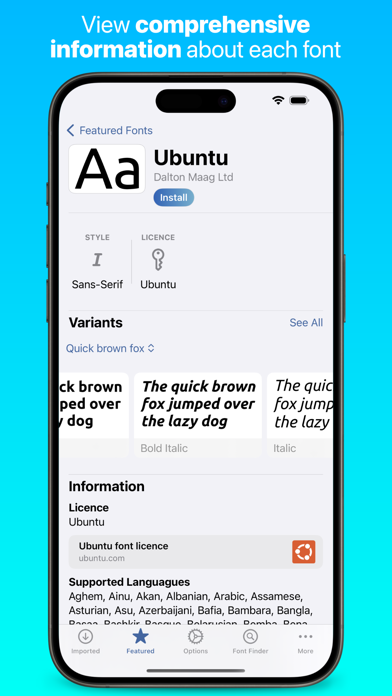
See information about each font, from the designer and trademark information to the spacing of the ascents and descents.
***
“Missing fonts on iOS is an issue of the past, thanks to apps like iFont… I hope you saw how easy it is to install fonts on iPhone or iPad and I suggest you give iFont a try.” — Michael Kummer, blogger
***
NOTE: iFont does not currently support .suit or .dfont files.
iFont is also fully optimised for iPad with a beautiful split view experience and a range of keyboard shortcuts.
Terms of Service: https://www.apple.com/legal/internet-services/itunes/dev/stdeula/
Privacy Policy: https://bit.ly/ifont_pp
Safety and technology
Found in the app by AppBrain- Price
- Free
- App size
- 146.6 MB
- Content rating
- Everyone
Technologies used by iFont: find, install any font
Releases
Updates seen on the App Store- Version
- 11.12.0
- Launched
- November 2016
No changelog data
Alternatives
Similar apps and more from VINCI APPSAlternatives to iFont: find, install any font







More from VINCI APPS


Rankings
App Store top charts- Highest rank
- #54
- Chart
- Top Free
- Utilities
- Country
- South Korea
App Store Rankings for iFont: find, install any font
Top rankings
| Rank | Country | Category | List |
|---|---|---|---|
| 54 | South Korea | Utilities | Top Free |
Ranking history in South Korea
About the app and developer
About iFont: find, install any font
iFont: find, install any font is an utilities app developed by VINCI APPS.
User Ratings
iFont: find, install any font is rated 4.59 out of 5 stars. The rating is based on 14 thousand ratings.
App Information
iFont: find, install any font is freely available from the App Store. The app size is 146.60 MB. The latest version available is 11.12.0. The last update was on October 28, 2026.
Technical Requirements
The app has a content rating of Everyone. The app has been available on the App Store since November 2016.
Developer information for VINCI APPS
Address:
Frequently asked questions about iFont: find, install any font
Is iFont: find, install any font free?
Yes. iFont: find, install any font is free on the App Store.
Is iFont: find, install any font still available?
Yes. iFont: find, install any font is on the App Store, and the last update we saw was on October 28, 2026.
How large is iFont: find, install any font?
iFont: find, install any font is 146.60 MB.
Is iFont: find, install any font suitable for children?
App Store rates the content of iFont: find, install any font as suitable for everyone.
How do people rate iFont: find, install any font?
iFont: find, install any font scores 4.59 out of 5 stars, from 13,932 ratings on the App Store.
Who made iFont: find, install any font?
iFont: find, install any font was developed by VINCI APPS. It is listed in the utilities category on the App Store.
What are the best alternatives to iFont: find, install any font?
People looking at iFont: find, install any font also look at these utilities apps: Font Installer: Any Font, AnyFont, Font Maker: Cursive Keyboard, Fonts for iPhones, Aesthetic.