

iHome-ACIS is made and published by Le Thanh Dat. AppBrain is an independent app data site and isn't affiliated with Le Thanh Dat. The app name, icon, screenshots and description belong to Le Thanh Dat and are shown as published on the App Store.
AppBrain's verdict
Established- Rating on App Store
- 5.00
- 1 ratings
- Last updated
- March 29, 2025
It doesn't have enough ratings yet to judge what users think.
Rankings
App Store top chartsApp Store Rankings for iHome-ACIS
Competitors
Similar apps and more from Le Thanh Dat








Releases
Updates seen on the App Store- Version
- 2.33
- Launched
- April 2018
No changelog data
User feedback
Ratings and reviews on the App StoreComments on iHome-ACIS for iOS
We don't have enough comments to show example comments. Please check back later.
Technology
Found in the app by AppBrain- Price
- Free
- App size
- 152.2 MB
- Content rating
- Everyone
Technologies used by iHome-ACIS
About the app and developer
About iHome-ACIS
iHome-ACIS is an utilities app developed by Le Thanh Dat.
What is the rating of iHome-ACIS?
iHome-ACIS is rated 5.00 out of 5 stars, based on one rating ratings.
Is iHome-ACIS free?
iHome-ACIS is free. The app size is 152.16 MB. The latest version available is 2.33. The last update was on March 29, 2025.
What are the requirements for iHome-ACIS?
The app has a content rating of Everyone. The app has been available on the App Store since April 2018.
Developer information for Le Thanh Dat
Address:
Store listing
By Le Thanh Dat, from the App Store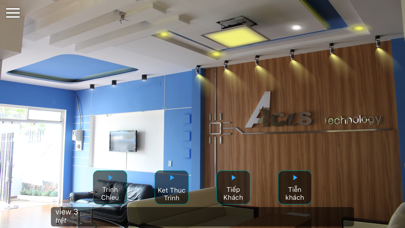
Description by Le Thanh Dat Written by the developer, not by AppBrain. Click to read.
Enjoy the beautiful life!!!
*********************************
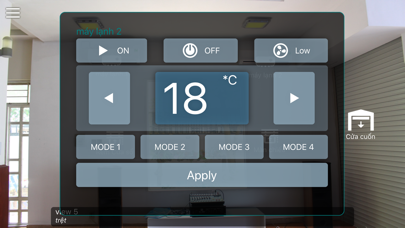
Acis's system currently provides remote device including :
- Light
- Television
- Curtains
- Air Conditioning
- Doors
***********************************
Features :
1 . Home Control
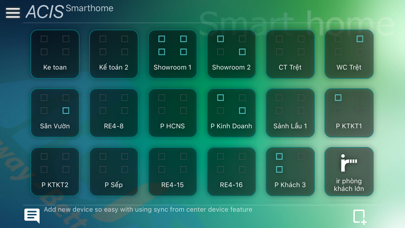
Expressing each room and each floor in a house . You can add , delete a room or a floor like building a house. In addition, you can also change the edit room/floor including change room name , floor name, avatar. Then you will add the devices you have registered in the system 's device Acis into a room.Also move them to the desired location and type of equipment and change their size .
2 . Classic Control
A collection of all the devices you have registered in Acis's system . The device drivers here will also be synchronized across devices in the home was added to the home control
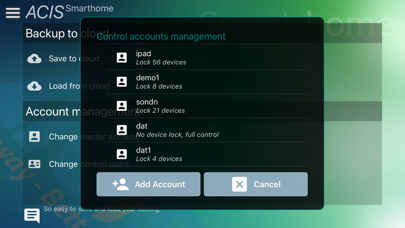
3 . Setting
With 2 functions : backup and load file from server to server allows you to restore the settings you 've done before.
4 . Script
Get a list of scenarios is created . The script is the time period is set to control devices such as lights off to sleep , open TV …
5 . Log Out
When you log out , the whole of what you have done will be stored for the next log in.
*****************
Because of the commercial application of Acis should register on the website: acis.com.vn. If you want to use a look at the technical and functional application, please use the following demo account:
master account: demo
control account: demo
password: 123456
Any questions about this application, please contact us via email: info@acis.com.vn