

Image Editor Toolbox Converter
Image Editor Toolbox Converter is made and published by SOFTIZO UNIVERSE. AppBrain is an independent app data site and isn't affiliated with SOFTIZO UNIVERSE. The app name, icon, screenshots and description belong to SOFTIZO UNIVERSE and are shown as published on the App Store.
AppBrain's verdict
- Last updated
- May 30, 2025
Rankings
App Store top chartsApp Store Rankings for Image Editor Toolbox Converter
Competitors
Similar apps and more from SOFTIZO UNIVERSEAlternatives to Image Editor Toolbox Converter


More from SOFTIZO UNIVERSE



Releases
Updates seen on the App Store- Version
- 1.0
- Launched
- May 2025
No changelog data
User feedback
Ratings and reviews on the App StoreComments on Image Editor Toolbox Converter for iOS
We don't have enough comments to show example comments. Please check back later.
Technology
Found in the app by AppBrain- Price
- Free
- App size
- 68.6 MB
- Content rating
- Everyone
Technologies used by Image Editor Toolbox Converter
About the app and developer
About Image Editor Toolbox Converter
Image Editor Toolbox Converter is a photo & video app developed by SOFTIZO UNIVERSE.
User Ratings
The app has no ratings yet.
App Information
Image Editor Toolbox Converter is freely available from the App Store. The app size is 68.64 MB. The latest version available is 1.0. The last update was on May 30, 2025.
Technical Requirements
The app has a content rating of Everyone. The app has been available on the App Store since May 2025.
Developer information for SOFTIZO UNIVERSE
Address:
Store listing
By SOFTIZO UNIVERSE, from the App Store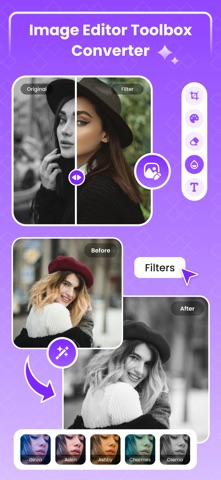




Description by SOFTIZO UNIVERSE Written by the developer, not by AppBrain. Click to read.
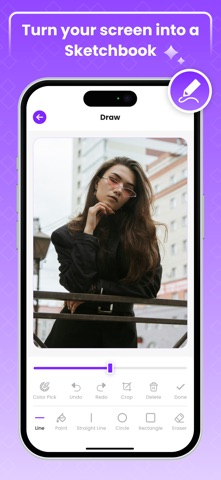
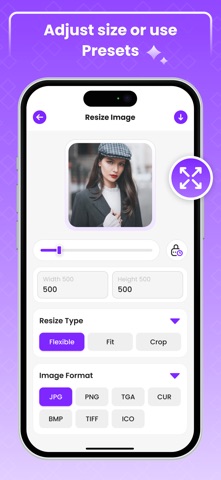
Image Editor Toolbox Converter also allows you to use the Draw feature, which lets you creatively annotate images using tools such as Line, Paint, Straight Line, Circle, Rectangle, and Eraser. Additional controls, such as color picking, undo, redo, crop, and delete options, allow you to refine images with precision to achieve your desired look. Try the Resize Image tool, which allows you to adjust image dimensions manually or choose from preset resize types such as Flexible, Fit, and Crop, while retaining high image quality in various formats. With Image Editor, save all your image art into the My Creation folder and easily share it with anyone using social media. The Image Editor Toolbox Converter app is ideal for anyone who wants to turn their images into amazing looks.
Features:
Image editor allows to edit and enhance your image by your choice of look.
Edit photos by adjusting brightness, contrast, saturation, hue, and more.
Apply stylish filters like Addictive Blue, Red, Aden, Crema, and more.
Draw on images using tools like Line, Paint, Circle, Rectangle, and more tools.
Use color pick, undo, redo, crop, and delete for precise edits.
Resize images manually or with preset options like Flexible, Fit, and Crop.
Save your edited images in the My Creation folder.
Supports multiple image formats including JPG, PNG, BMP, TIFF, and ICO.
Share your creations easily on social media.
To find out more about automatic subscription renewals:
Ad-free version
Unlimited access of Screenshot editor
Premium Subscription :
Image One Week - 6.99 USD
Image One Year - 44.99 USD
Your payment will be charged to your iTunes Account.The app offering is auto-renewable subscriptions
For More Information :
Privacy Policy : http://softizouniverse.com/pages/Privacy%20Policy.html
Terms of Use : http://softizouniverse.com/pages/Terms%20Of%20Use.html