

Image Resizer & Photo Resizer
Image Resizer & Photo Resizer is made and published by Pramod Tapaniya. AppBrain is an independent app data site and isn't affiliated with Pramod Tapaniya. The app name, icon, screenshots and description belong to Pramod Tapaniya and are shown as published on the App Store.
AppBrain's verdict
Loved by users- Rating on App Store
- 4.63
- 336 ratings
- Last updated
- June 19, 2024
Users love it: 4.6 stars from 336 ratings.
Rankings
App Store top chartsApp Store Rankings for Image Resizer & Photo Resizer
Competitors
Similar apps and more from Pramod TapaniyaAlternatives to Image Resizer & Photo Resizer








More from Pramod Tapaniya



Releases
Updates seen on the App Store- Version
- 1.2
- Launched
- February 2023
No changelog data
User feedback
Ratings and reviews on the App StoreComments on Image Resizer & Photo Resizer for iOS
We don't have enough comments to show example comments. Please check back later.
Technology
Found in the app by AppBrain- Price
- Free
- App size
- 36.4 MB
- Content rating
- Everyone
Technologies used by Image Resizer & Photo Resizer
About the app and developer
About Image Resizer & Photo Resizer
Image Resizer & Photo Resizer is a photo & video app developed by Pramod Tapaniya.
User Ratings
Image Resizer & Photo Resizer is rated 4.63 out of 5 stars. The rating is based on 340 ratings.
App Information
Image Resizer & Photo Resizer is freely available from the App Store. The app size is 36.38 MB. The latest version available is 1.2. The last update was on June 19, 2024.
Technical Requirements
The app has a content rating of Everyone. The app has been available on the App Store since February 2023.
Developer information for Pramod Tapaniya
Address:
Store listing
By Pramod Tapaniya, from the App Store


Description by Pramod Tapaniya Written by the developer, not by AppBrain. Click to read.
** Key Features:
* User-Friendly Interface: Simple and intuitive design for seamless use.
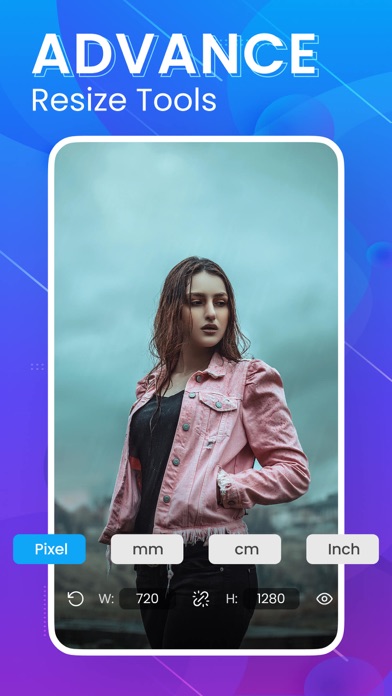
* Customizable Sizes: Resize image using pixels, millimeters, centimeters, or inches.
* High-Quality Output: Maintain the best quality for resized images.
* Multiple Formats: Save images in PNG or JPG formats.
* Side-by-Side Comparison: Compare original and modified photos easily.
* Quality Preservation: Resized photos retain original quality and aspect ratio, even after multiple resizes.
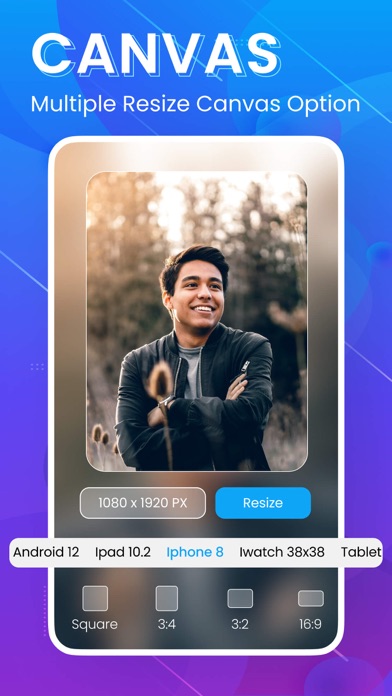
* Predefined Sizes: Use common photo resolution sizes and aspect ratios or set your own.
* Flexible Size Adjustments: Resize photos to specific file sizes like KB or MB.
When photo size matters, don’t sacrifice quality. Use Image Resizer & Photo Resizer to quickly and efficiently resize your images to your exact specifications.
** Why Choose Image Resizer & Photo Resizer?
* Fast and Easy: Resize photos in seconds.
* Quality Assurance: Keep the best quality even when resizing.
* Convenient: Predefined sizes for common uses plus custom size options.
**Additional Features:
* Batch Resizing: Resize multiple photos at once.
* Crop and Rotate: Basic editing tools to crop and rotate images.
* Aspect Ratio Maintenance: Preserve the original aspect ratio during resizing.
* Share Directly: Share resized images directly from the app.
* No Quality Loss: Ensure no quality loss during multiple resizes.
* Lightweight App: Small app size, optimized for performance.
* Photo Editing: Basic photo editing tools included.
Extra features like resize photos, image resizer, photo resizer, photo resize, image resize, high-quality resizing, fast image resize, easy photo resize, batch resize, crop images, rotate images, aspect ratio, predefined sizes, custom image size, resize to KB, resize to MB, image editing, photo editing, PNG, JPG, quality preservation, quick resize, photo comparison.
Download Image Resizer & Photo Resizer now and make resizing images effortless and precise.