

Image Size & Compress: ReIma
Image Size & Compress: ReIma is made and published by Artfolio.cc. AppBrain is an independent app data site and isn't affiliated with Artfolio.cc. The app name, icon, screenshots and description belong to Artfolio.cc and are shown as published on the App Store.
AppBrain's verdict
- Last updated
- March 17, 2026
Rankings
App Store top chartsApp Store Rankings for Image Size & Compress: ReIma
Competitors
Similar apps and more from Artfolio.ccAlternatives to Image Size & Compress: ReIma



More from Artfolio.cc


Releases
Updates seen on the App Store- Version
- 1.0
- Launched
- March 2026
No changelog data
User feedback
Ratings and reviews on the App StoreComments on Image Size & Compress: ReIma for iOS
We don't have enough comments to show example comments. Please check back later.
Technology
Found in the app by AppBrain- Price
- Free
- App size
- 63.2 MB
- Content rating
- Everyone
Technologies used by Image Size & Compress: ReIma
About the app and developer
About Image Size & Compress: ReIma
Image Size & Compress: ReIma is a photo & video app developed by Artfolio.cc.
What is the rating of Image Size & Compress: ReIma?
Image Size & Compress: ReIma has no ratings yet.
Is Image Size & Compress: ReIma free?
Image Size & Compress: ReIma is free. The app size is 63.24 MB. The latest version available is 1.0. The last update was on March 17, 2026.
What are the requirements for Image Size & Compress: ReIma?
The app has a content rating of Everyone. The app has been available on the App Store since March 2026.
Developer information for Artfolio.cc
Address:
Store listing
By Artfolio.cc, from the App Store


Description by Artfolio.cc Written by the developer, not by AppBrain. Click to read.
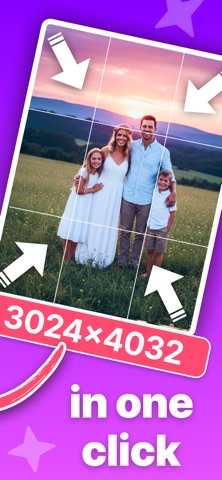
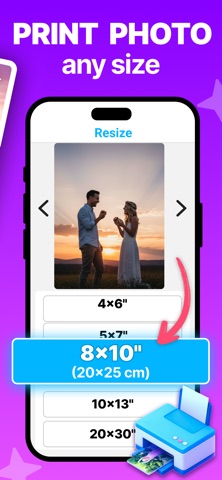
ReIma is a simple and convenient way to resize, compress, and convert your photos. Set exact dimensions in pixels, mm, cm, or inches — get print-ready images without any quality loss.
The app is ideal for printing photos at home, preparing images for social media, resizing pictures for documents, websites, and everyday image tasks.
Key features:
- Resize JPG, PNG & JPEG to any exact size in seconds
- Set dimensions in pixels, millimeters, centimeters, or inches
- Batch resize: apply the same size to 10+ photos at once
- Compress images without noticeable loss of quality
- Convert between popular formats: JPG, PNG, JPEG
- Preserve aspect ratio with a single tap
- Instant preview before saving
- Save, print, or share your image right away
ReIma is for those who need a perfectly sized image right away — without fuss or complicated settings.
How it Works?
1 - Open one photo or select a batch of images at once
2 - Enter your desired output size in any unit
3 - Apply to all selected photos in one tap
4 - Compress the files if needed
5 - Save, print, or share in seconds
No registration. No complicated settings. Just your image, perfectly sized.
Privacy Policy: https://artfolio.cc/privacy
Terms of Use: https://artfolio.cc/terms
Contact: contact.artfolio.cc@gmail.com