




AppBrain's verdict
- Rating on App Store
- 4.63
- 8 ratings
- Last updated
- September 22, 2026
- Size
- 7.92 MB
It doesn't have enough ratings yet to judge what users think.
User feedback
Ratings and reviews on the App StoreComments on Image To PDF Converter & Scan for iOS
We don't have enough comments to show example comments. Please check back later.
Store listing
By Amiben Kevadiya, from the App StoreDescription by Amiben Kevadiya Written by the developer, not by AppBrain. Click to read.
# CREATE PDFs FROM PHOTOS
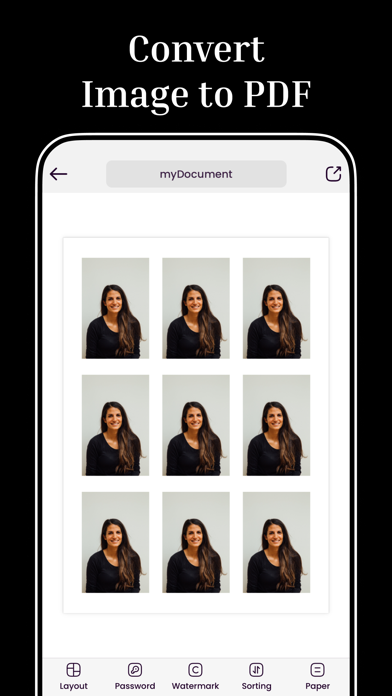
Select any images from your gallery and convert them into a single PDF document. Arrange pages in any order, choose page size and layout, and generate a polished PDF ready to send or print.
# SCAN DOCUMENTS WITH YOUR CAMERA
Use your camera to capture documents, ID cards, certificates, or receipts and convert them directly into a PDF. No separate scanner needed, your phone does it all.
# MERGE PDF FILES
Combine multiple PDF files into one organized document. Pick files from your device or from files already saved in the app, arrange them in the order you want, and merge them into a single PDF instantly.
# COMPRESS PDF FILES
Reduce the file size of large PDFs without losing readability. Choose between best quality, balanced, or smallest file size, perfect for emailing documents or saving storage space.
# UNLOCK PDF FILES
Remove passwords from PDF files you own so you can access and share them freely. Just enter the current password and get an unlocked copy in seconds.
# CONVERT PDF TO IMAGES
Export any page of a PDF as a high-resolution JPG image. Save the images to your photo library or share them directly with friends, colleagues, or clients.
# PASSWORD PROTECTION
Add a password to any PDF you create to keep sensitive documents, IDs, and contracts secure. Only people with the password can open the file.
# WATERMARKS AND CUSTOM LAYOUTS
Add a custom watermark to your documents, choose page styles, and control exactly how each page looks before you save or share.
# HISTORY WITH SMART TAGS
Every PDF you create is saved to your history and tagged with how it was made, whether it came from images, a merge, a compression, or an unlock, so you can always find what you need.
# EASY SHARING
Share your finished PDF directly through Mail, WhatsApp, AirDrop, or any app installed on your device. Print straight from the app when you need a hard copy.
# WHO USES THIS APP
- Students converting notes and assignments into PDFs
- Professionals merging reports, invoices, and contracts
- Anyone digitizing ID proofs, certificates, or receipts
- Small business owners creating and sharing business documents
- Freelancers combining and compressing files before sending them to clients
# WHY CHOOSE IMAGE TO PDF
- Simple, clean interface that anyone can use
- Fast processing, even for large files
- Multiple tools in one app: convert, merge, compress, unlock, and export
- Your files stay on your device, giving you full control over your documents
- Regular updates with new features and improvements
Download Image to PDF today and turn any photo or document into a professional PDF in just a few taps.
Safety and technology
Found in the app by AppBrain- Price
- Free
- App size
- 7.92 MB
- Content rating
- Everyone
Technologies used by Image To PDF Converter & Scan
Releases
Updates seen on the App Store- Version
- 2.1.0
- Launched
- September 2023
No changelog data
Alternatives
Similar apps and more from Amiben KevadiyaAlternatives to Image To PDF Converter & Scan


More from Amiben Kevadiya


Rankings
App Store top chartsApp Store Rankings for Image To PDF Converter & Scan
About the app and developer
About Image To PDF Converter & Scan
Image To PDF Converter & Scan is a productivity app developed by Amiben Kevadiya.
What is the rating of Image To PDF Converter & Scan?
Image To PDF Converter & Scan is rated 4.63 out of 5 stars, based on 8 ratings.
Is Image To PDF Converter & Scan free?
Image To PDF Converter & Scan is free. The app size is 7.92 MB. The latest version available is 2.1.0. The last update was on September 22, 2026.
What are the requirements for Image To PDF Converter & Scan?
The app has a content rating of Everyone. The app has been available on the App Store since September 2023.
Image To PDF Converter & Scan is made and published by Amiben Kevadiya. AppBrain is an independent app data site and isn't affiliated with Amiben Kevadiya. The app name, icon, screenshots and description belong to Amiben Kevadiya and are shown as published on the App Store.
Developer information for Amiben Kevadiya
Address:
Frequently asked questions about Image To PDF Converter & Scan
Is Image To PDF Converter & Scan free?
Yes. Image To PDF Converter & Scan is free on the App Store.
Is Image To PDF Converter & Scan still available?
Yes. Image To PDF Converter & Scan is on the App Store, and the last update we saw was on September 22, 2026.
How large is Image To PDF Converter & Scan?
Image To PDF Converter & Scan is 7.92 MB.
Is Image To PDF Converter & Scan suitable for children?
App Store rates the content of Image To PDF Converter & Scan as suitable for everyone.
How do people rate Image To PDF Converter & Scan?
Image To PDF Converter & Scan scores 4.63 out of 5 stars, from 8 ratings on the App Store.
Who made Image To PDF Converter & Scan?
Image To PDF Converter & Scan was developed by Amiben Kevadiya. It is listed in the productivity category on the App Store.
What are the best alternatives to Image To PDF Converter & Scan?
People looking at Image To PDF Converter & Scan also look at these productivity apps: SeePhotos - Photos Finder, SuperX - PIP Extension, Email Writer : AI Email Writer, Reminder Notes Widget - Alarm, Phone Clone - Phone Transfer.