

Image to Video is made and published by Jai Parkash. AppBrain is an independent app data site and isn't affiliated with Jai Parkash. The app name, icon, screenshots and description belong to Jai Parkash and are shown as published on the App Store.
AppBrain's verdict
Established- Rating on App Store
- 3.83
- 18 ratings
- Last updated
- February 28, 2026
It doesn't have enough ratings yet to judge what users think.
Rankings
App Store top chartsApp Store Rankings for Image to Video
Competitors
Similar apps and more from Jai ParkashAlternatives to Image to Video




More from Jai Parkash





Releases
Updates seen on the App Store- Version
- 1.6
- Launched
- May 2015
No changelog data
User feedback
Ratings and reviews on the App StoreComments on Image to Video for iOS
We don't have enough comments to show example comments. Please check back later.
Technology
Found in the app by AppBrain- Price
- Free
- App size
- 140.2 MB
- Content rating
- Everyone
Technologies used by Image to Video
About the app and developer
About Image to Video
Image to Video is a photo & video app developed by Jai Parkash.
What is the rating of Image to Video?
Image to Video is rated 3.83 out of 5 stars, based on 18 ratings.
Is Image to Video free?
Image to Video is free. The app size is 140.18 MB. The latest version available is 1.6. The last update was on February 28, 2026.
What are the requirements for Image to Video?
The app has a content rating of Everyone. The app has been available on the App Store since May 2015.
Developer information for Jai Parkash
Address:
Store listing
By Jai Parkash, from the App Store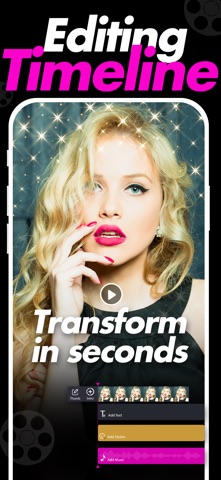


Description by Jai Parkash Written by the developer, not by AppBrain. Click to read.
Create dynamic videos with smooth transitions, music, text, and creative effects. Arrange your media the way you want and export high quality results ready to share.
Key Features
• Combine Images, Videos, GIFs, and Live Images in one project
• Add custom Intro and Outro videos
• Apply stylish Filters and visual Effects
• Add Stickers and Text with flexible positioning
• Advanced Adjustments including brightness, contrast, saturation and more
• Add background Music and control timing
• Rearrange clips easily with simple controls
• Select your preferred Thumbnail image for the final video
• High quality video export
• Clean and easy to use interface
Perfect for social media posts, reels, stories, slideshows, and personal projects.
Privacy Policy:
https://jaiparkashappstore.blogspot.com/2020/05/privacy-policy.html
Terms of use:
https://jaiparkashappstore.blogspot.com/2020/05/terms-of-use.html