

iMCBridge: Remote Desktop
iMCBridge: Remote Desktop is made and published by Takahiro Aminaga. AppBrain is an independent app data site and isn't affiliated with Takahiro Aminaga. The app name, icon, screenshots and description belong to Takahiro Aminaga and are shown as published on the App Store.
AppBrain's verdict
- Last updated
- October 21, 2026
- Size
- 20.5 MB
User feedback
Ratings and reviews on the App StoreComments on iMCBridge: Remote Desktop for iOS
We don't have enough comments to show example comments. Please check back later.
Store listing
By Takahiro Aminaga, from the App Store

Description by Takahiro Aminaga Written by the developer, not by AppBrain. Click to read.
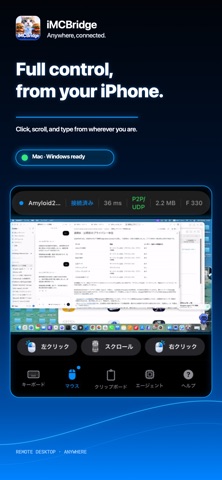
iMCBridge is a remote desktop app built for quick access to your personal computers. View the screen, move the pointer, click, scroll, and type from iPhone over Wi-Fi, 4G, or 5G.
KEY FEATURES
• Remote access to Mac and Windows PC
• Direct peer-to-peer connection when available
• Encrypted relay connection when direct access is unavailable
• Switch quickly between multiple paired computers
• Mouse movement, left click, right click, and scrolling
• iPhone keyboard input
• Pinch to zoom and two-finger horizontal navigation while zoomed
• Monitor AI coding agents and open the right computer when attention is needed
• Face ID protection when reconnecting
• Screen streaming stops when the app moves to the background
• Secure QR code pairing
SETUP
Install iMCBridge on your iPhone and the free companion app on the Mac or Windows PC you want to control.
For the first pairing, connect the iPhone and computer to the same local Wi-Fi network and scan the QR code shown by the computer app. After pairing, connect from home, work, or mobile networks such as 4G and 5G.
The computer must be powered on, signed in to a user account, and running iMCBridge. On Mac, Screen Recording and Accessibility permissions are required.
iMCBridge does not bypass operating-system security or pre-login screens. Remote access is unavailable while the computer is powered off, signed out, or waiting for its first login after restart.
iMCBridge Pro
• Monthly plan: price shown in the App Store; no free trial
• Annual plan: price shown in the App Store; eligible new subscribers receive a 7-day free trial
The annual plan renews automatically after the trial unless canceled. Subscriptions can be managed or canceled in Apple Account settings.
Privacy Policy: https://imcbridge-signaling.ommunity-orker.workers.dev/privacy
Terms of Use: https://imcbridge-signaling.ommunity-orker.workers.dev/terms
Safety and technology
Found in the app by AppBrain- Price
- Free
- App size
- 20.5 MB
- Content rating
- Everyone
Technologies used by iMCBridge: Remote Desktop
Releases
Updates seen on the App Store- Version
- 1.0.3
- Launched
- September 2026
No changelog data
Alternatives
Similar apps and more from Takahiro AminagaAlternatives to iMCBridge: Remote Desktop

More from Takahiro Aminaga


Rankings
App Store top chartsApp Store Rankings for iMCBridge: Remote Desktop
About the app and developer
About iMCBridge: Remote Desktop
iMCBridge: Remote Desktop is an utilities app developed by Takahiro Aminaga.
User Ratings
The app has no ratings yet.
App Information
iMCBridge: Remote Desktop is freely available from the App Store. The app size is 20.49 MB. The latest version available is 1.0.3. The last update was on October 21, 2026.
Technical Requirements
The app has a content rating of Everyone. The app has been available on the App Store since September 2026.
Developer information for Takahiro Aminaga
Address:
Frequently asked questions about iMCBridge: Remote Desktop
Is iMCBridge: Remote Desktop free?
Yes. iMCBridge: Remote Desktop is free on the App Store.
Is iMCBridge: Remote Desktop still available?
Yes. iMCBridge: Remote Desktop is on the App Store, and the last update we saw was on October 21, 2026.
How large is iMCBridge: Remote Desktop?
iMCBridge: Remote Desktop is 20.49 MB.
Is iMCBridge: Remote Desktop suitable for children?
App Store rates the content of iMCBridge: Remote Desktop as suitable for everyone.
Who made iMCBridge: Remote Desktop?
iMCBridge: Remote Desktop was developed by Takahiro Aminaga. It is listed in the utilities category on the App Store.
What are the best alternatives to iMCBridge: Remote Desktop?
People looking at iMCBridge: Remote Desktop also look at these utilities apps: PixDotDot.