

ImgPro: Photo Resize & Editor
ImgPro: Photo Resize & Editor is made and published by Denisha Vadukia. AppBrain is an independent app data site and isn't affiliated with Denisha Vadukia. The app name, icon, screenshots and description belong to Denisha Vadukia and are shown as published on the App Store.
AppBrain's verdict
- Last updated
- April 29, 2026
Rankings
App Store top chartsApp Store Rankings for ImgPro: Photo Resize & Editor
Competitors
Similar apps and more from Denisha VadukiaAlternatives to ImgPro: Photo Resize & Editor





More from Denisha Vadukia








Releases
Updates seen on the App Store- Version
- 1.0.1
- Launched
- April 2026
No changelog data
User feedback
Ratings and reviews on the App StoreComments on ImgPro: Photo Resize & Editor for iOS
We don't have enough comments to show example comments. Please check back later.
Technology
Found in the app by AppBrain- Price
- Free
- App size
- 74.6 MB
- Content rating
- Everyone
Technologies used by ImgPro: Photo Resize & Editor
About the app and developer
About ImgPro: Photo Resize & Editor
ImgPro: Photo Resize & Editor is an utilities app developed by Denisha Vadukia.
User Ratings
The app has no ratings yet.
App Information
ImgPro: Photo Resize & Editor is freely available from the App Store. The app size is 74.57 MB. The latest version available is 1.0.1. The last update was on April 29, 2026.
Technical Requirements
The app has a content rating of Everyone. The app has been available on the App Store since April 2026.
Developer information for Denisha Vadukia
Address:
Store listing
By Denisha Vadukia, from the App Store


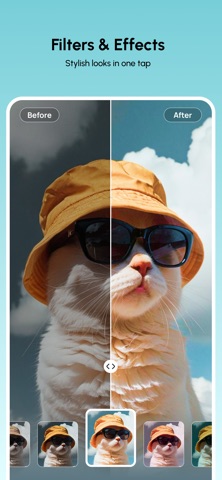


Description by Denisha Vadukia Written by the developer, not by AppBrain. Click to read.
Forget opening a laptop for basic image tasks. This app provides the exact tools you need to manage file sizes, change formats, and protect your privacy before you share or post. It is built for speed. Select your tool, process your image, and save.
Convert & Optimize
Stop struggling with "file too large" errors. Manage your storage and formats in seconds.
Image Compress: Shrink file sizes while maintaining image clarity.
Image Resize: Scale photos to exact pixel dimensions for social media.
Image Converter: Change formats between JPG, PNG, and WEBP.
Upscale Image: Increase resolution and fix blurry or low-quality photos.
HTML to Image: Capture web content directly into a high-quality image.
Edit & Enhance
Handle precise edits and branding without the learning curve of complex design software.
Remove Background: Create transparent PNGs for products or profiles instantly.
Blur Face: Anonymize people or hide sensitive information for privacy.
Watermark Image: Add your custom logo or text to protect your original work.
Crop Image: Cut out specific parts of photos with precision.
Rotate & Flip: Fix orientation or mirror images in one tap.
Photo Edit: Manual adjustments for exposure, brightness, and color balance.
Creative Tools
Meme Generator: Build custom memes using your own shots.
Image Collage: Combine multiple photos into a single, clean layout.
ImgPro is a straightforward utility. No cluttered menus or unnecessary steps. Whether you are prepping a professional product image or just trying to save space on your phone, these tools get the job done.