

Impresso Pro
Impresso Pro is made and published by JixiPix Software. AppBrain is an independent app data site and isn't affiliated with JixiPix Software. The app name, icon, screenshots and description belong to JixiPix Software and are shown as published on the App Store.
AppBrain's verdict
- Last updated
- October 19, 2026
- Size
- 121.8 MB
User feedback
Ratings and reviews on the App StoreComments on Impresso Pro for iOS
We don't have enough comments to show example comments. Please check back later.
Store listing
By JixiPix Software, from the App Store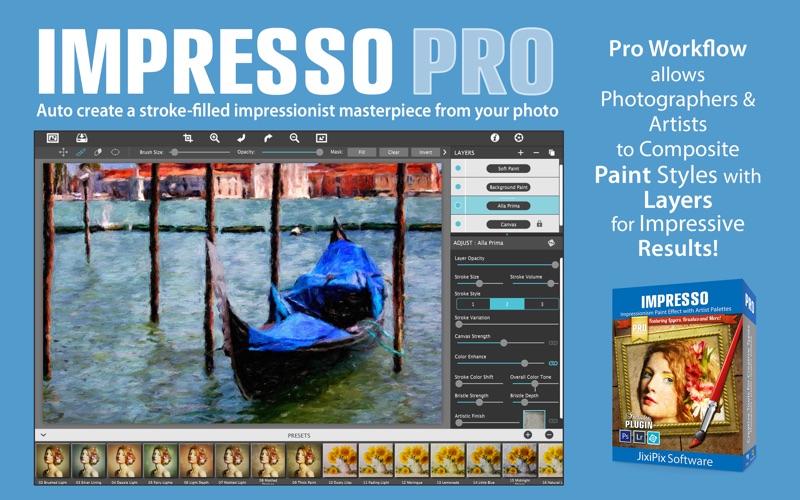
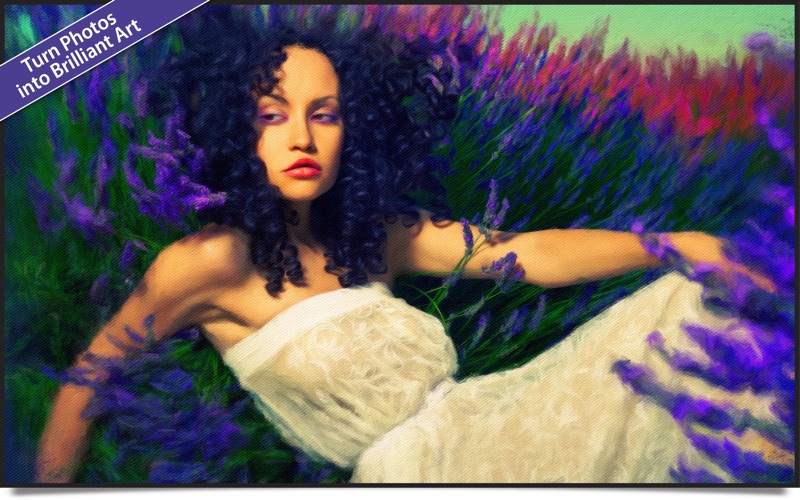
Description by JixiPix Software Written by the developer, not by AppBrain. Click to read.
Transform photos into paintings then combine paint effects with layers and brushes for gorgeous print-worthy artwork.
Smart Layers and brushes for blending multiple paint styles, a library of Edges that blend beautifully with canvas, a Background Paint effect to create distances, a Soft Paint effect for enhancing foreground subjects, an Aged Paint effect for adding cracked texture, and an ultra-impressionism effect called Tache to cover paintings with broken brush strokes and dabs of color.
Impresso Pro has everything an Artist or Photographer will need to create gallery-style paintings with enough detail even for the largest print.
Includes: Layers, Brushes, Soft Paint, Background Paint, Aged Paint, Painted Edges and three Impressionism Paint Effects: Alla Prima, En Plein Air and Tache paint styles.
Features
A pro workflow automatically transforms a photo into a painting and places it on a paint layer along with a canvas. With a smart built-in layering system the photo can then be transformed again when a new paint layer is chosen and placed on the layer above. The layers are ‘smart’ because the settings are retained per layer allowing changes to brush strokes, color finishes and other settings for infinite variation when blending. There are several ways to blend the layers, change the opacity slider to blend the strokes beneath, or to blend color use the brushes to brush-off the paint style or back-on if too much is removed. This powerful feature is great for creating lighter values in distant elements and colorful ones in the foreground. With layers you can also achieve another level of depth (or depth-of-field) by overlapping larger brush strokes with finer ones—all it takes is this simple technique to achieve a highly creative work.
Paint Styles and Effects
Alla Prima (‘wet-on-wet’ or ‘all-at-once’)—is great for portraits! This beautiful paint style starts by filling the painting with an abundance of brushstrokes. A library of artistic finishes compliments this style by adding light, color and movement.
En Plein Air (in open air)—is perfect for landscapes. This stroke-filled effect consists of eight artists’ palettes created by famous impressionists. Use them as they are or edit the paint colors to make your own palette—save preset feature keeps the palette and all the layers intact for future projects.
Tache (‘spot’ or ‘blot’)—applies broken brushstrokes throughout the painting. This technique of laying thick patches, flecks and dabs of color is great for making paint look as if it stands out from the surface. Apply a light spackling of strokes or fill the painting with dabs of color.
Canvas Layer—supplies the canvas texture and adds a painted edge.
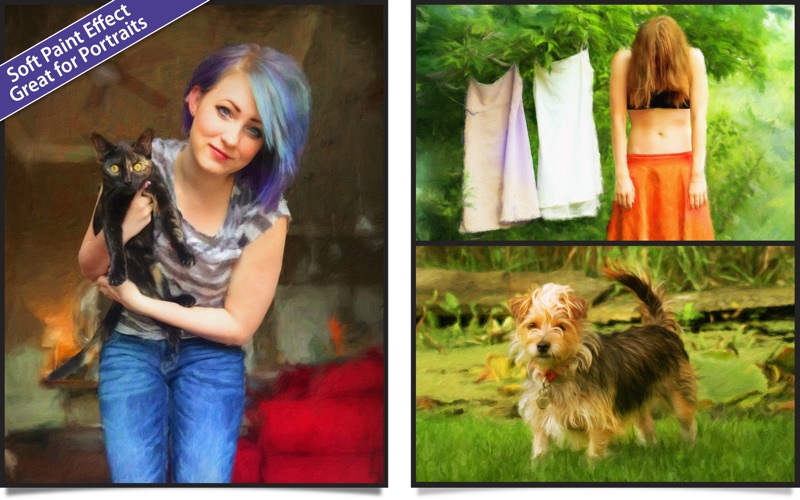
NEW—Soft Paint Effect—creates a hard edge when brushed to show contrast from other edges around it—great for foreground objects
NEW—Background Paint Effect—recedes objects and scenery when brushed for a natural distant and out-of-focus effect
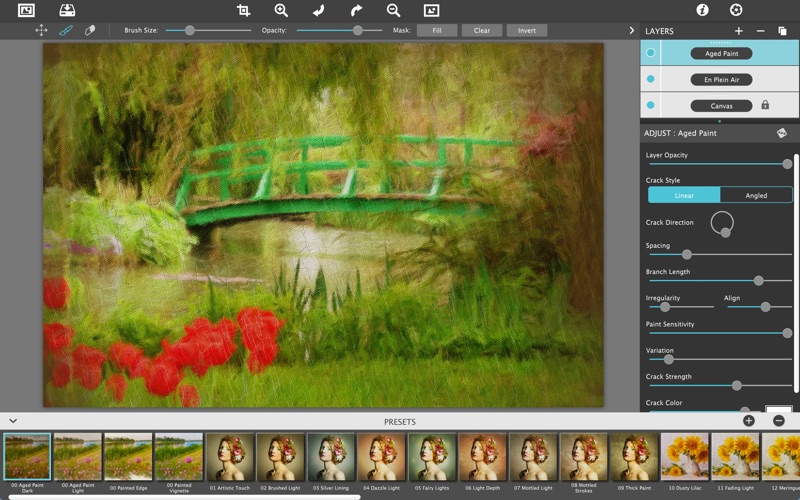
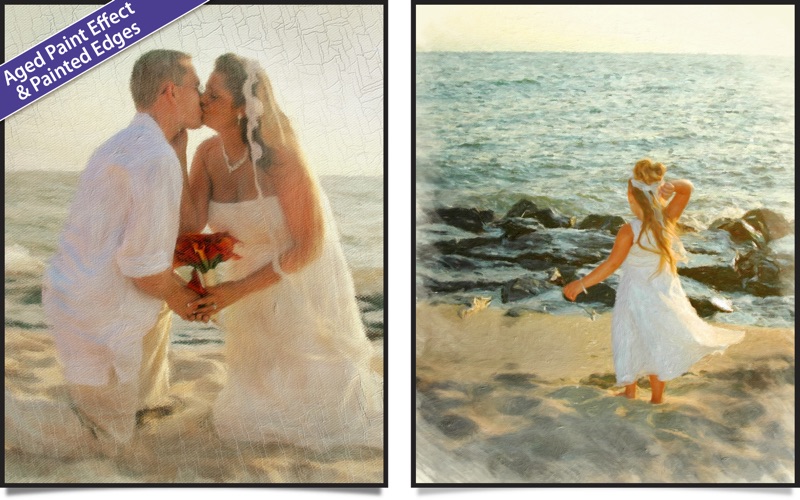
NEW—Aged Paint Effect—cracks paint in a linear or angled fashion with control over crack color, strength, size, angle, spacing and sensitivity
NEW—Painted Edges—creates a painted vignette
NEW—Signature Layer - Add that personalized touch to your image
NEW—CONFORM STROKES
This new technology conforms brush strokes, using only a slider, to bring out detail naturally—while still retaining the brushwork.
NEW—BRISTLE STYLES
Three bristle styles wield brushwork in an extremely free manner while retaining high quality strokes even up close.
NEW—11 NEW BRUSH STYLES
Safety and technology
Found in the app by AppBrain- Price
- $49.99
- App size
- 121.8 MB
- Content rating
- Everyone
Technologies used by Impresso Pro
Releases
Updates seen on the App Store- Version
- 1.8.31
- Launched
- May 2015
No changelog data
Alternatives
Similar apps and more from JixiPix SoftwareMore from JixiPix Software


Rankings
App Store top chartsApp Store Rankings for Impresso Pro
About the app and developer
About Impresso Pro
Impresso Pro is a photo & video app developed by JixiPix Software.
User Ratings
The app has no ratings yet.
App Information
Impresso Pro costs $49.99. The app size is 121.85 MB. The latest version available is 1.8.31. The last update was on October 19, 2026.
Technical Requirements
The app has a content rating of Everyone. The app has been available on the App Store since May 2015.
Developer information for JixiPix Software
Address: