

IndusFX Card
IndusFX Card is made and published by IndusInd Bank Limited. AppBrain is an independent app data site and isn't affiliated with IndusInd Bank Limited. The app name, icon, screenshots and description belong to IndusInd Bank Limited and are shown as published on the App Store.
AppBrain's verdict
- Last updated
- August 26, 2026
Rankings
App Store top chartsApp Store Rankings for IndusFX Card
Competitors
Similar apps and more from IndusInd Bank LimitedAlternatives to IndusFX Card








More from IndusInd Bank Limited


Releases
Updates seen on the App Store- Version
- 1.0.9
- Launched
- September 2023
No changelog data
User feedback
Ratings and reviews on the App StoreComments on IndusFX Card for iOS
We don't have enough comments to show example comments. Please check back later.
Technology
Found in the app by AppBrain- Price
- Free
- App size
- 24.5 MB
- Content rating
- High
Technologies used by IndusFX Card
About the app and developer
About IndusFX Card
IndusFX Card is a finance app developed by IndusInd Bank Limited.
User Ratings
The app has no ratings yet.
App Information
IndusFX Card is freely available from the App Store. The app size is 24.53 MB. The latest version available is 1.0.9. The last update was on August 26, 2026.
Technical Requirements
The app has a content rating of High Maturity. The app has been available on the App Store since September 2023.
Developer information for IndusInd Bank Limited
Address:
Store listing
By IndusInd Bank Limited, from the App Store


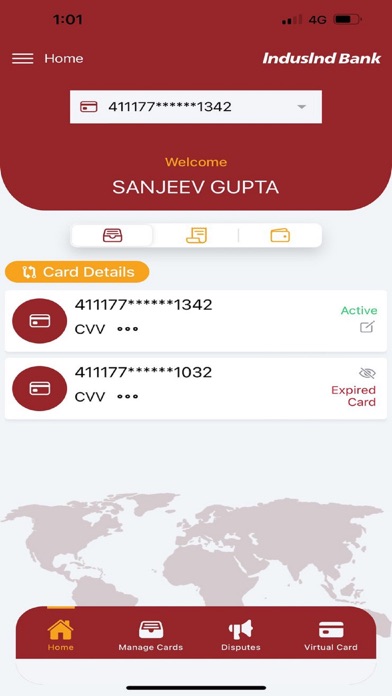
Description by IndusInd Bank Limited Written by the developer, not by AppBrain. Click to read.
After receiving your card, you need to firstly sign up using your Forex Card. After your login credentials are created, log in using MPIN and perform operations such as:
PIN Reset – generate new PIN for your Forex Card
Limit Profile – Set Transaction Limits for ATM, POS, Contactless & Ecomm channels
Update Currency Priority – Set Currency priority if your forex card is loaded with multiple currencies
Manage Card – Enable/Disable channels such as ATM, POS, Contactless & Ecomm
Activate Card – Activate your card, if it is inactive
Block/Unblock – Block/Unblock your card temporarily and permanently in case of any exigency
Virtual Card – Generate One Time or Multi Usage Virtual Card for secured Ecomm transactions
Transaction Statement – Track your spending by viewing or downloading your Forex Card’s transaction statements
Raise Disputes – Flag any wrong transaction done on the Forex Card by raising disputes
User Manual as well as Schedule of Charges are also available on the application which is useful in case of reference on the go.
Your Personal Details are also available on the Fx Card application where you can modify some of the details as per your needs.