Inkpad Notepad - Notes - To do is made and published by
Workpail, LLC.
AppBrain is an independent app data site and isn't affiliated with Workpail, LLC.
The app name, icon, screenshots and description belong to Workpail, LLC and are shown as
published on the App Store.
About Inkpad Notepad - Notes - To do
Inkpad Notepad - Notes - To do is a productivity app developed by Workpail, LLC.
User Ratings
Inkpad Notepad - Notes - To do is rated 4.64 out of 5 stars. The rating is based on 8.6 thousand ratings.
App Information
Inkpad Notepad - Notes - To do is freely available from the App Store. The app size is 67.26 MB. The latest version available is 6.3.59. The last update was on December 30, 2025.
Technical Requirements
The app has a content rating of Everyone. The app has been available on the App Store since July 2015.
Description by Workpail, LLC(from the App Store)
InkPad Notepad is the simple, elegant, easy way to keep notes on your phone, or on the web.
Once upon a time, you had to write down notes in a paper notepad and carry it around with you. If you wrote a shopping list or to do list, you might go to the store and discover you had forgotten your notepad. But how often do you forget to bring your mobile phone with you? Introducing InkPad, the notepad you’ll only forget as often as your phone!
Inkpad Notepad let's you access your notes online on our website. You can create or edit notes from the convenience of your computer's web browser, and always have access to your notes from your phone when you're offline too.
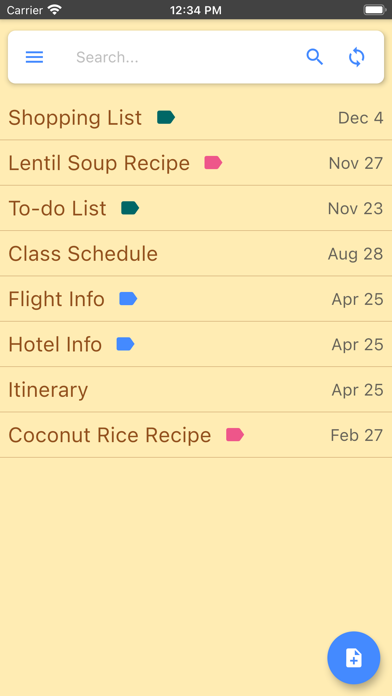
CREATE NOTES InkPad is designed to look like a paper notepad, and is just as simple to use. When you open InkPad, you’ll see a list of all notes you’ve created. To add a new note, tap on the “+” button at the bottom of the screen.
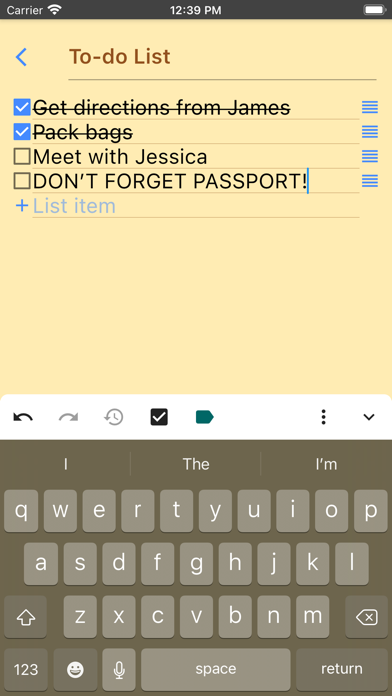
CREATE TO DO LIST Create a note as usual, then select the "to do list" button at the top of the note screen.
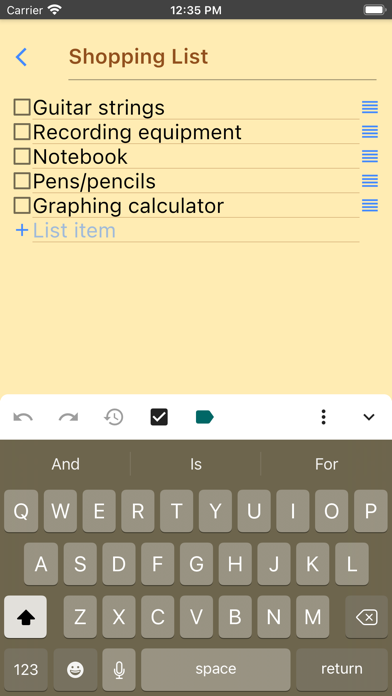
CREATE SHOPPING LIST Create a note as usual, then select the "shopping list" button at the top of the note.
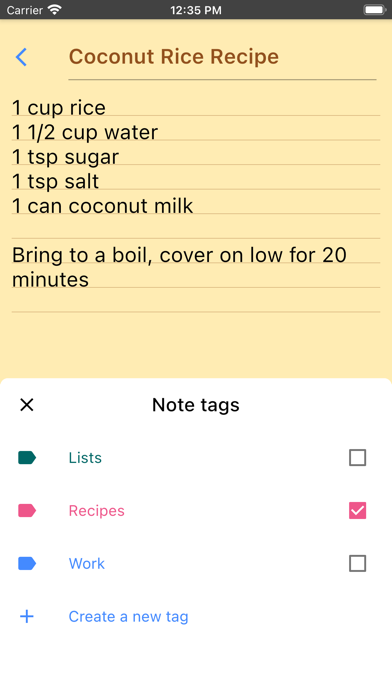
EDIT NOTE OR TO DO LIST Now you can write your note. Just like a paper notepad, you don’t have to do anything special to save your notes, they are auto-saved for you.
SAVE As mentioned above, notes are auto-saved. You don’t have to do anything special to save them.
SYNC NOTES ONLINE Inkpad Notepad lets you sync/backup notes online. You can access your online notes on our website by signing in with the same account you selected in the mobile app.
SEARCH YOUR NOTES OR TO DO LISTS Inkpad Notepad now gives you an option to search your notes or to do lists. From the home screen, tap on the search icon, then begin writing. As you write, the list of notes will be filtered to only display notes containing the search keyword. Press the "X" button to clear the note search, and view all notes as usual.
SHARE NOTES At the bottom of each note is a “share” button. Tapping it brings up all the ways to share. Typical ways include email, SMS, etc.
CHANGE NOTE’S TITLE To change a notes title, tap on the title area at the top of that note.
DELETE NOTE If you don’t want a note any longer, you can delete it in several ways: 1) Open the note, tap the “delete” button at the bottom of the page. 2) From the main notes screen, swipe-left the title of a note, then tap on “delete”.
BACKUP NOTES To backup a note, press the share button and email to yourself the note you want to backup.
TYPICAL USES Write To do lists, shopping lists, addresses, email, SMS, Twitter updates*, write lyrics, poems, or even a novel if you feel like it! The uses are limited only by your imagination.
Follow @InkpadNotes on twitter and facebook to receive updates about InkPad Note pad.
*Assumes separate Twitter client is installed, Twitter cannot post note pad content longer than 140 characters.
Privacy Policy: https://www.inkpadnotepad.com/privacy Terms of Use: https://www.inkpadnotepad.com/terms
Each subscription will automatically renew 3 days before the expiration date for
the same time period. Subscriptions can be cancelled at any time before the renewal.