

InPost Mobile is made and published by InPost. AppBrain is an independent app data site and isn't affiliated with InPost. The app name, icon, screenshots and description belong to InPost and are shown as published on the App Store.
AppBrain's verdict
EstablishedLoved by usersTop 10- Rating on App Store
- 4.90
- 3,669 ratings
- Last updated
- October 26, 2026
- Size
- 224.0 MB
Users love it: 4.9 stars from 3,669 ratings. Its best ranking is #3 in Top Free, Shopping in Poland.
User feedback
Ratings and reviews on the App StoreComments on InPost Mobile for iOS
We don't have enough comments to show example comments. Please check back later.
Store listing
By InPost, from the App Store



Description by InPost Written by the developer, not by AppBrain. Click to read.
Shop the shortcut way with InPost Pay.
Select the InPost Pay button in a participating online store and complete your purchase in the InPost app — no logging in, no forms, no email overload. You only register with InPost Pay once—and shop securely with a single click. From payment to delivery—fast and convenient. All your order details, including statuses and delivery notifications, are in one app. Discover a new dimension of online shopping!
Sending without a label
You can send your parcel conveniently with InPost Mobile – without printing a shipping label, 24/7, via any Parcel Locker®. All you have to do is open the locker remotely with one click, scan the QR code, or enter the shipping code on the screen of the Parcel Locker®!
Opening the locker remotely
One of the main features of the app is remote locker opening – no need to touch the Paczkomat® screen. Just tap “Open locker remotely” and it will open on its own!
Extending the collection deadline
App users can easily extend the pickup time for their Paczkomat® parcel by 24 hours. Twelve hours before the deadline, a “Extend” button will appear in the app – just tap it, pay, and you’re all set!
Returning packages quickly and conveniently
Tired of online shopping returns? Not with us. Every InPost Mobile user can conveniently return a parcel to partner stores! You do not need to print a shipping label, just fill in the return details and send the parcel from any Parcel Locker®.
Redirecting courier parcels without any problem
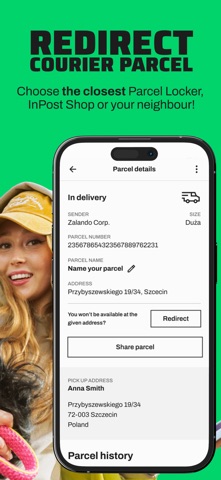
Not home for your InPost courier? Click “Redirect” in the app and choose a new delivery option: Parcel Locker®, PUDO point, or a neighbour’s address.
Placing a parcel in the Ease of Access Zone
The Ease of Access Zone is a solution that allows parcels to be delivered to lower lockers in the Parcel Locker®. This functionality is meant for people with disabilities and those short of stature. If you want the parcel to be placed in the Zone, select the "Activate" button in the details of the parcel.
Picking up shipments using the Multi-locker functionality
Multi-locker is an option that allows you to receive multiple parcels from a single locker in a Parcel Locker®. Packages that have been included in the Multi-locker are collected in the app in one message and highlighted in blue.
Parcel Lockers® are always close to you
You can easily find any Parcel Locker® or PUDO point in the app. All you need to do is click on the map and, if you have location services enabled, the application will show you the nearest InPost delivery points.
Always know where your package is
Using the app, you can keep track of all the shipments you are waiting for. Notifications will keep you up to date with changes in shipment status. Your shipments ordered in the last 30 days, will be visible in the app after logging in.
Paying cashless for cash on delivery shipments
You can pay for COD shipments with PayByLink transfers - a simple and convenient solution that gives you freedom and full control over your order.
You create the application TOGETHER with us!
We regularly update the product, responding to user suggestions. The InPost Mobile app is supposed to be first and foremost for you, so we always listen to what you have to say.
Safety and technology
Found in the app by AppBrain- Price
- Free
- App size
- 224.0 MB
- Content rating
- Everyone
Technologies used by InPost Mobile
Releases
Updates seen on the App Store- Version
- 4.22.1
- Launched
- February 2019
No changelog data
Alternatives
Similar apps and more from InPostAlternatives to InPost Mobile


More from InPost

Rankings
App Store top charts- Highest rank
- #3
- Chart
- Top Free
- Shopping
- Country
- Poland
About the app and developer
About InPost Mobile
InPost Mobile is a shopping app developed by InPost.
User Ratings
InPost Mobile is rated 4.90 out of 5 stars. The rating is based on 3.7 thousand ratings.
App Information
InPost Mobile is freely available from the App Store. The app size is 224.02 MB. The latest version available is 4.22.1. The last update was on October 26, 2026.
Technical Requirements
The app has a content rating of Everyone. The app has been available on the App Store since February 2019.
Developer information for InPost
Address: