Invoice Maker: Estimate Appㅤ is an overall app developed by E1 ENTERPRISES LLC.
How many times has Invoice Maker: Estimate Appㅤ been downloaded?
What is the rating of Invoice Maker: Estimate Appㅤ?
Invoice Maker: Estimate Appㅤ has no ratings yet.
Is Invoice Maker: Estimate Appㅤ free?
Invoice Maker: Estimate Appㅤ is free to download. The APK download size is 79.99 MB. The latest version available is 1.3.1. The last update was on July 16, 2026.
What are the requirements for Invoice Maker: Estimate Appㅤ?
The app has a content rating of Everyone. The app has been available on Google Play June 2026.
Description
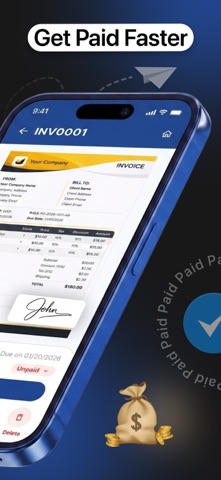
AI Invoice Maker is a smart, efficient, and user-friendly app that lets you easily create invoices, manage clients, send quotations, and do business billing. No matter where you operate your business locally or internationally, with the help of this invoice maker, you'll be able to handle your invoicing effortlessly.
You can work with clients anywhere in the world because this app supports in different way like: Supports multiple currencies USD, EUR, GBP, INR, AUD, CAD and more Automatic currency formatting
You Get Effortless Invoice Creation
Create invoices in just a few taps using this AI invoice maker. Create unlimited invoices Add business, client, and item details Set due dates and payment terms Auto-generated invoice numbers Track invoice status (Draft, Sent, Paid, Overdue) Add notes and terms for clients
Every feature of this application is designed to make the invoice creation process smooth. You can create your receipt, print or share it with others via mail and messages.
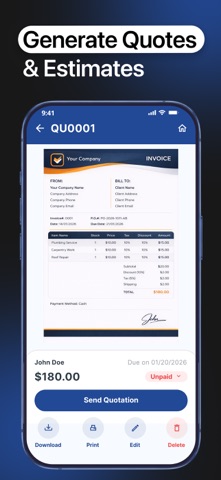
Key Features Easy and fast invoice creation Manual tax entry for flexible tax management Convert quotation into invoices Manage multiple clients and business Add items, discounts, shipping, and notes View sales analytics with charts and reports Track top customers and overall business performance All-in-one dashboard for complete control Edit your invoice anytime
How to Use This App? There are no complicated steps to use this application. You just need to follow the instructions below. Open the app on your iPhone or iPad Create your account or sign-in You get a create button in front of your screen. Click on it and select business, clients, invoice or anything you need. Insert details by choosing filters; clients, currency, date (from-to). If any of your details get wrong, you can edit it.
This is how you can do anything manually. But we have an AI agent that can do all these tasks itself.
To use it you need to follow these steps; Give it a prompt like generate the invoice or edit it. It allows you to provide information through voice input or uploading files. Once it is done, the assistant gives you the invoice. You can directly share it to your clients or save it into pdf and image form.
Download Now Create, track, and share professional invoices anytime with AI Invoice Maker.
Note: Payment will be charged to your Apple ID account at confirmation of purchase. Subscription automatically renews unless auto-renew is turned off at least 24 hours before the end of the current period. Your account will be charged for renewal within 24 hours prior to the end of the current period. You can manage or cancel your subscription anytime in your App Store account settings. Any unused portion of a free trial (if offered) will be forfeited when you purchase a subscription. Privacy Policy: https://e1-enterprise.vercel.app/privacy-policy Terms & Conditions: https://e1-enterprise.vercel.app/terms-and-conditions Terms Of Use (EULA): https://e1-enterprise.vercel.app/end-user-license-agreement
Each subscription will automatically renew 3 days before the expiration date for
the same time period. Subscriptions can be cancelled at any time before the renewal.