

IRITracker Road Roughness
IRITracker Road Roughness is made and published by Dmitry Bereznev. AppBrain is an independent app data site and isn't affiliated with Dmitry Bereznev. The app name, icon, screenshots and description belong to Dmitry Bereznev and are shown as published on the App Store.
AppBrain's verdict
- Rating on App Store
- 5.00
- 1 ratings
- Last updated
- September 5, 2026
It doesn't have enough ratings yet to judge what users think.
Rankings
App Store top chartsApp Store Rankings for IRITracker Road Roughness
Competitors
Similar apps and more from Dmitry BereznevAlternatives to IRITracker Road Roughness



Releases
Updates seen on the App Store- Version
- 1.8
- Launched
- November 2025
No changelog data
User feedback
Ratings and reviews on the App StoreComments on IRITracker Road Roughness for iOS
We don't have enough comments to show example comments. Please check back later.
Technology
Found in the app by AppBrain- Price
- Free
- App size
- 37.2 MB
- Content rating
- Everyone
Technologies used by IRITracker Road Roughness
About the app and developer
About IRITracker Road Roughness
IRITracker Road Roughness is a business app developed by Dmitry Bereznev.
User Ratings
IRITracker Road Roughness is rated 5.00 out of 5 stars. The rating is based on one rating ratings.
App Information
IRITracker Road Roughness is freely available from the App Store. The app size is 37.24 MB. The latest version available is 1.8. The last update was on September 5, 2026.
Technical Requirements
The app has a content rating of Everyone. The app has been available on the App Store since November 2025.
Developer information for Dmitry Bereznev
Address:
Store listing
By Dmitry Bereznev, from the App Store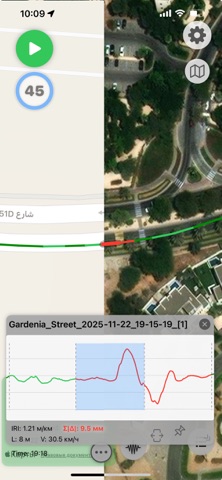




Description by Dmitry Bereznev Written by the developer, not by AppBrain. Click to read.
IRITracker Road Roughness helps contractors, inspectors, road engineers, municipalities, and maintenance teams document paved-road condition from field recording to a shareable final report. The app uses iPhone motion sensors and GPS to produce indicative roughness and IRI estimates along a driven route.
FIELD SURVEY
• Record the GPS track, speed, acceleration, and segment-by-segment road roughness.
• See color-coded route segments, IRI graphs, route statistics, and roughness distribution.
• Record a continuous series of logs for longer road corridors.
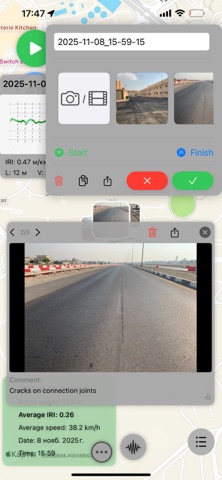
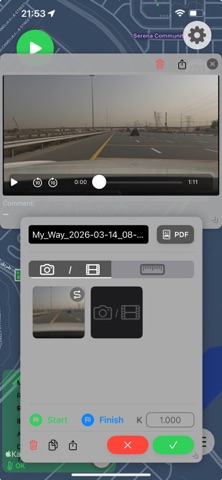
• Attach photos and video evidence to specific route segments, and record full-route video.
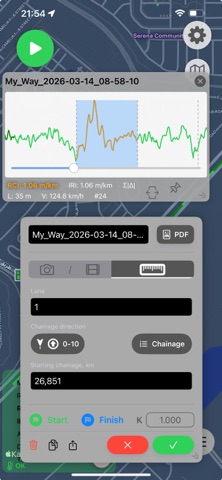
• Save the lane, comments, starting chainage or milepost, and increasing or decreasing direction.
CHAINAGE AND MILEPOSTS
• Add, edit, and delete chainage or milepost markers for individual route segments.
• Review the route map and corresponding video while choosing a segment and reference frame.
• Keep chainage data consistent across logs in a series and in new reports.
REVIEW AND ORGANIZE
• Review, trim, merge, rename, and filter recorded logs.
• Filter logs by name and date, then display all matching routes together on the map.
• Work with large log collections more comfortably on iPad and compatible Apple silicon Mac computers.
EXPORT AND REPORTING
• Create Universal Export packages for spreadsheet and GIS workflows, including CSV, KML, and GeoJSON.
• Import and share native IRITracker log packages, or batch-export multiple logs.
• Create a final PDF reporting document that consolidates the app's calculations and the field crew's work, including route maps, roughness results, graphs, chainage or mileposts, and selected concern segments with field media.
CALIBRATION AND UNITS
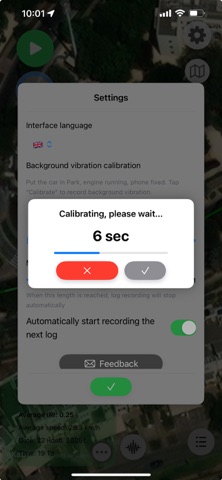
• Calibrate results for the vehicle and phone mounting position, or use a reference route to align measurements.
• Choose metric or imperial units.
PRIVACY
Survey data remains on your device unless you choose to export or share it.
IMPORTANT
IRITracker is a screening and field-documentation tool. Results are indicative and can be affected by the vehicle, phone mounting, speed, road conditions, and device sensors. It is not a certified road profiler or a replacement for calibrated professional equipment when formal acceptance or compliance measurements are required.
Some features and higher usage limits require IRITracker Premium.
English
Terms of Use (EULA): https://www.apple.com/legal/internet-services/itunes/dev/stdeula/