

iVacuum Cleaner Robot Control
iVacuum Cleaner Robot Control is made and published by FLOWMATIC PTE. LTD. AppBrain is an independent app data site and isn't affiliated with FLOWMATIC PTE. LTD. The app name, icon, screenshots and description belong to FLOWMATIC PTE. LTD and are shown as published on the App Store.
AppBrain's verdict
EstablishedWell rated- Rating on App Store
- 4.06
- 4,927 ratings
- Last updated
- June 22, 2026
Users rate it well: 4.1 stars from 4,927 ratings.
Rankings
App Store top chartsApp Store Rankings for iVacuum Cleaner Robot Control
Competitors
Similar apps and more from FLOWMATIC PTE. LTDAlternatives to iVacuum Cleaner Robot Control



More from FLOWMATIC PTE. LTD





Releases
Updates seen on the App Store- Version
- 3.1
- Launched
- May 2021
No changelog data
User feedback
Ratings and reviews on the App StoreComments on iVacuum Cleaner Robot Control for iOS
We don't have enough comments to show example comments. Please check back later.
Technology
Found in the app by AppBrain- Price
- Free
- App size
- 94.6 MB
- Content rating
- Everyone
Technologies used by iVacuum Cleaner Robot Control
About the app and developer
About iVacuum Cleaner Robot Control
iVacuum Cleaner Robot Control is an utilities app developed by FLOWMATIC PTE. LTD.
User Ratings
iVacuum Cleaner Robot Control is rated 4.06 out of 5 stars. The rating is based on 4.9 thousand ratings.
App Information
iVacuum Cleaner Robot Control is freely available from the App Store. The app size is 94.62 MB. The latest version available is 3.1. The last update was on June 22, 2026.
Technical Requirements
The app has a content rating of Everyone. The app has been available on the App Store since May 2021.
Developer information for FLOWMATIC PTE. LTD
Address:
Store listing
By FLOWMATIC PTE. LTD, from the App Store

Description by FLOWMATIC PTE. LTD Written by the developer, not by AppBrain. Click to read.
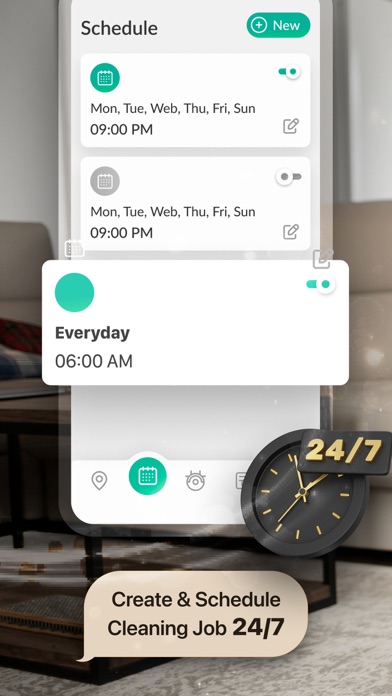
The ultimate Vacuum Control app is now available with all required features to control your Cleaning Robot at ease with only a smartphone needed. Now you can spend no effort to create & schedule jobs, keep track of the robot via the live map, review job history & other custom settings exclusively for your Robot. An all-in-one Robot Control app that makes your daily housework much more convenient & easier.
Disclaimer: This app is not affiliated with either iRobot Corporation or any robot vacuum-related platforms.
CONTROL & SCHEDULE
With just a tap, you can freely start the job, pause, resume & send the robot back to the Home base without using a physical remote or touching directly the robot. More conveniently, you can schedule the jobs beforehand at your favorite times of the day, for example at night or at the weekend at noon. It is super easy to edit, reschedule, on/off the jobs whenever you want.
LIVE MAP TRACKING
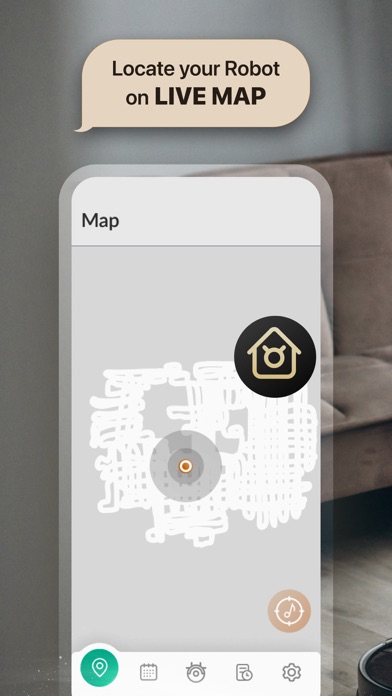
Want to know where your robot is cleaning but you're too lazy to walk around the house to find him? Don't worry, our LIVE MAP will help you to do that within seconds while you're still laying on the couch! By looking at the live map, you can freely check the live position & movement of the robot, as well as giving you a bird's-eye view of your room. When seeing the robot is getting stuck at one position for too long, you can just simply press the "Music note" to activate the robot's sound for fast location investigation. After the job has been done, the complete live map will be saved in the History section.
JOB HISTORY REVIEW
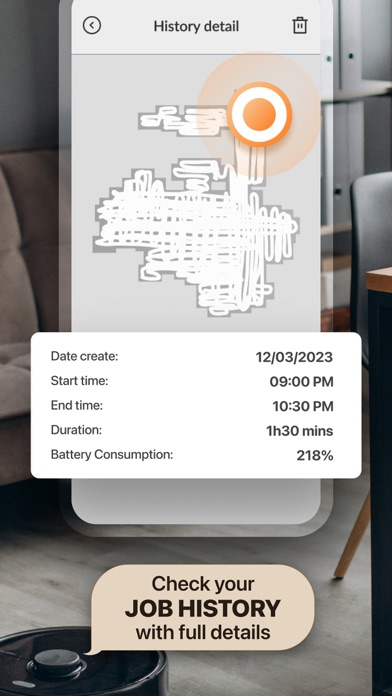
You can see the summary of all the jobs done by the robot such as the recap of the complete map, start and end time (in case you use our app to start and end the job), total time spent and battery consumption for each job. You can organize the job history list, delete the old ones based on your preference.
OTHER SETTINGS
You can set up your favorite language, cleaning frequencies & bin full behavior in the Settings section. The Privacy Policy & Your Purchased Subscriptions can also be found here. If you like our app, you can rate us directly on AppStore and give us some suggested ideas for the latest updates. If you need any support, you can contact us via email with a brief summary of your issue and we will try our best to support you.
CONNECTION INSTRUCTION
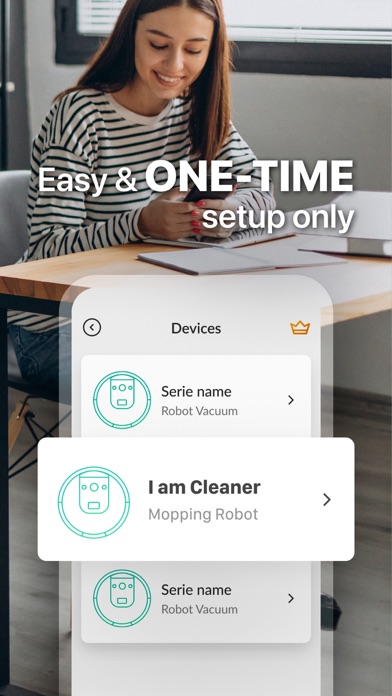
You just need to set up your Robot for the first time, and the Robot will automatically connect to the app whenever you open it. The setup details will be shown step-by-step inside the app. Please make sure that the Robot is fully charged and is connected to the same WiFi as your smartphone.
Disclaimer: This app is not affiliated with either iRobot Corporation or any robot vacuum-related platforms.
• Subscribed user has unlimited access
• Unsubscribed user can only use free features
• User can subscribe for one week (USD $3.99), one month (USD $9.99), or a lifetime ($19.99) auto-renewing subscription.
• Payment will be charged to iTunes Account at confirmation of purchase.
• Subscription automatically renews unless auto-renew is turned off at least 24-hours before the end of the current period.
• The account will be charged for renewal within 24-hours prior to the end of the current period, and identify the cost of the renewal.
• Subscriptions may be managed by the user and auto-renewal may be turned off by going to the user’s Account Settings after purchase.
Terms of Use: http://smartwidgetlabs.com/terms-of-use/
Privacy Policy: http://smartwidgetlabs.com/privacy-policy/
You are welcome to contact us at support@smartwidgetlabs.com